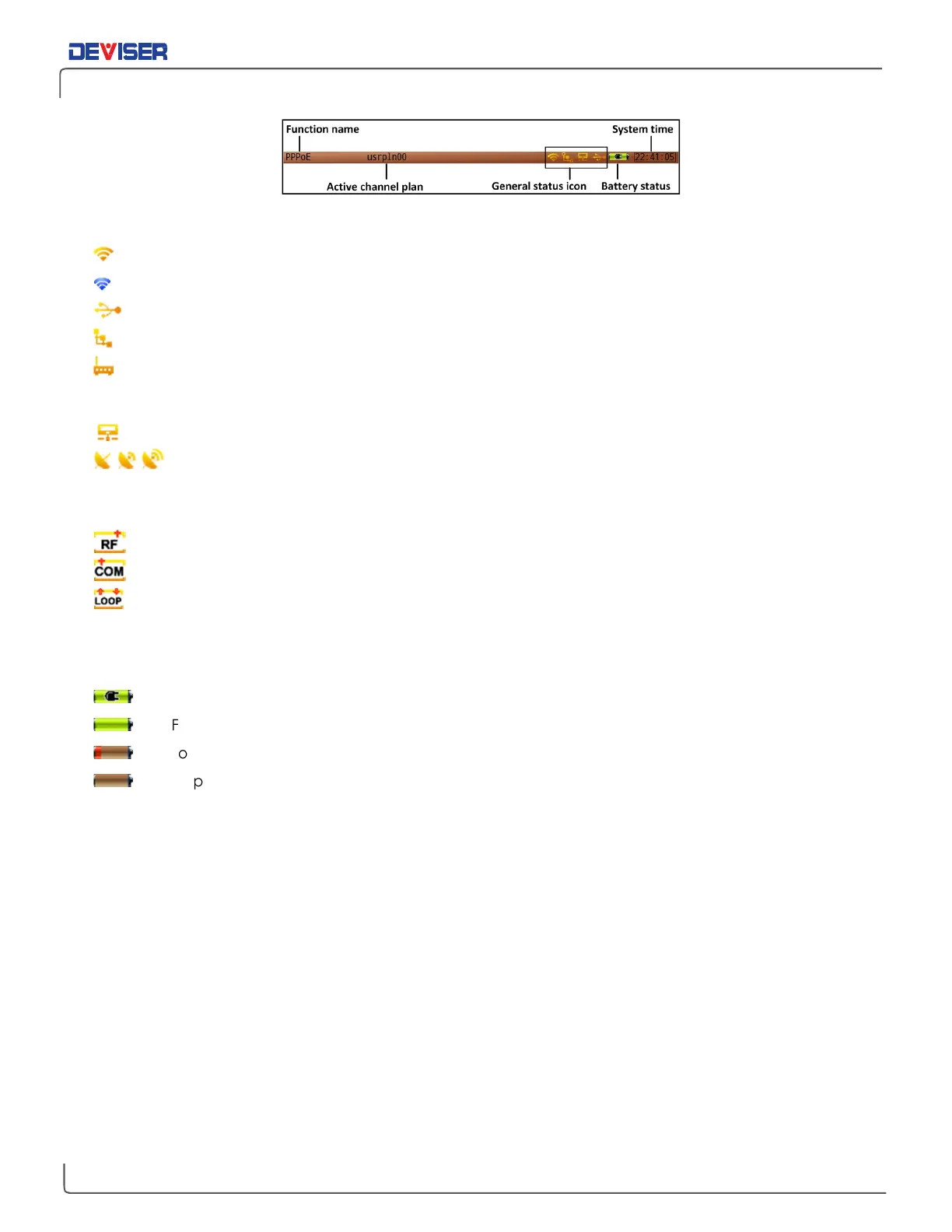
Status bar
General Status Icons
Wi-Fi function is active.
Wi-Fi hotspot function is active.
USB storage device connected.
PPPoE icon.
The 32x8 Cable Modem function is active. If the four dots are red, the Cable Modem is
initializing; if white, it is in the registration process with the CMTS; if green, the Cable Modem has
successfully registered with the CMTS.
LAN cable connected.
The GPS module is searching for a GPS satellite signal.
Signal Transmission Icons
Signal received / transmitted from the RF IN port.
Signal received / transmitted from the COM port.
Loopback test. The arrow indicates that the signal is being transmitted from the COM port and
received by the RF IN port.
Power Icons
Adapter connected;
Full battery;
Low battery;
Empty battery.



 To Next Page