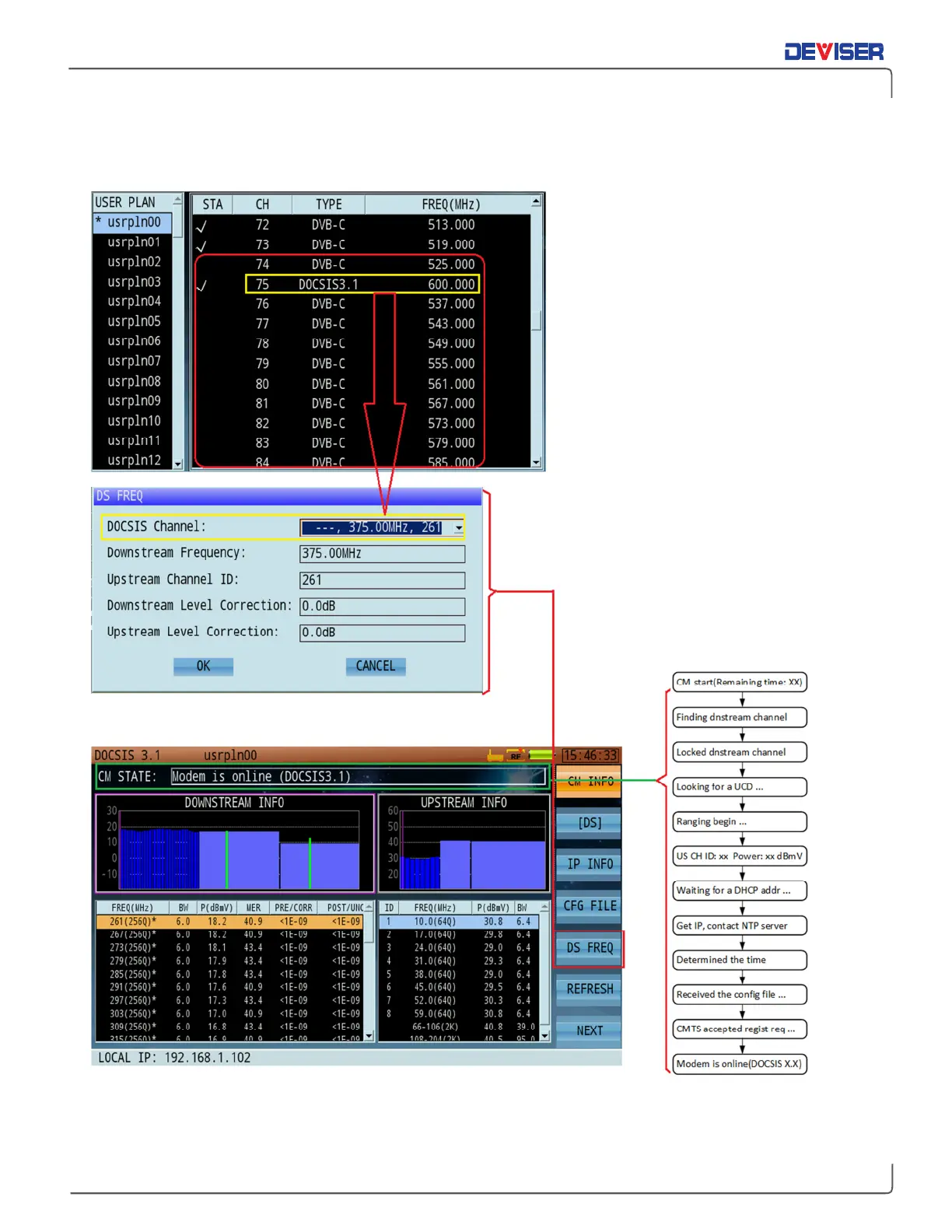
32x8 Cable Modem Measurement
Procedure:
1.
After properly identifying DOCSIS
channels in your channel plan, set
parameters for your testing needs.
Be sure to set up your DOCSIS
channels correctly before initiating
the cable modem.
2.
In the Cable Modem application,
open the DOCSIS channel list and
select your desired channel. This
speeds up testing.
3.
Press “OK” to confirm. Note status.
If connection does not succeed,
re-check measurement
parameters.
4.
Note: the CM can receive signals
of -10 ~ +20dBmV. Signals outside
this range will prevent CMTS
connection. Adjust the attenuation
level to fit this range.



 To Next Page