3025EMC Master Control Switching & Channel Branding
Page 144 Revision 3.0.3
The EMC hardware has minimum image memory sizes. If the user maintains within one memory block
size, it will maximize the number of logos that can be held in the hardware. The minimum size is 512
pixels wide by 270 pixels high for the 1080i version of the Logo Inserter.
7.1.2.7. Positioning the Logo
Upon importing the image, ensure the logo is as close as possible to the actual insertion point. The
user can use the Overture™ software to roughly position the logo on the screen and once the logo is
downloaded to the hardware, the user can fine-tune the position using the control panel.
7.1.2.8. Edges between the Fill and Background
There are a couple of artifacts that may occur on the edge between a logo and the background that are
not obvious at first but, once the user is aware of the occurrence, the user can create the image with
knowledge of how to avoid them.
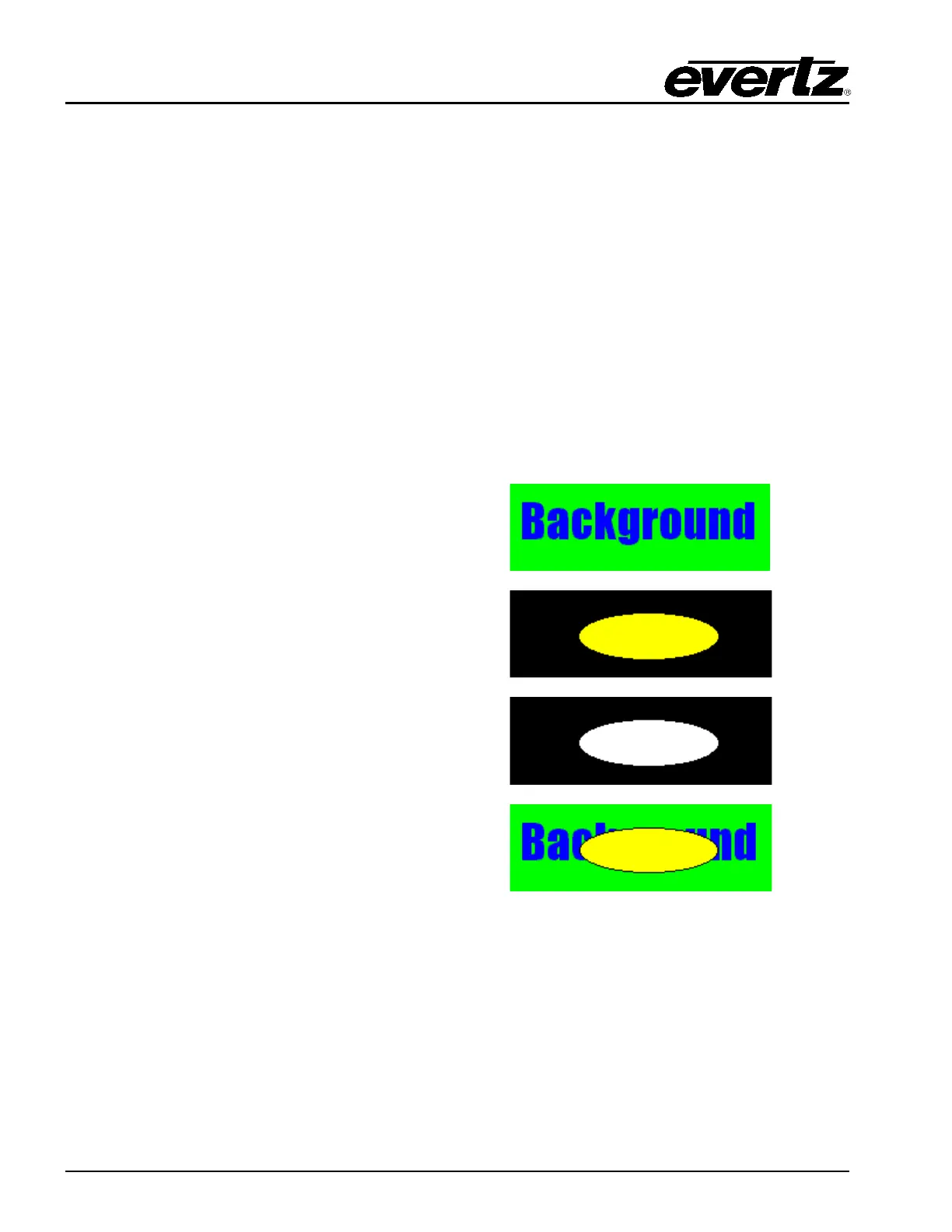
The following provides an example of edges between the fill and background:
The following is the background image:
The following is the fill image used:
The image has the following key:
The following image displays the fill over the
background with a black border outlining the fill:
This occurs because the fill image has a transition from the fill colour to black and it overlaps the key
that also has a transition (from the fill to the background). A small portion of the black around the fill
shape sneaks through at the transition edge. This may or may not be a desirable effect.
Please be advised that if the fill has a shaped but sharp edge, and the key has a shaped but sharp
edge, the resulting image will have a predominantly sharp edge and edge-ringing issues may occur, as
described earlier. This is due to the fact that the key shapes the already shaped edge creating an even
faster edge.
If the above does not produce the desired result, the following can be performed:



 To Next Page