3025EMC Master Control Switching & Channel Branding
Revision 3.0.3 Page 145
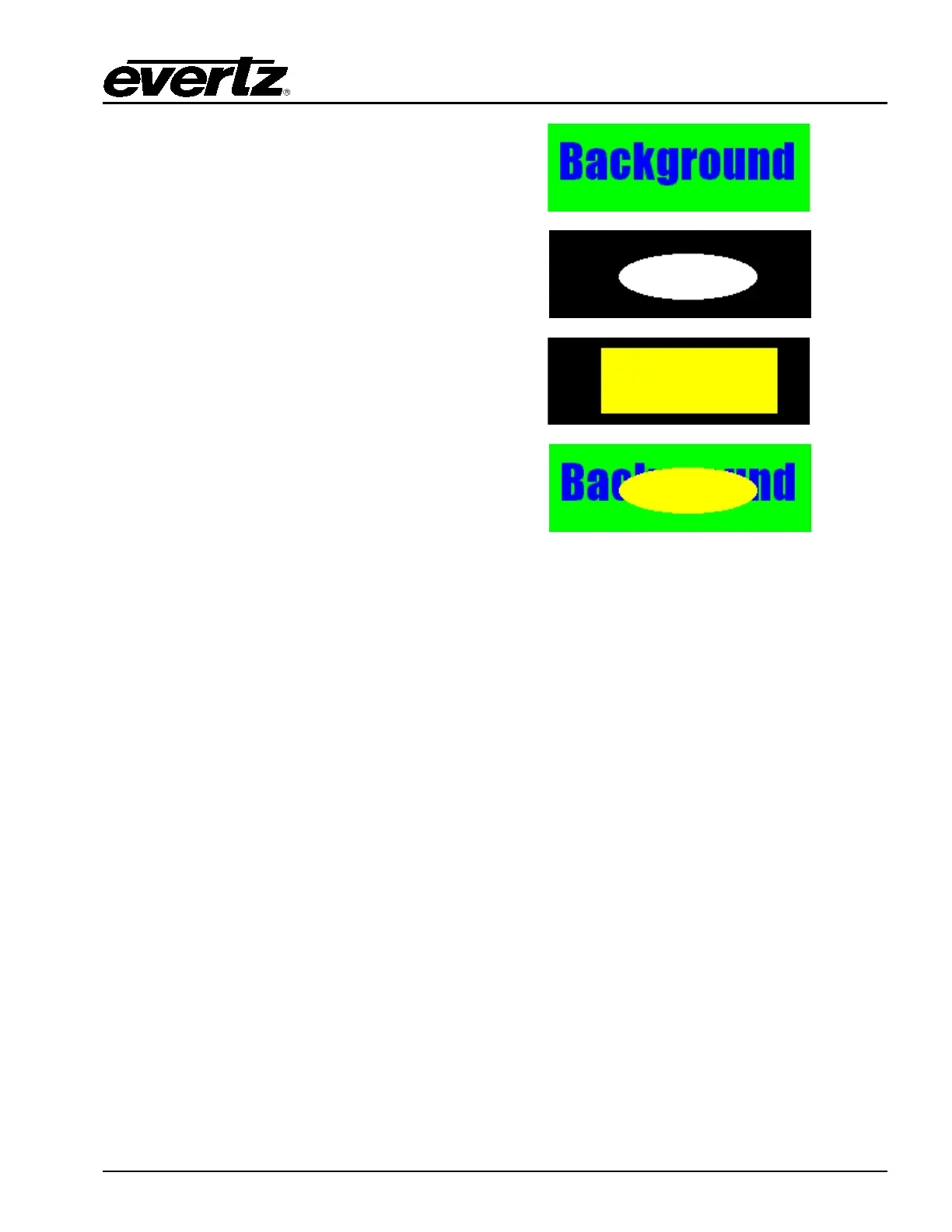
The following background image is used:
The following is the key image used:
The following fill image is larger than the key, as
shown in the adjacent image:
The following image shows the fill image without
the black border being produced:
The key in this example provides the proper edge shape for the fill.
If the user is not providing a key file, it is hard to remove an edge effect. A technique for doing this is to
surround the fill with a colour that is slightly different, but unique, from the image. Rather than having
black, or another contrasting colour peeking around the image, a subtle colour difference will be
produced that will not be visible.
7.1.2.9. Summary: Primer for Creating Logos
The following is a summary of some of the guidelines for preparing a logo file to use on EMC:
1. Best results are achieved when the user supplies both the fill and the key as two separate files.
2. Ensure that the Horizontal and Vertical sizes of both the fill and key files are the same.
3. Ensure that the position of both the fill and the key within the file is the same.
4. Ensure that the key file only contains luminance values (i.e. R=G=B).
5. Please draw the logo on a background that is close to, but distinct from, the edge of the logo.
6. Draw logos at proper 1:1 scale (i.e. do not resize after drawing).
7. Try to keep the logo under the size of one block of memory. This will save memory space in the
Logo Inserter hardware (512 pixels wide by 270 pixels high). Anti-alias all edges within the logo.
Try not to anti-alias the outer edges (where the keying will take place). This will create a logo
without a black border.
8. Keep all lines thicker than 2 pixels wide and 2 lines high. The line will flicker and/or have an odd
edge, if they are too thin.
9. Format the logo and key into a 24 bit per pixel RGB bitmap image.
10. Field one is dominant and starts on a Y/C co-located sample. This means that the first pixel of
the first line will be in the first field and the first pixel will be a Y, Cr, Cb co-located sample.



 To Next Page