7700 Multiframe Manual
7725DSK-LG / 7725DSK-LG-HD HD/SD Logo Inserter & Media Keyer
Page 4-24 Revision 1.4 RCP OPERATION
4.10. TRANSITION CONFIGURATION ITEMS
The 7725DSK-LG can transition between the video sources using a variety of standard transition types.
The TRANSITION Setup menu is used to configure the transition type, rate, pause, and swap mode.
Table 4-5 shows the items available in the TRANSITION Setup menu. Sections 4.10.1 to 4.10.5
provide detailed information about each of the sub-menus.
Transition Type
Selects the type of video transition
Transition Rate
Adjusts the rate of the video transition
Transition Swap
Selects whether the Program and Preview Buses will swap after the
transition
Transition Pause
Selects whether the transition can be paused
Program Bus Change
Sets the transition type of a hot cut on the program bus
Table 4-5: Top Level of the Transition Setup Menu
4.10.1. Setting the Transition Type
TRANSITION
Transition Type
Type: Fade
Type: Cut
Type: Fade-Cut
Type: Fade-Fade
Type: Cut-Fade
Type: Diamond Ou
Type: Diamond In
Type: Circle Out
Type: Cirlce In
Type: Box Out
Type: Box In
Type: TB Split
Type: LR Split
Type: TB Curtain
Type: LR Curtain
Type: TR Box
Type: TL Box
Type: BR Box
Type: BL Box
Type: Wipe 315
Type: Wipe 270
Type: Wipe 225
Type: Wipe 180
Type: Wipe 135
Type: Wipe 90
Type: Wipe 45
Type: Wipe 0
This menu item is used to select the type on transition you would like
applied when the TRANSITION button is pressed. Transition effects only
appear on the program output bus. Transitions on the preview output bus
are always a Cut type performed at the end of the transition to program.
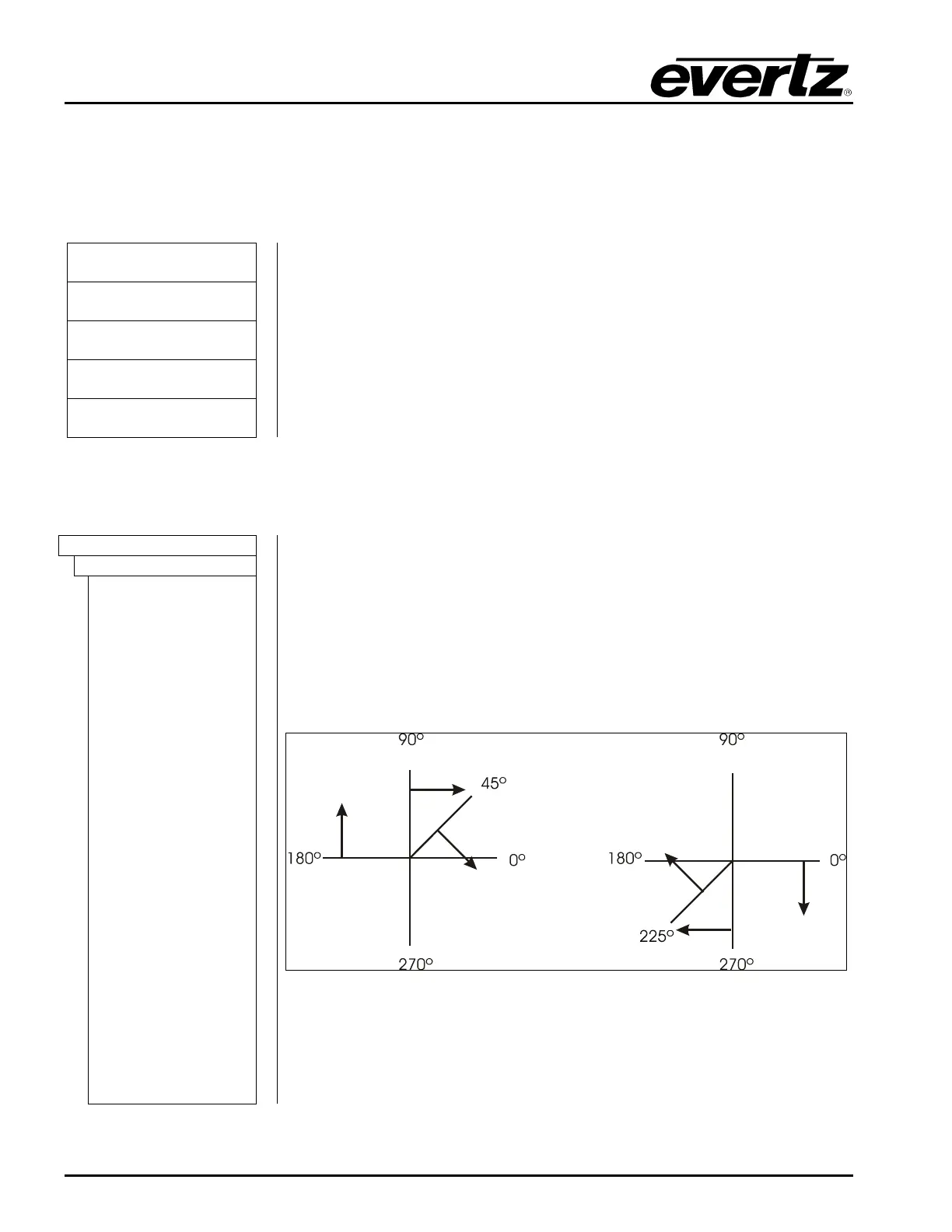
The numbers following the wipe patterns reference the angle of the wipe
and direction of the wipe. Arrows indicate direction of wipe. For example, a
Wipe 45 transition will start a 45 degree wipe that will progress from the top
left of the screen to the bottom right of the screen.



 To Next Page