7700 Multiframe Manual
7725DSK-LG / 7725DSK-LG-HD HD/SD Logo Inserter & Media Keyer
Page 3-22 Revision 1.4 VLPRO OPERATION
3.10. TRANISITION TAB
The 7725DSK-LG can transition between the video sources using a variety of standard transition types.
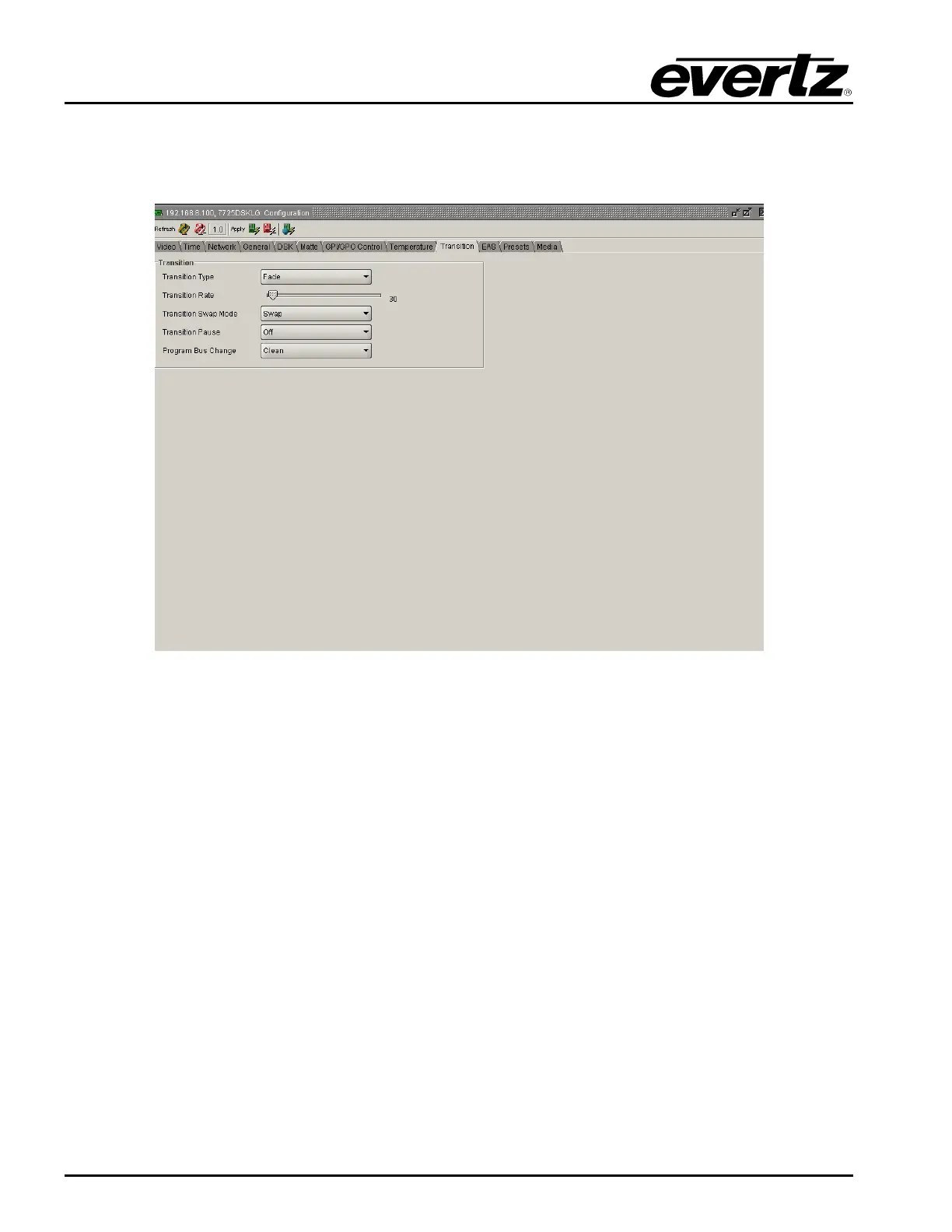
The TRANSITION setup window is used to configure the transition type, rate, pause, and swap mode.
Figure 3-9: Transition Window
3.10.1. Setting the Transition Type
This option is used to select the type on transition you would like applied when the DO TRANSITION
button is pressed. (See section 3.13.5) Transition effects only appear on the program output bus.
Transitions on the preview output bus are always a Cut type performed at the end of the transition to
program.
In order to select the desired transition type, choose the following from the drop down menu under the
Transition Type tab:
Fade
Cut
Fade-Cut
Fade-Fade
Cut-Fade
Diamond Ou
Diamond In
Circle Out
Cirlce In
Box Out
Box In
TB Split
LR Split
TB Curtain
LR Curtain
TR Box
TL Box
BR Box
BL Box
Wipe 315
Wipe 270
Wipe 225
Wipe 180
Wipe 135
Wipe 90
Wipe 45
Wipe 0



 To Next Page