7700 Multiframe Manual
7725DSK-LG / 7725DSK-LG-HD HD/SD Logo Inserter & Media Keyer
Page 3-12 Revision 1.4 VLPRO OPERATION
3.5.6. MCP Controls
In order for a QMC-DCP to control a 7725DSK, the 7725DSK must contact the QMC-DCP first. This
menu allows you to configure the IP address of up to four QMC-DCP panels. Once configured the
QMC-DCP should allow the user to select and control the 7725DSK.
"
Please refer to the QMC-DCP manual for configuration of communications to the
7725DSK-LG. In the QMC-DCP manual, configuration to control a PKG9625SW and a
7725DSK-LG are equivalent.
3.6. DSK TAB
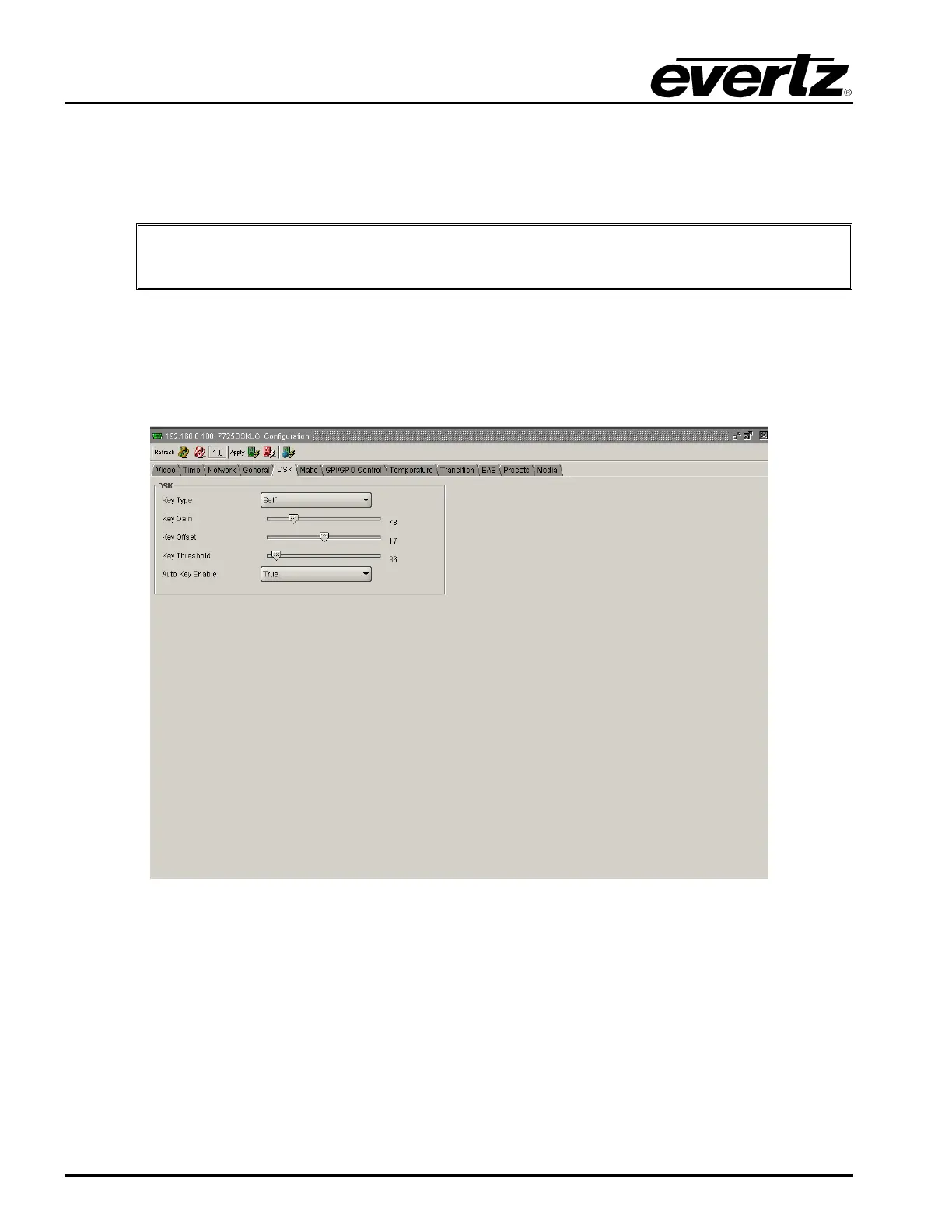
The 7725DSK-LG has a downstream keyer layer that allows the user to key objects into the output
video. The DSK Setup window is used to configure the downstream keyer functions – key type, gain,
and thresholds.
Figure 3-5: DSK Window
3.6.1.1. Setting the Key Type
This option is used to select whether the downstream keyer will use the key and fill input to perform the
keying function or whether it will perform a self-key.
Select input to use the key and fill inputs provided on the KEY and FILL video inputs of the 7825DSK2-
LG-HD respectively.
Select self to perform a hard self-key of the FILL video input using the FILL luminance threshold value
set in the Key Threshold menu item.



 To Next Page