7700 Multiframe Manual
7725DSK-LG / 7725DSK-LG-HD HD/SD Logo Inserter & Media Keyer
Page 3-32 Revision 1.4 VLPRO OPERATION
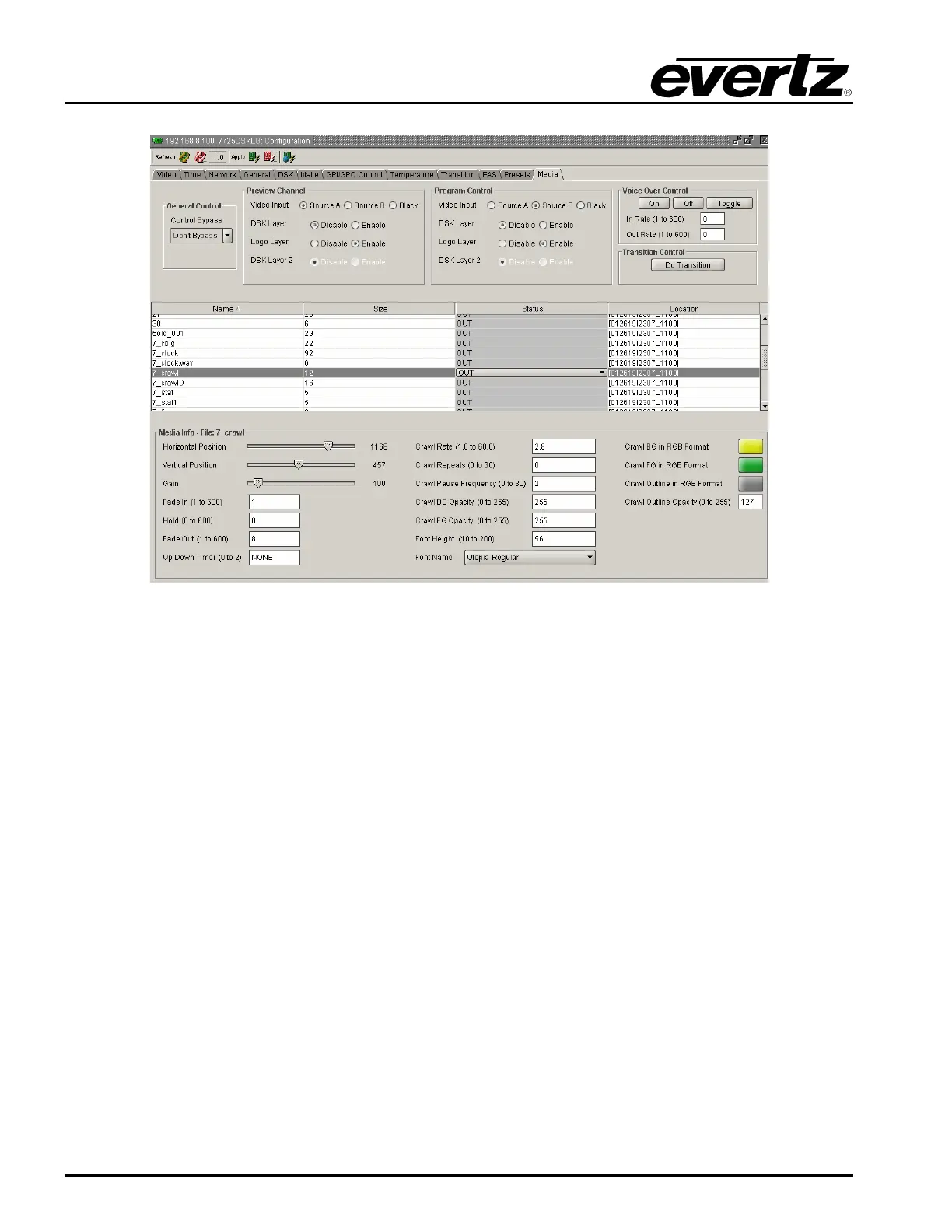
Figure 3-16: Crawl Logo Configuration Settings
3.13.7.1. Setting the Crawl Logo Horizontal Position
This option is used to set the horizontal position for the current logo. The position is referenced to the
left edge of the logo. The range of values depends on video standard in use.
3.13.7.2. Setting the Crawl Logo Vertical Position
This option is used to set the vertical position for the current logo. The position is referenced to the top
edge of the logo. The range of values depends on video standard in use.
3.13.7.3. Setting the Crawl Logo Transparency (Gain)
This option is used to adjust the opacity (the inverse of transparency) of the logo as a percentage of
the original opacity when the logo was created. When the Gain value is set at its default value of 100
the logo will be displayed at its original opacity.
For example, if the logo is created at 10% opaque, adjusting the Gain value to 200 will render the logo
as 20% opaque. If the logo is created at 50% opaque, adjusting the Gain value to 200 will render the
logo as 100% opaque. Gain values resulting in opacity levels above 100% are ignored.
3.13.7.4. Setting the Crawl Logo Fade In Duration
This option is used to set the fade in rate for the current logo. The range of values is 1 to 600 frames.
The Fade In option only applies to static and crawl logos.



 To Next Page