7700 Multiframe Manual
7725DSK-LG / 7725DSK-LG-HD HD/SD Logo Inserter & Media Keyer
Page 5-4 Revision 1.4 HTML
5.1.2. Wav File Playout
Wav files must either be 48KHz 16bit Stereo uncompressed audio, or 8KHz 8 bit Mono uncompressed
audio. The Audioclip layer is on top of the Black/Bkg/Fill/Audio Keyer layers, therefore the gain settings
boost the clip playout and the duck affects the active layer of the Black/Bkg/Fill/Audio Keyer layer. The
setting above provides for the audio clips (in play mode) to output on all audio channels, the audio is
mixed with the left and right channels of the pre-recorded audio clip. The left and right channels are
then mixed with all the output audio channels. The audioclip layer must be configured in order to hear
audio clips on the desired output channels. The logo layer must be enabled as indicated by the LED on
the front panel in order for audio clips to be mixed. If the logo layer is OFF, audio clips will play out in
memory, but they will not be mixed with the output audio. In the above example the active audio is
lowered by 24dB when a clip plays, and the clip level is raised by 6dB. The audio clip layer is only
active when an audio clip is playing out.
Audio clips and logos are treated exactly the same in the media keyers. The naming conventions for
both the audio clips and logos are the same.
Alphanumeric can be used for logos and audio clips, however the M2100/Quartz and XY protocol only
support numeric file names. If controlling them from automation, the logos and audio clips must be
numerically named following the protocol of 2 digits (i.e. 01 02, etc).
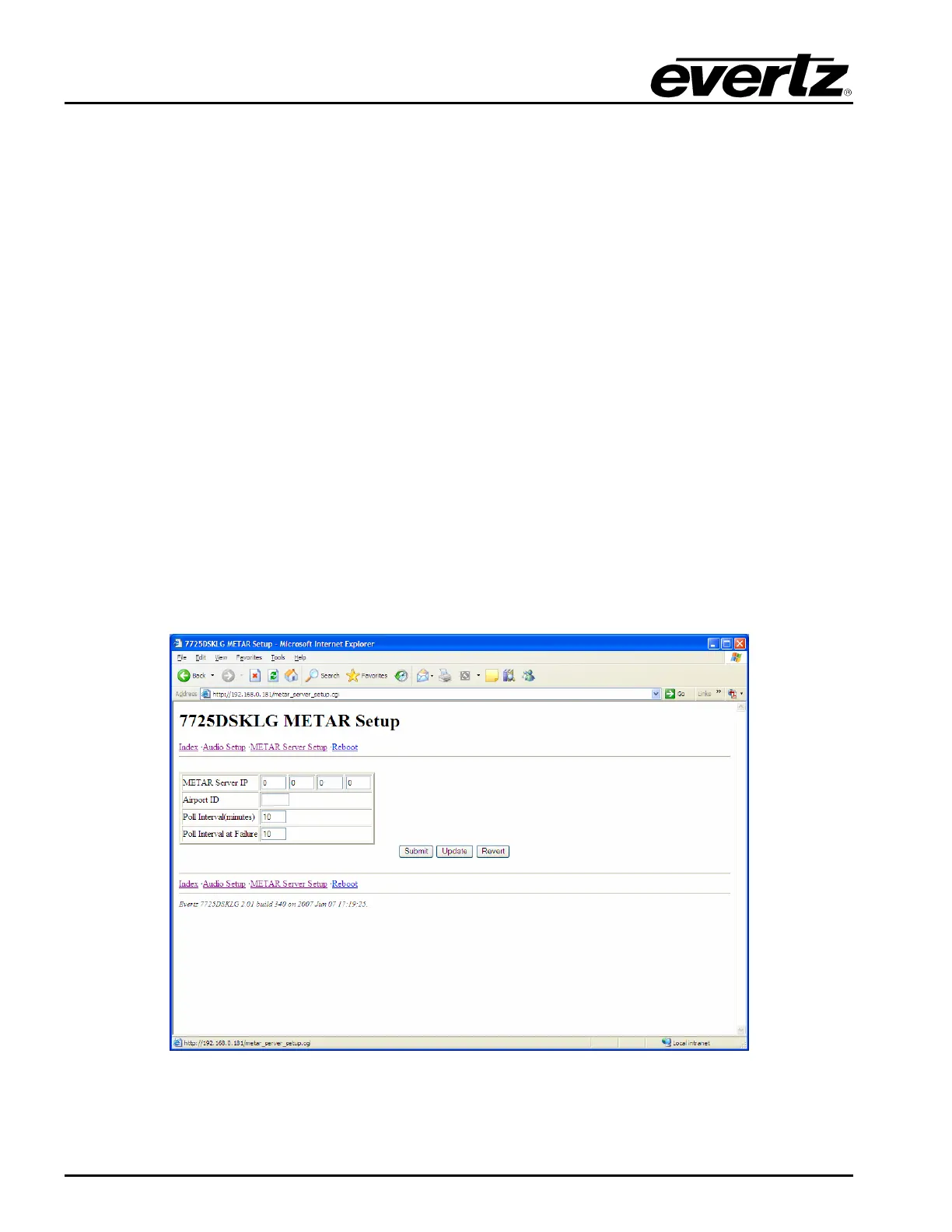
5.1.3. METAR Setup Page
METAR is widely used in the aviation industry to obtain meteorological data from airports. The
7725DSK-LG can extract the temperature from the data and use it for temperature logos. Use of this
feature requires a connection to the Internet.
Figure 5-3: Metar Setup Page



 To Next Page