7700 Multiframe Manual
7725DSK-LG / 7725DSK-LG-HD HD/SD Logo Inserter & Media Keyer
Page 3-20 Revision 1.4 VLPRO OPERATION
3.9. TEMPERATURE TAB
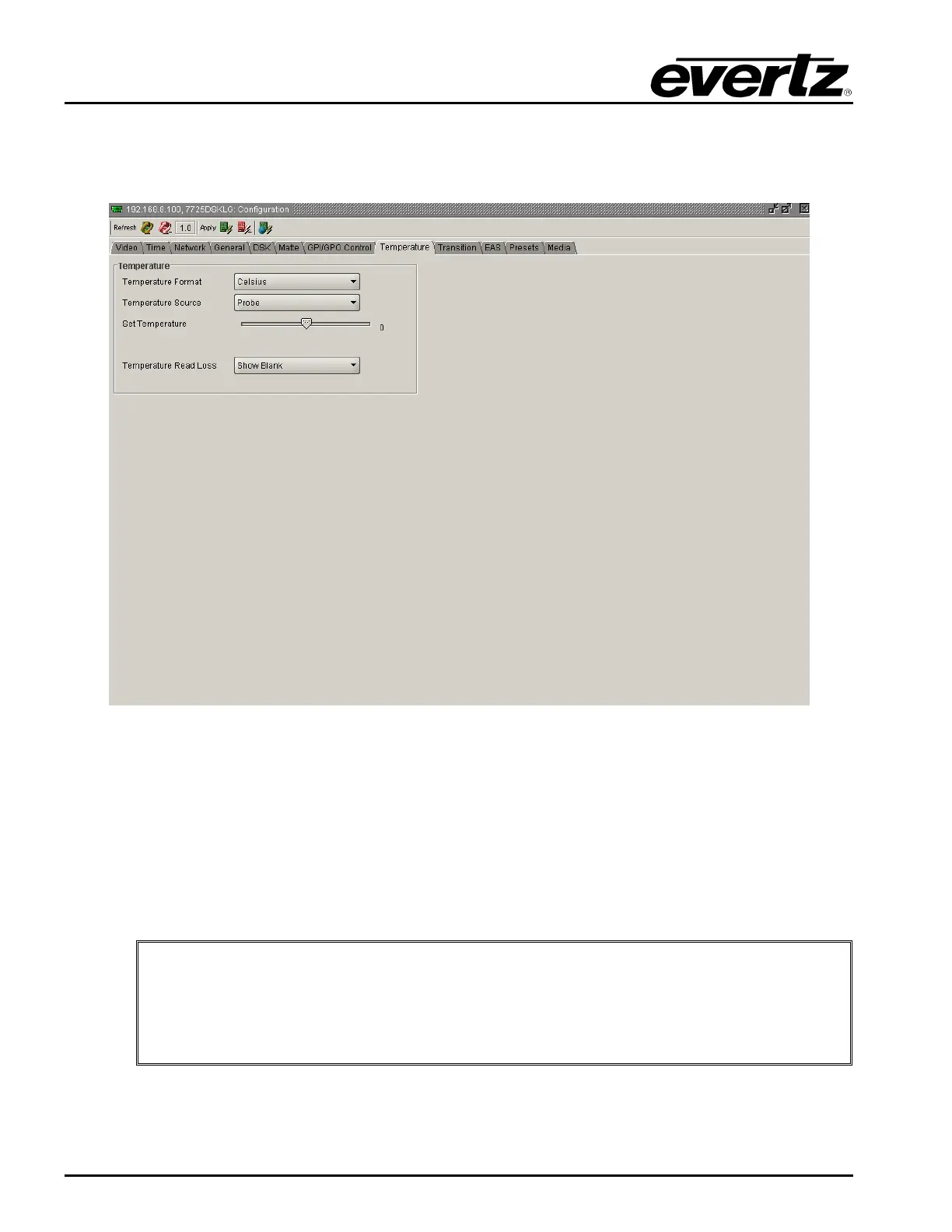
The 7725DSK-LG has the ability to insert a logo that displays the current local temperature. The
Temperature setup window is used to configure parameters relating to these types of logos.
Figure 3-8: Temperature Window
3.9.1. Setting the Temperature Format
This option is used to set the format of the temperature as set by the Set Temperature menu item.
Fahrenheit: Select Fahrenheit if the temperature entered is in degrees Fahrenheit.
Celsius: Select Celsius if the temperature entered is in degrees Celsius.
"
Note: This option is only used when the Temperature Source option is set to
“Manual.” When you create a temperature logo, you select the format as well. If for
example you have created a temperature logo that is formatted for Celsius and you
manually set the temperature in degrees Fahrenheit, the 7725DSK-LG will
automatically convert the value to degrees Celsius so that the correct value is
displayed in the logo.



 To Next Page