7700 Multiframe Manual
7725DSK-LG / 7725DSK-LG-HD HD/SD Logo Inserter & Media Keyer
Page 1-2 Revision 1.4 OVERVIEW
Background
2 Program
Outputs
Preview
Output
12-bit
Linear
Mixer
Output
Timing
Generator
S/P
S/P
Ref In
Auto
Synchronizing
Unit
Fill
Chroma/Luma
Processor &
Filter
Logo
Storage
Matte
Generator
Wipe/Fade
Key
Generator
Black
Generator
S/P
S/PKey
Fill
HD/SD
Input B
HD/SD
Input A
P/S
Cable
Driver
Bypass
Relay
Protected
P/S
Cable
Driver
Control
GPO Status
GPI Control
1
2
Video
Status
VistaLINK®
Interface
Ethernet
Serial
Comms
Audio
Deembedder
Audio
Embedder
Audio
Mixer
Audio
Deembedder
Audio
Embedder
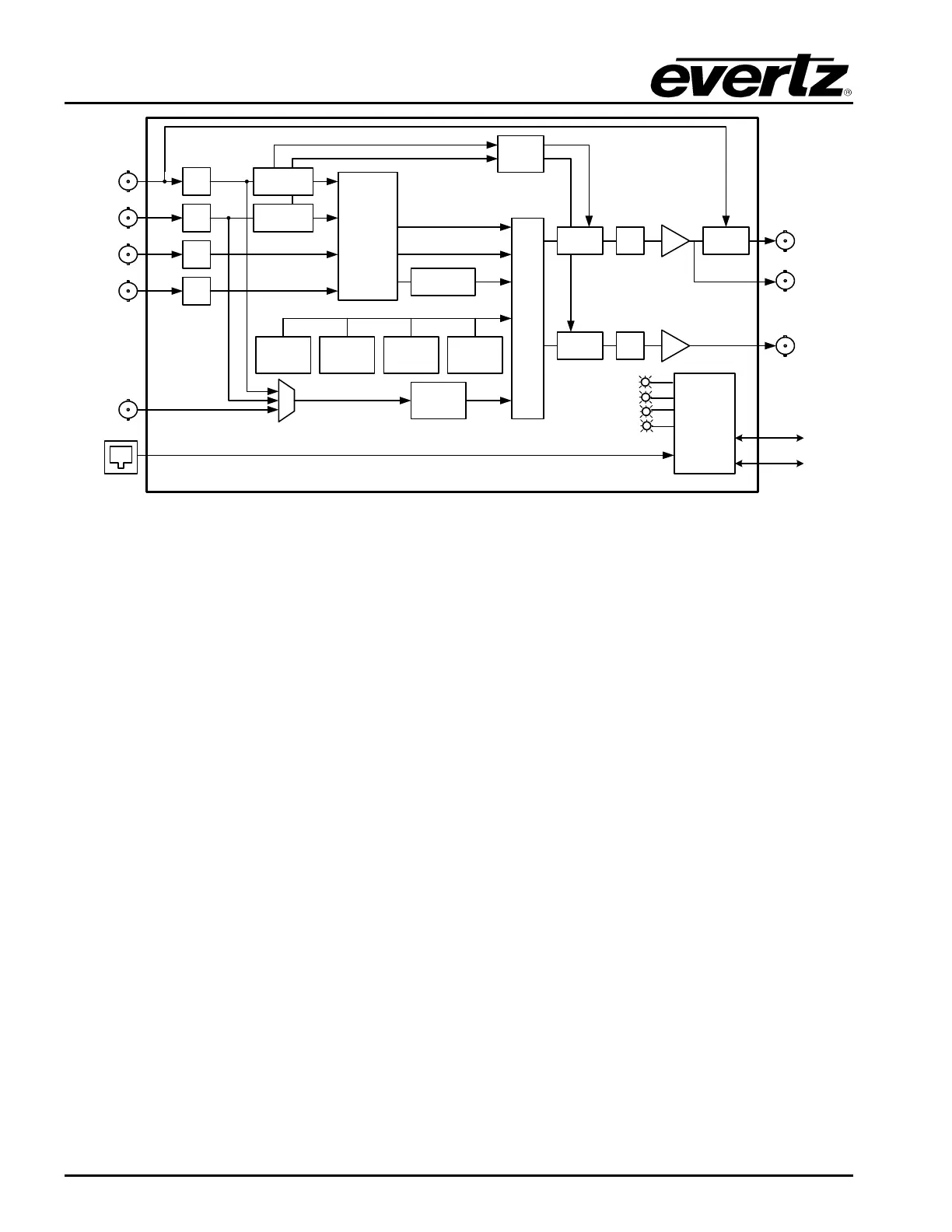
Figure 1-1: 7725DSK-LG Block Diagram
1.2. HOW TO USE THIS MANUAL
This manual is organized into 8 main chapters: Overview, Installation, VistaLINK
®
PRO Front Panel
Operation, Front Panel Operation, HTML Audio Setup, Desktop Remote Panel Operation, Technical
Description, and Upgrading the Firmware. The overview section contains a brief overview of the
7725DSK-LG operations, technical features and a glossary to define concepts and terms used
throughout the remainder of the manual. We highly recommend taking the time to become familiar with
the terms and concepts described here before proceeding further into the manual. Unless otherwise
specified, the term 7725DSK-LG will be used throughout this manual to refer to both the Standard
Definition 7725DSK-LG and High Definition 7725DSK-LG-HD units.
Chapter 2 provides a detailed description of the rear panel connectors, and how the 7725DSK-LG
should be connected into your system.
Chapter 3 describes how to operate the 7725DSK-LG using VistaLINK
®
PRO.
Chapter 4 describes how to operate the 7725DSK-LG using the Front Panel Controls or Rackmount
Remote Control Panel. This chapter also includes information on the Setup Menu system.
Chapter 5 provides an overview of the HTML setup page.
Chapter 6 describes how to control the 7725DSK-LG using the Desktop Remote Control Panel.
Chapter 7 provides technical information such as the specifications.
Chapter 8 describes how to upgrade the firmware in the 7725DSK-LG.



 To Next Page