7700 Multiframe Manual
7725DSK-LG / 7725DSK-LG-HD HD/SD Logo Inserter & Media Keyer
Page 3-8 Revision 1.4 VLPRO OPERATION
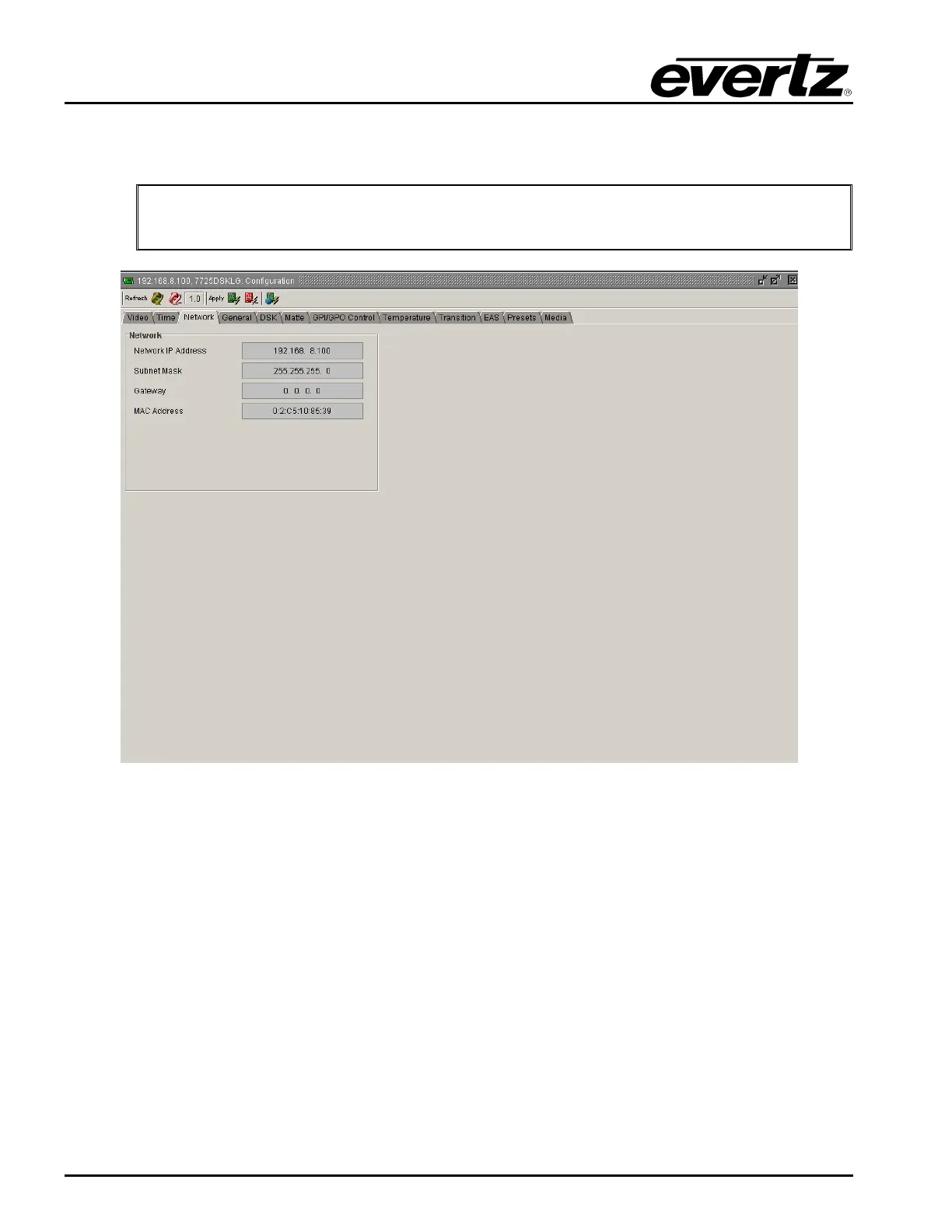
3.4. NETWORK TAB
The Network tab enables the user to view the network settings.
"
None of the network settings can be changed with VistaLINK
®
Pro. The network
settings can be changed either in the serial menu or the Remote Control Panel
menu.
Figure 3-3: Network Window
3.4.1. IP Address
This option displays the unique IP address of the 7725DSK-LG within the network. 192.168.1.XXX is
an example of an IP address in a private (internal) network.
3.4.2. Sub Net Mask
This option displays the “subnet mask” of the network. Specifically, this parameter outlines all the IP
addresses that can communicate with the 7725DSK-LG.
3.4.3. Gateway
This option identifies the IP address of the “gateway” (commonly referred to as the “firewall”).
3.4.4. MAC Address
This item displays the Network hardware (MAC) address of the unit (which can not be changed).



 To Next Page