7700 Multiframe Manual
7725DSK-LG / 7725DSK-LG-HD HD/SD Logo Inserter & Media Keyer
VLPRO OPERATION Revision 1.4 Page 3-27
STORE PROGRAM: This menu item is used to store the Program Bus settings to 1 of the 10 user
presets. Select Store Program to use the Program Bus as the source of the preset
settings.
STORE PREVIEW: Select Store Preview to use the Preview Bus as the source of the preset
settings.
EXPORT: This menu item is used to send the settings to 1 of the 10 user presets to the
console serial port (UPGRADE 232) as ASCII text. This function is useful in
archiving the settings of the presets or for diagnostic purposes.
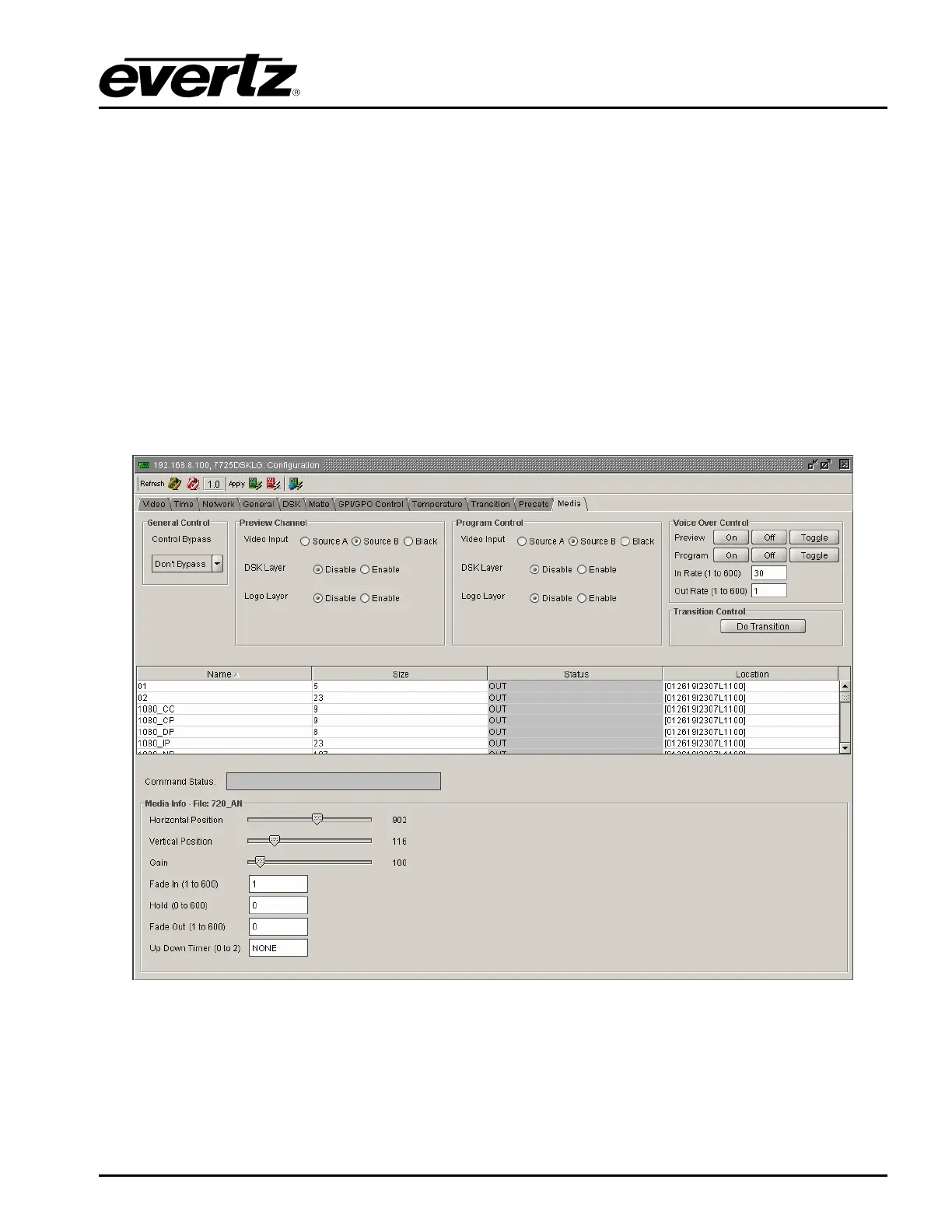
3.13. MEDIA TAB
The MEDIA setup window controls all the parameters for individual logos and media. It also controls
the Program and Preview bus for the 7725DSK-LG.
Figure 3-13: Media Window



 To Next Page