7700 Multiframe Manual
7725DSK-LG / 7725DSK-LG-HD HD/SD Logo Inserter & Media Keyer
Page 2-2 Revision 1.4 INSTALLATION
PREV OUT: This output BNC connector is the serial component preview video output from the
7725DSK-LG. This preview output connector is normally connected to a preview monitor.
PROG OUT: This output BNC connector is the serial component program video output from the
7725DSK-LG. Connect this output to the next video device in your output path. This
output is protected by a bypass relay to the adjacent PGM IN A input BNC. When the
bypass relay is activated on power loss to the keyer, the PROG OUT will be a direct relay
connection to the PGM IN A input.
2.1.2. Reference Video Connections
REF IN: This 75 ohm terminated input is for connecting an analog video reference. Connect the
REF IN connector to the reference input sync. The 7725DSK-LG can also be set to derive
its timing from the input video connected to the PGM IN A input using the REFERENCE
menu.
2.1.3. Serial I/O Connections
A breakout cable (Evertz Part # WP-SERIAL-COM-1-0) is provided with each 7725DSK-LG. This
breakout cable connects to the SERIAL DB9 (Serial Control) connector on the rear plate. The serial
connectors on the breakout cable have the following serial I/O connections.
LTC IN: This female XLR connector is an input for SMPTE/EBU linear time code, which drives the
internal clock for the insertion of “Breakfast” clock style logos.
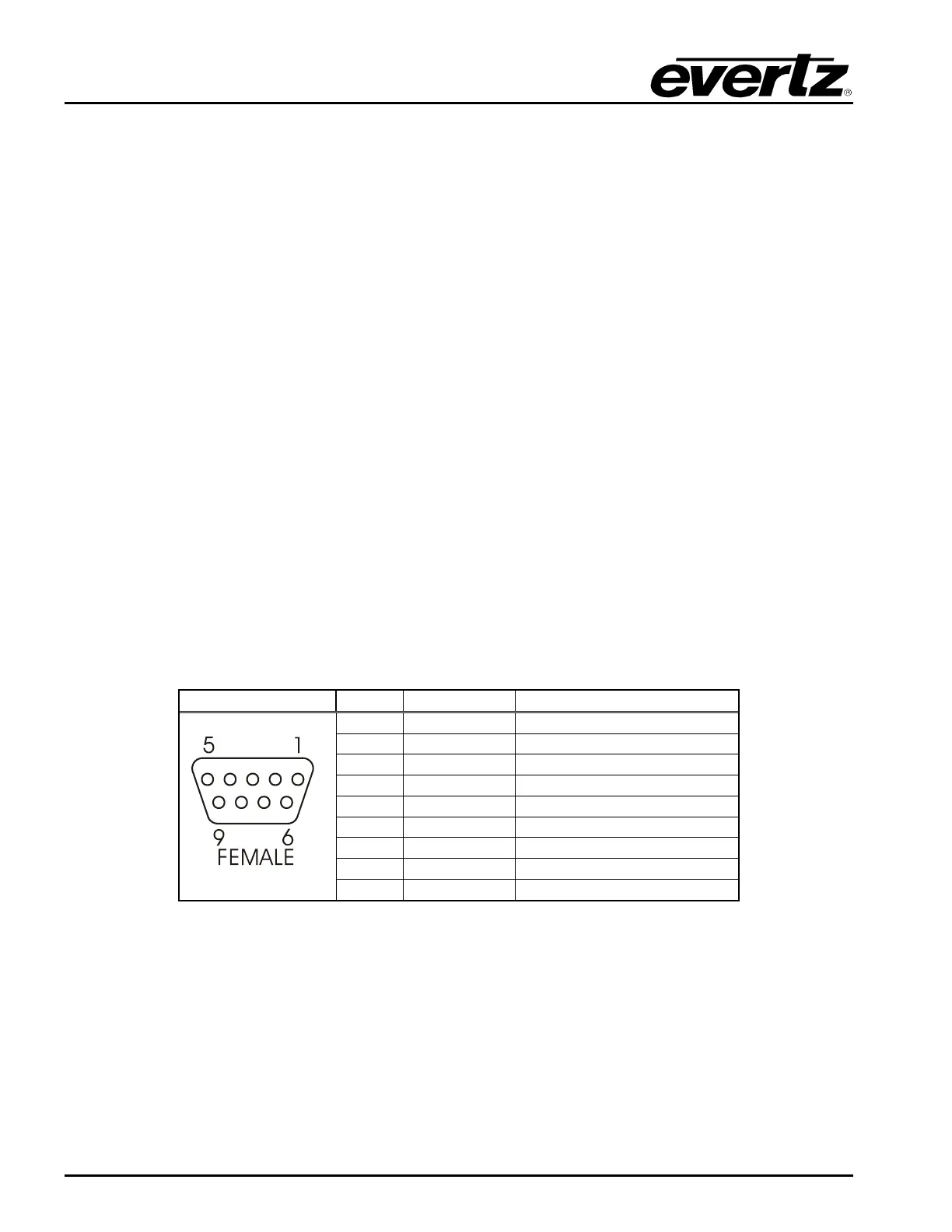
COM B: This 9 pin female D connector provides an RS-422 serial interface for connection to the
Remote Control Panel. This port is wired as a SMPTE 207M Tributary as shown in Table
2-1. See section 2.4 for information on connecting the remote control panel.
Pin # Name Description
1
GND Chassis ground
2
Tx- RS-422 Tx-(A) Output
3
Rx+ RS-422 Rx+(B) Input
4
GND
5
6
GND
7
Tx+ RS-422 Tx+(B) Output
8
Rx- RS-422 Rx-(A) Input
9
GND
Table 2-1: Remote Panel Port Pin Definitions
COM C and COM D: These 9 pin female D connectors provide serial interfaces designed for
connection to Automation Systems including the Evertz MetaCast 2 software. The ports are
also used for optional temperature probe. These ports can be individually changed to run in
either RS422 or RS232 mode by reconfiguring jumpers J19 or J20 on the 7700FC card
inside the unit. The SERIAL CONTROL C port is controlled with jumper J19 and the COM D
port is controlled with jumper J20. When they are set for the RS-422 mode of operation the
ports have the pinout shown in Table 2-2.



 To Next Page