Getting Started
Brief Checking Procedure
3
3-9
Figure 3-10. Selected Carrier Frequency
•
Set your TV to the same frequency or to the corresponding TV channel, in this
example channel 9. For the relationship between carrier frequency and TV channel
number, see Appendix B.
•
Press the
LEVEL
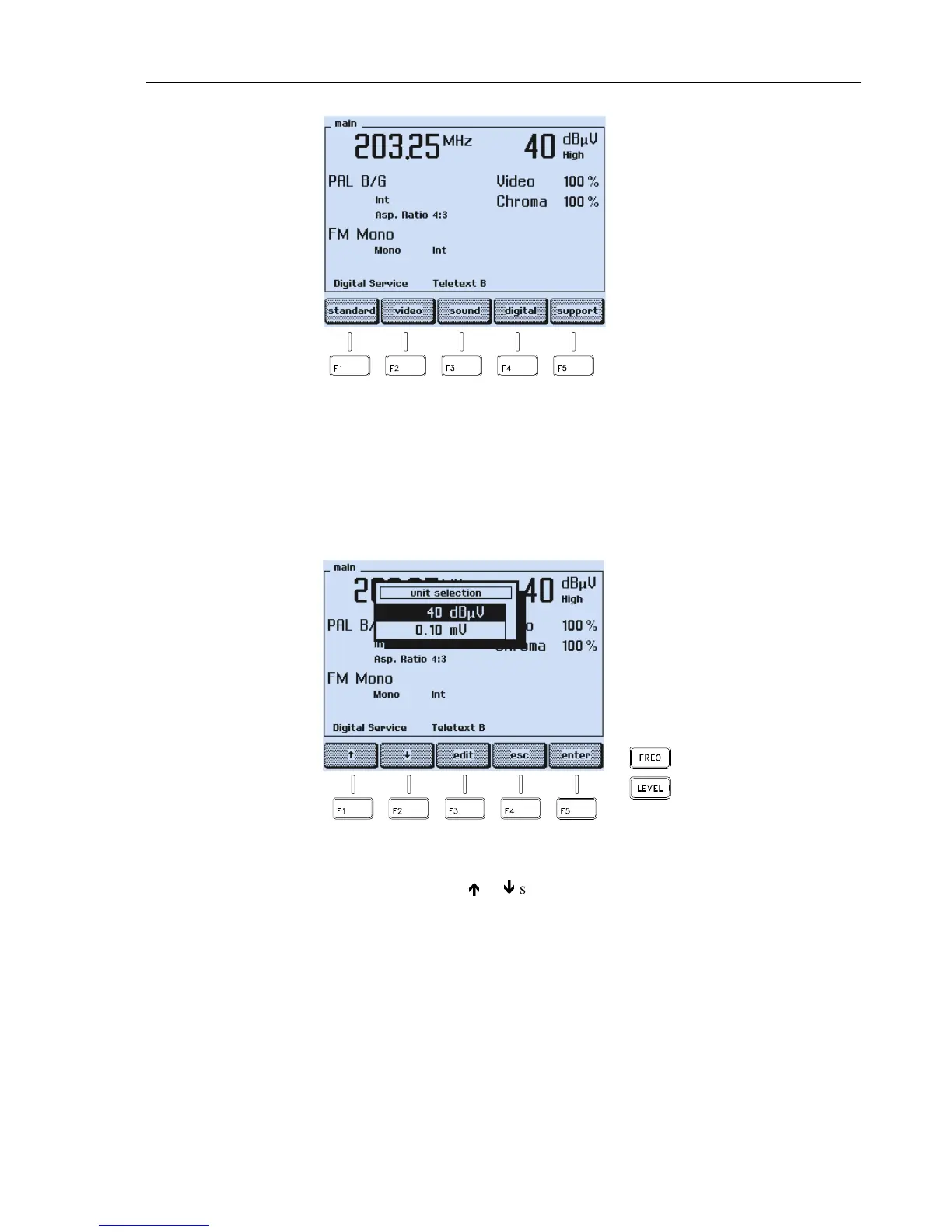
key on the right of the display to select an appropriate level for the
vision carrier.
Figure 3-11. Carrier Level Setting
•
Select the unit
dBµV
or
mV
with the
é
or
ê
softkey (F1 or F2).
•
Press the
edit
softkey (F3).
•
Key in
8 0
for dBµV or
1 0
for mV using numerical keypad.
•
Press the
enter
softkey (F5) to confirm your entry.



 To Next Page