Getting Started
Brief Checking Procedure
3
3-11
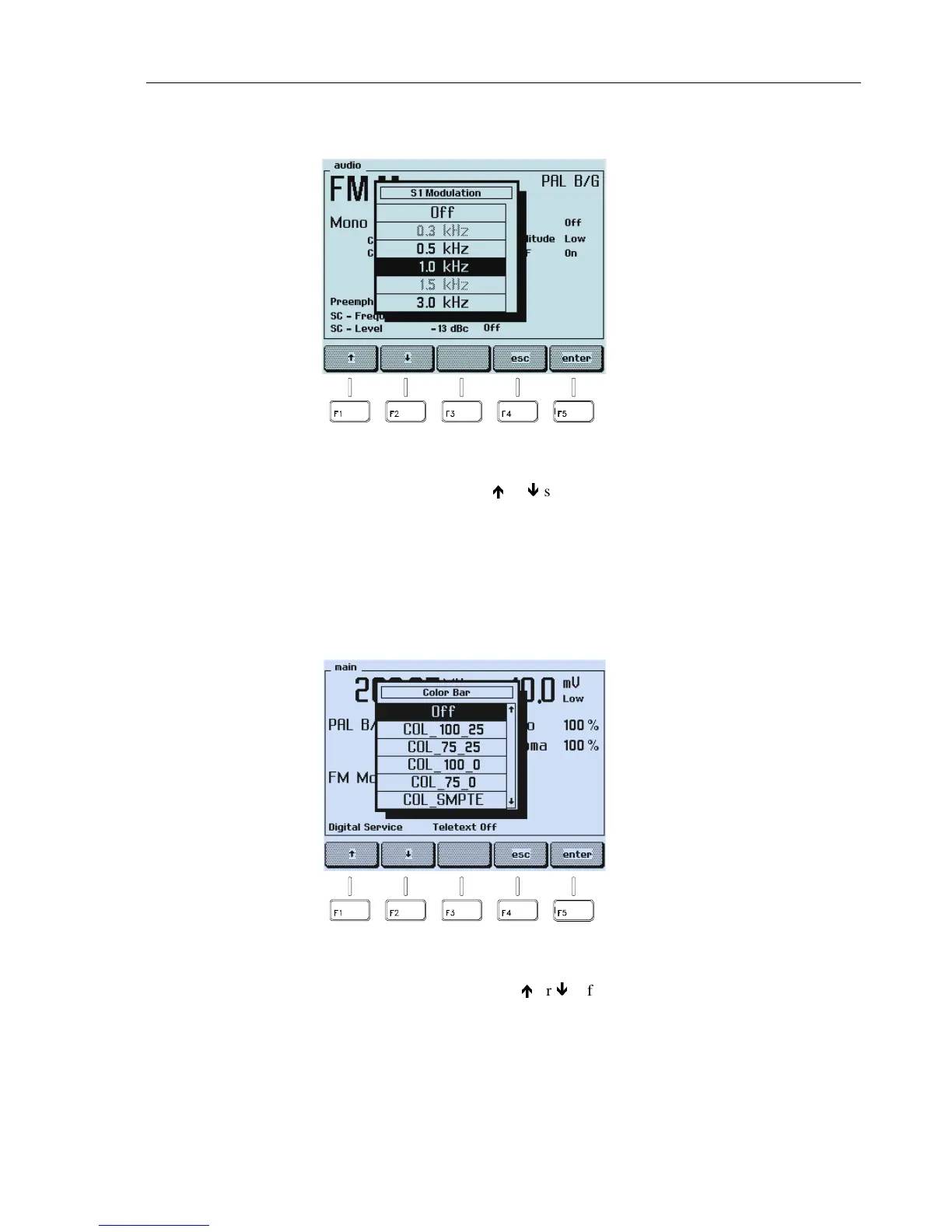
The popup menu with the selectable modulation frequencies appears:
Figure 3-14. Modulation Frequency Setting
•
Select an appropriate frequency with the
é
or
ê
softkey (F1 or F2).
•
Press the
enter
softkey (F5) to confirm your selection.
•
Press the
enter
softkey (F5) again to return to the
main
menu.
•
Press the
COLOR BAR
key in the
PATTERN
keypad for 1 second.
•
The popup menu for the Color Bar parameter appears.
Figure 3-15. Pattern Parameter
•
Select
COL_100_25
or
COL_75_25
with the
é
or
ê
softkey (F1 or F2).
•
Press the
enter
softkey (F5) to confirm your settings.
•
Press the
GREYSCALE
,
MULTIBURST
,
and
CIRCLE
keys in the
PATTERN
keypad.



 To Next Page