54200
Users Manual
4-32
•
Press the
é
or
ê
softkey (F1 or F2) to select the purity, for example,
PUR_Cyan
.
•
Press the
enter
softkey (F5) to confirm your selection.
This setting is stored for the purity key function until you select a different purity using
the popup menu. Pressing the
PURITY
key briefly toggles between purity off and the
selected purity cyan.
This operating principle applies to all keys which can call up a popup menu:
- CENTER CROSS - COLOR BAR
- DOTS - COLOR TEMP
- CROSSHATCH - VCR
- WHITE - DIGITAL SCAN
- DEM - DIVERSE
- PURITY
For details about the parameters and patterns you can select using popup menus, see
Appendix G.
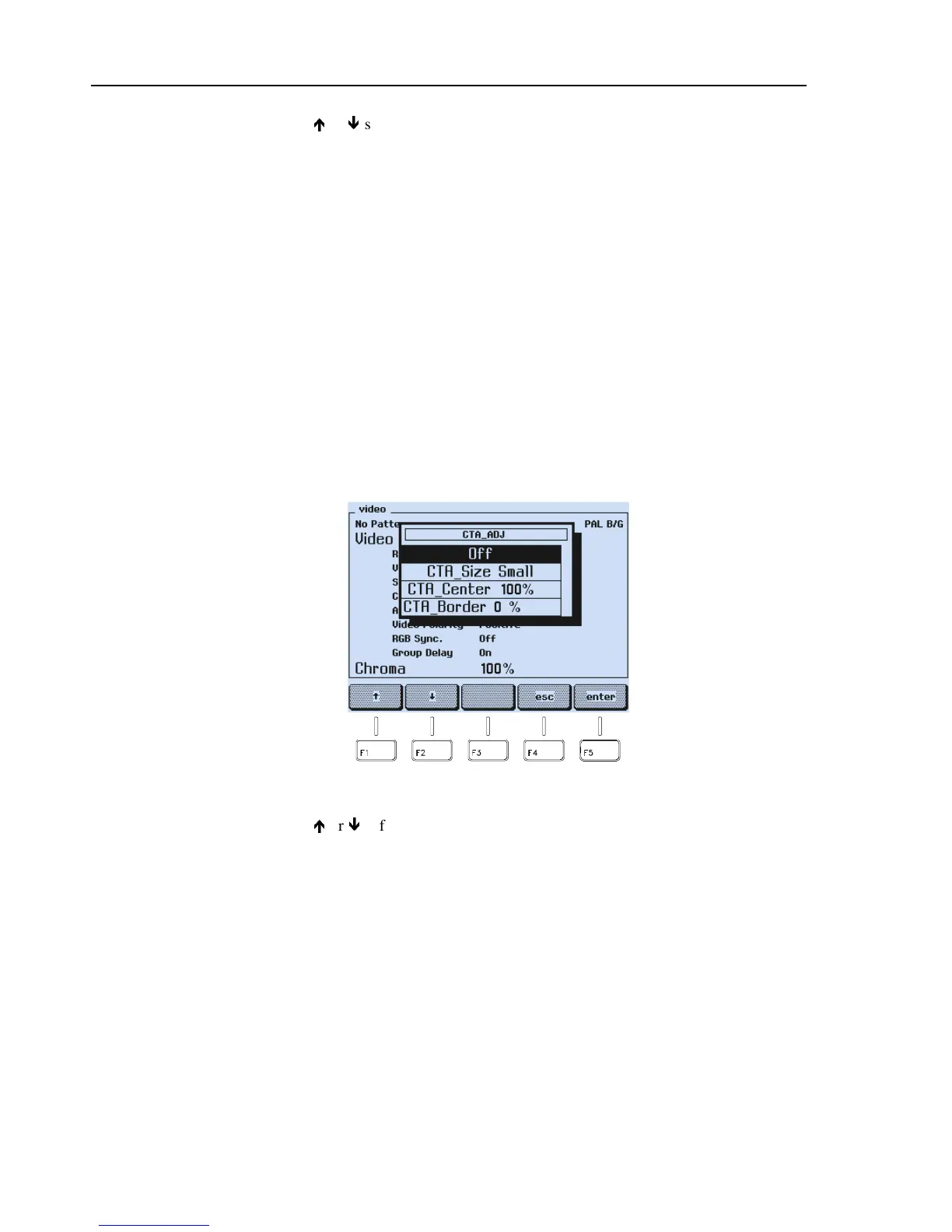
Pressing the
COLOR TEMP
key calls up a popup menu which enables access to three
other popup menus:
Figure 4-54. Color Temperature Pattern Parameter
•
Press the
é
or
ê
softkey (F1 or F2) to select, for example,
CTA_Size Small
.
•
Press the
enter
softkey (F5) to confirm your selection.



 To Next Page