XDSL Testing and Loop Qualification
DSL Auto-Test
5
5-11
Press L to save any of the above waveforms in the
Frequency Graph
storage memory.
acy58s.eps
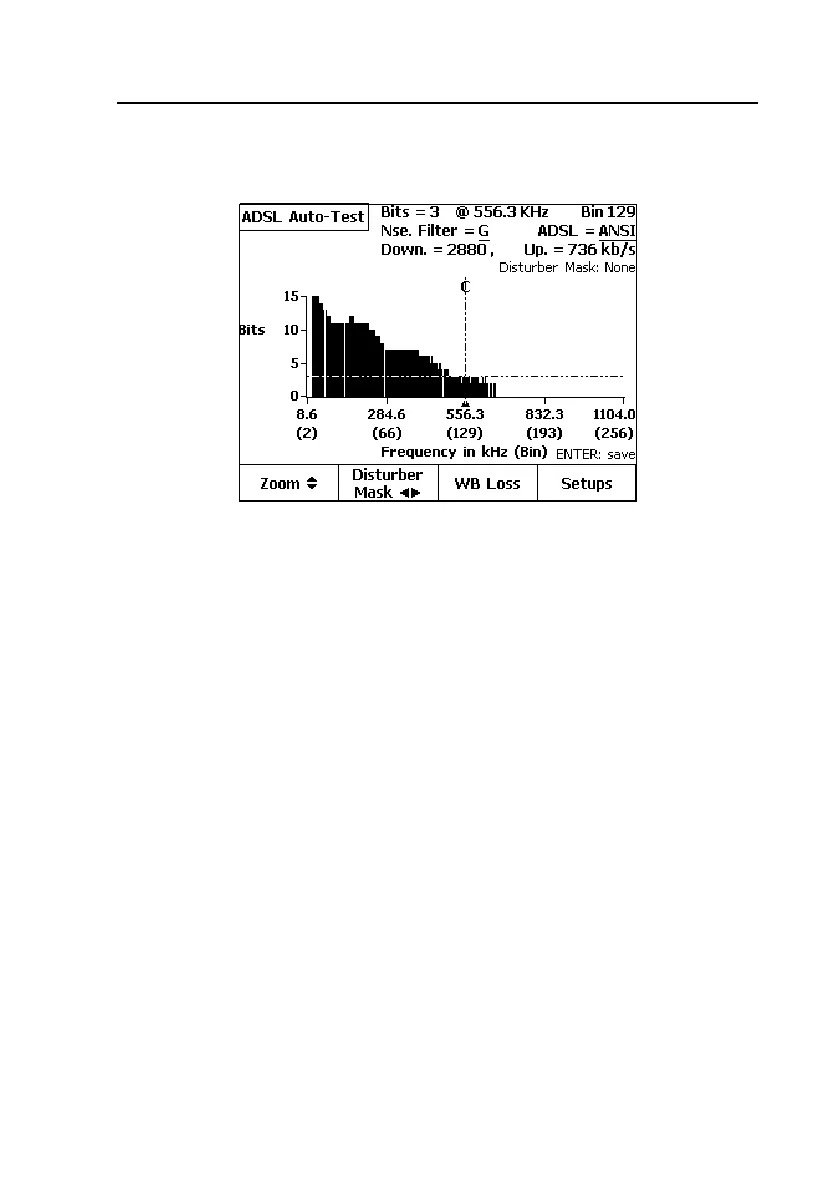
Figure 5-6. DSL Auto-Test Loss Results: ADSL Bits/Tone Graph
Disturber Mask Overlays
From any one of the ADSL Loss, SNR, or Bits / Tone graph screens, press B
(
Disturber Mask), then press G or I to superimpose any of a group of typical
disturber masks on the graphs. By comparing the graphs to each type of
disturber mask, you can visually determine which type of service on a pair in
the same or adjacent binder group may be affecting the pair under test.
DSL Auto-Test Results: All Service Types
To run a rapid qualification summary of all Service Types (listed in Table 5-1)
(except ADSL2+ & VDSL) in a single pass, select
All for the Qualified
Service
in the Setup screen in Figure 5-2.



 To Next Page