POTS Testing and Fault Location
The POTS Toolbox
4
4-23
Running an RFL Test
To run an RFL test, do one of the following:
• Select
RFL in the POTS Toolbox (Figure 4-3), then press K.
OR
• From the
Setups - R.F.L. menu, press K.
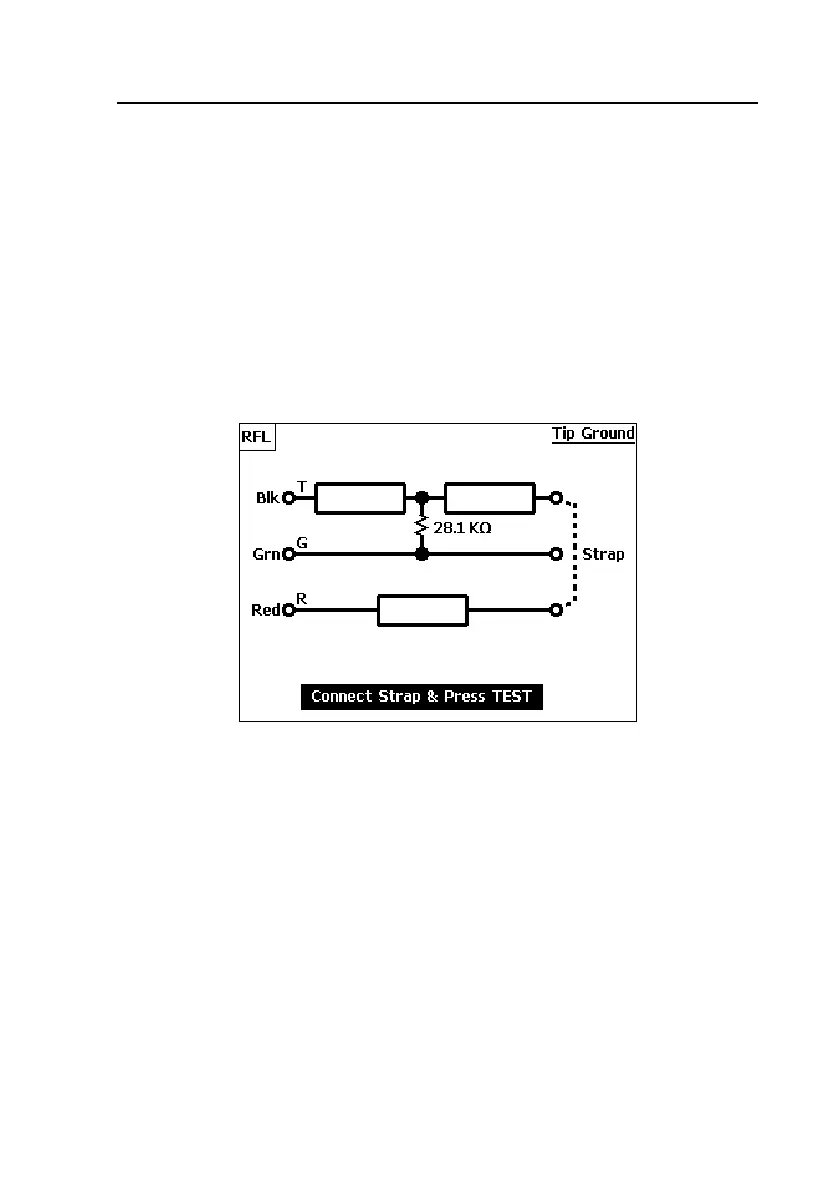
The tester locates the leg positions and values of all fault resistances, and then
displays a screen that prompts you to connect a far-end strap (dotted line).
For a single-sided ground fault, the display will look like Figure 4-12:
acy22s.eps
Figure 4-12. RFL Test Results: Fault Value and Position
If your screen is similar to Figure 4-12, go to “Single-Sided Fault Location
Test Results” for instructions on how to obtain the distance to the fault.



 To Next Page