XDSL Testing and Loop Qualification
DSL Auto-Test
5
5-13
Press B (
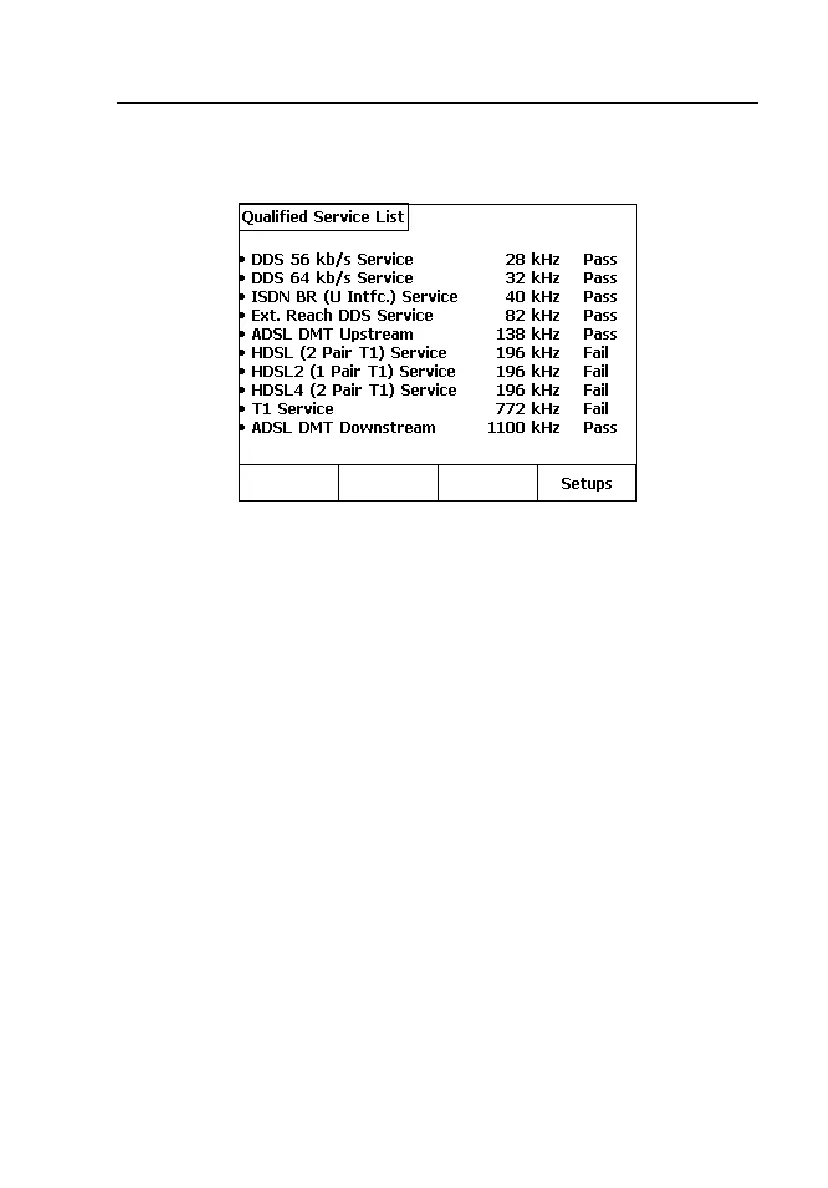
Qualified Service List) to view a list of all Service Types and their
qualification status, based on Loss results. Figure 5-8 shows a typical QSL.
acy60s.eps
Figure 5-8. DSL Auto-Test Loss Results: Qualified Service List
Saving DSL Auto-Test Results
Auto-Test results are not automatically saved. To save them, do the following:
1. From the Summary Result screen, press C(
Save Results).
2. Enter the following Test Identification information:
•
Job #: Enter up to 16 alphanumeric characters.
•
Ckt. ID: Enter up to 16 alphanumeric characters.
•
Cable: Enter up to 16 alphanumeric characters.
•
Pair: Enter up to 16 alphanumeric characters.
•
Side: Select Side 1 or 2 (for 2 pair services such as HDSL4).
•
Segment: Select Segment A – F (for repeaters or doublers).
3. Press B(
Save Results). The test results are now saved in Text Results
memory, along with the qualified service Type and Test ID data.



 To Next Page