990DSL
Users Guide
5-20
fcw03s.bmp
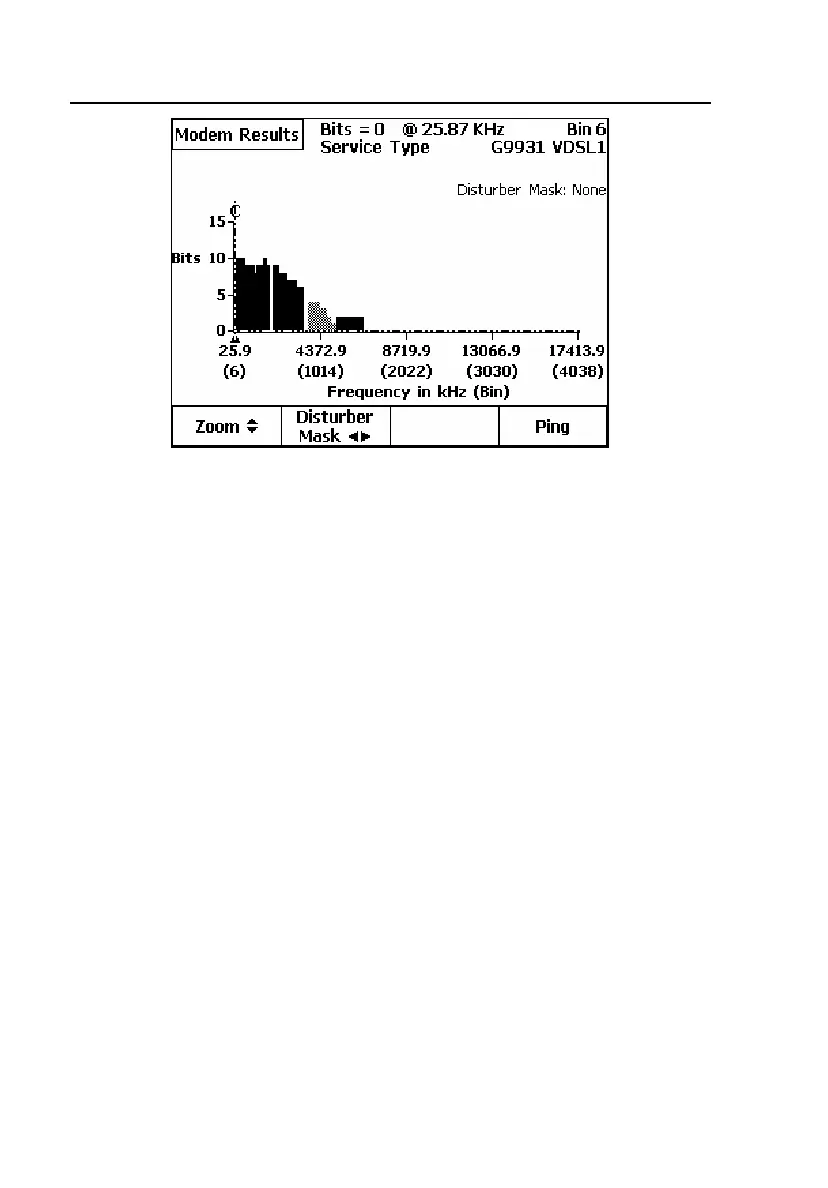
Figure 5-11. DSL Modem Test Bits/Bin Graph: VDSL1.5 Line
In Figure 5-11, downstream VDSL bands are represented as solid blocks. The
first block is the DSO band, and the second block is the DS1 band. Upstream
bands are represented as shaded blocks; the shaded block is the US1 band. In
some cases, the Upstream 0 block (USO) will also be used. VDSL2 services
also employ the higher US2 and DS2 bands.
Ping
The Ping subtest of the DSL Modem Test requires dedicated primary and
secondary Setup screens for entering network configuration information.
Setting Up and Running a Ping
After a successful DSLAM connection, do the following:
1. Press the
Ping softkey on the secondary Modem Results screen to display
the
Ping Status screen.
2. Press the
Setups softkey.



 To Next Page