990DSL
Users Manual
7-2
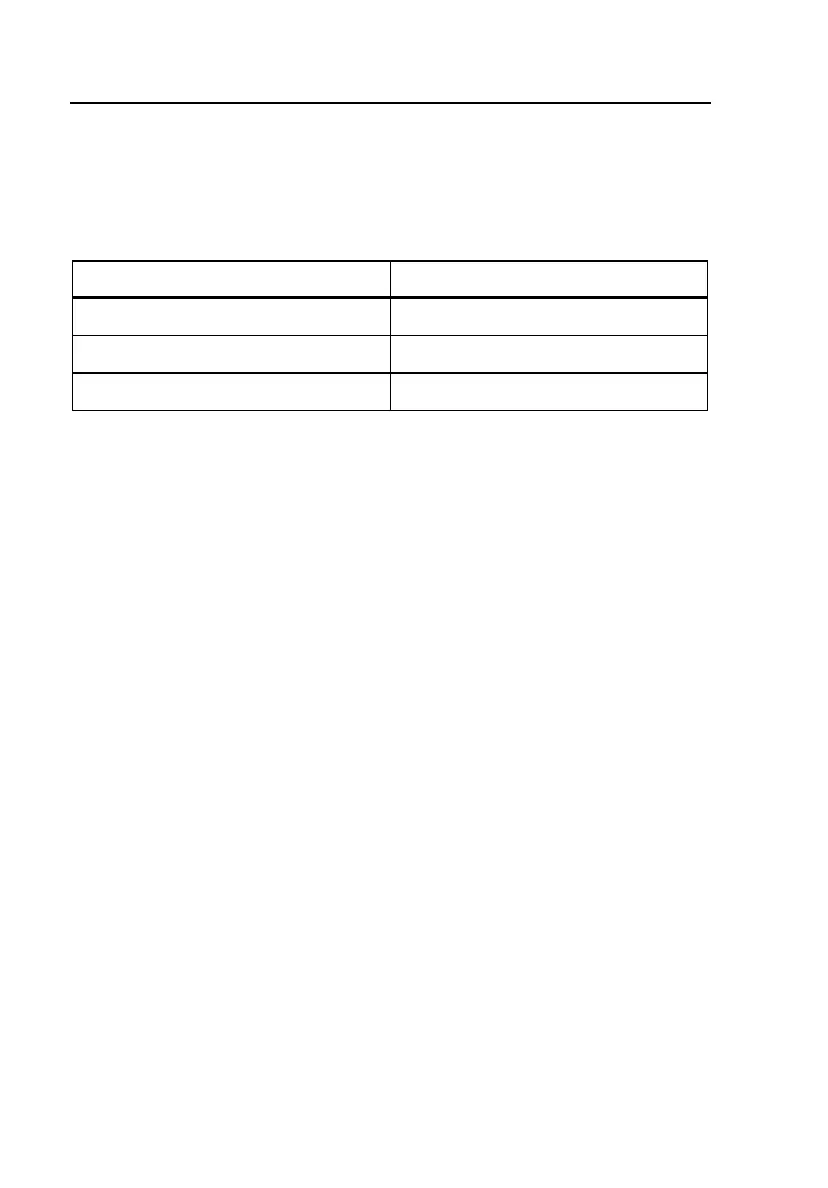
so the tester can store more files of this type. Table 7-1 gives you an indication
of the tester’s storage limitations for text-based files and the two types of
graphical files.
Table 7-1. Storage Limitations of Saved Result Files
Type of File Space Limitation
Text-based Approximately 10,000 lines of data
Graphical TDR waveform Ten files
Graphical frequency sweep Ten files
Result File Header
When the tester stores a result, it saves it under a header. The top portion of
Figure 7-3 shows you an example of a header. The header contains the
following information:
• Wire Center Name
A user-supplied name that identifies the primary work location. For
instructions on how to specify or change the Wire Center name, see
“Creating a Custom Header for Test Result Files” in Chapter 3.
• Facility Cable Number
A user-supplied number that identifies the specific cable on which a test
was performed. For instructions on how to supply or change this number,
see “Generic and Test-Specific Setup Parameters” in Chapter 3.
• Pair/Terminal Number
A user-supplied number that identifies the specific single cable pair, cross-
box binding post, or inside terminal number on which a test was
performed. For instructions on how to supply or change this number, see
“Generic and Test-Specific Setup Parameters” in Chapter 3.
• Date/Time Stamp
A record of the date and time that the test was conducted. The CopperPro
automatically supplies this information.



 To Next Page