990DSL
Users Guide
4-10
Voltage Test Results
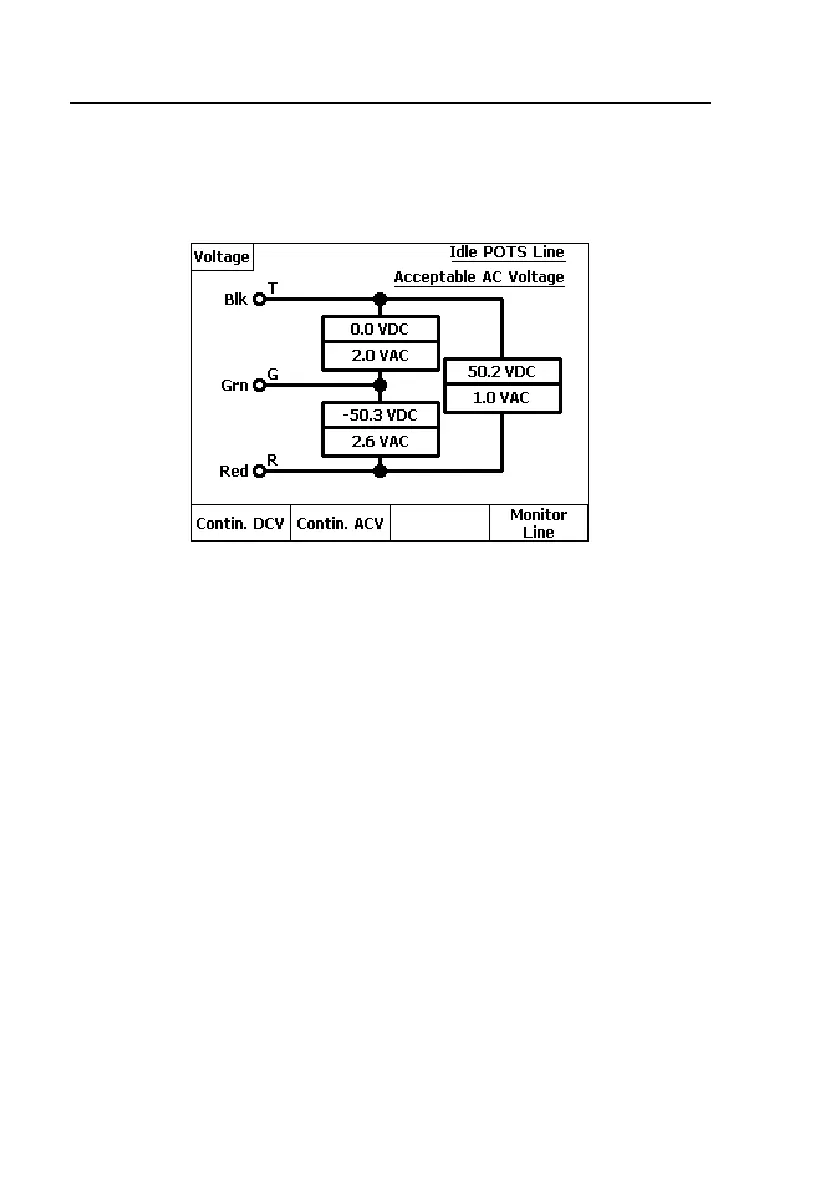
To run a Voltage test, select the test on the POTS Toolbox and press K. When
completed, voltage results for all legs are displayed as shown in Figure 4-4:
acy15s.eps
Figure 4-4. Voltage Test Results: Idle POTS Line
An Idle POTS line was detected in this test, as is shown in the status area in
the upper right corner. Also, voltage readings are reported that are outside the
acceptable limits for a spare pair (as defined in Setups). These readings are
shown on the diagram in flashing, reverse video format for emphasis.
From the result screen, you can do the following:
• Press A(
Contin. DCV) to obtain continuously updated DCV values for
any selected leg (see “Running a Continuous Voltage Test” for details).
• Press B(
Contin. ACV) to obtain continuously updated ACV values.
• Press D(
Monitor Line) to non-intrusively monitor the pair using the
tester’s built-in speaker (see “Monitor Line Test” later in this chapter).



 To Next Page