990DSL
Users Guide
4-6
Running the POTS Auto-Test
You can start a POTS Auto-Test in one of two ways:
• From the
Main menu (Figure 3-2), select POTS Auto-Test. Then, press
K.
OR
• From the
Setups - POTS Auto-Test screen, press K.
The POTS Auto-Test begins, running each of the tests that you specified in the
setup.
To stop a POTS Auto-Test at any time, press K.
POTS Auto-Test Results
While Auto-Test is running, the tester displays the test it is currently
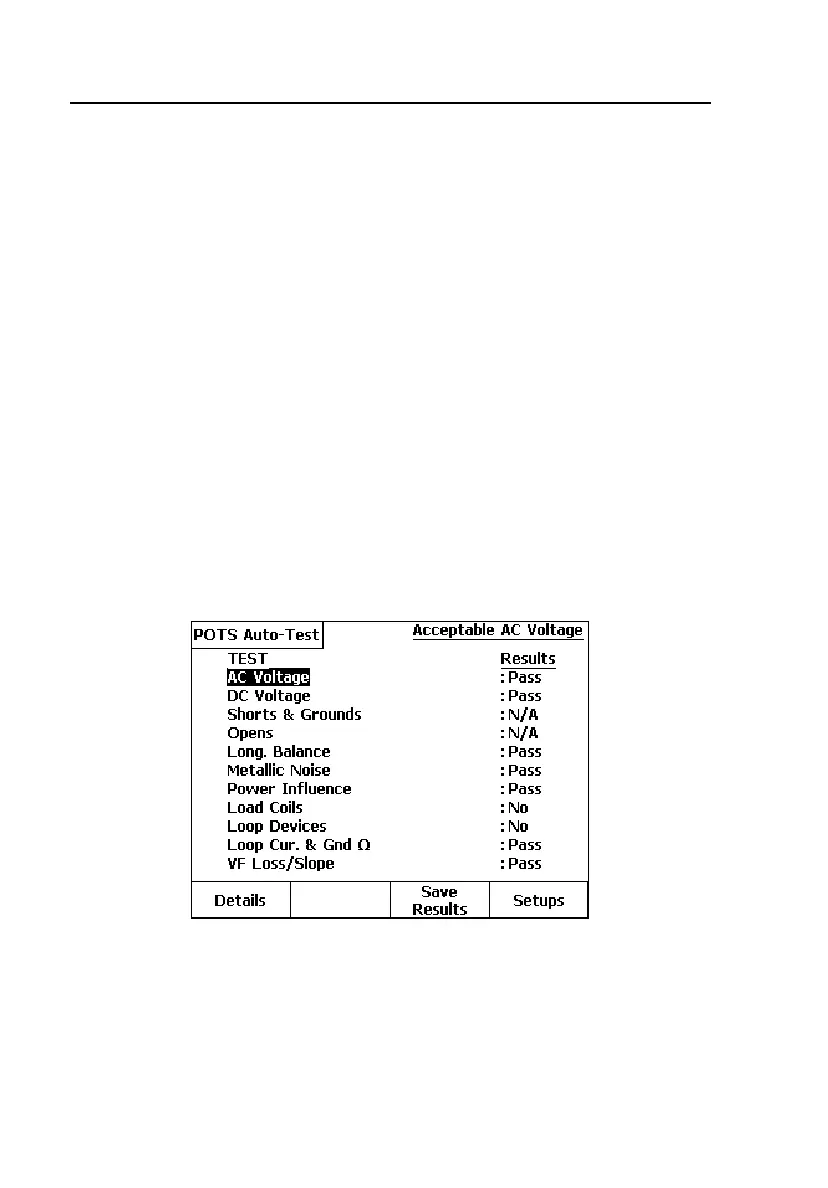
performing. When Auto-Test is completed, a Test Summary screen is
displayed, showing each test and whether it passed or failed, as shown in
Figure 4-2:
acy101s.eps
Figure 4-2. POTS Auto-Test Summary Results
Note
“N/A” in the Results column indicates that the test was selected but
not run because of excessive voltage or resistance on the pair.
“N/S” indicates the test was not selected in Auto-Test Setups.



 To Next Page