TX1310 M3 Upgrade and Maintenance Manual 103
8.3 Replacing the front fan
8.3.1 Preliminary steps
Ê "Shutting down the server" on page 44
Ê "Disconnecting the power cord" on page 45
Ê "Getting access to the component" on page 46
8.3.2 Removing the defective front fan
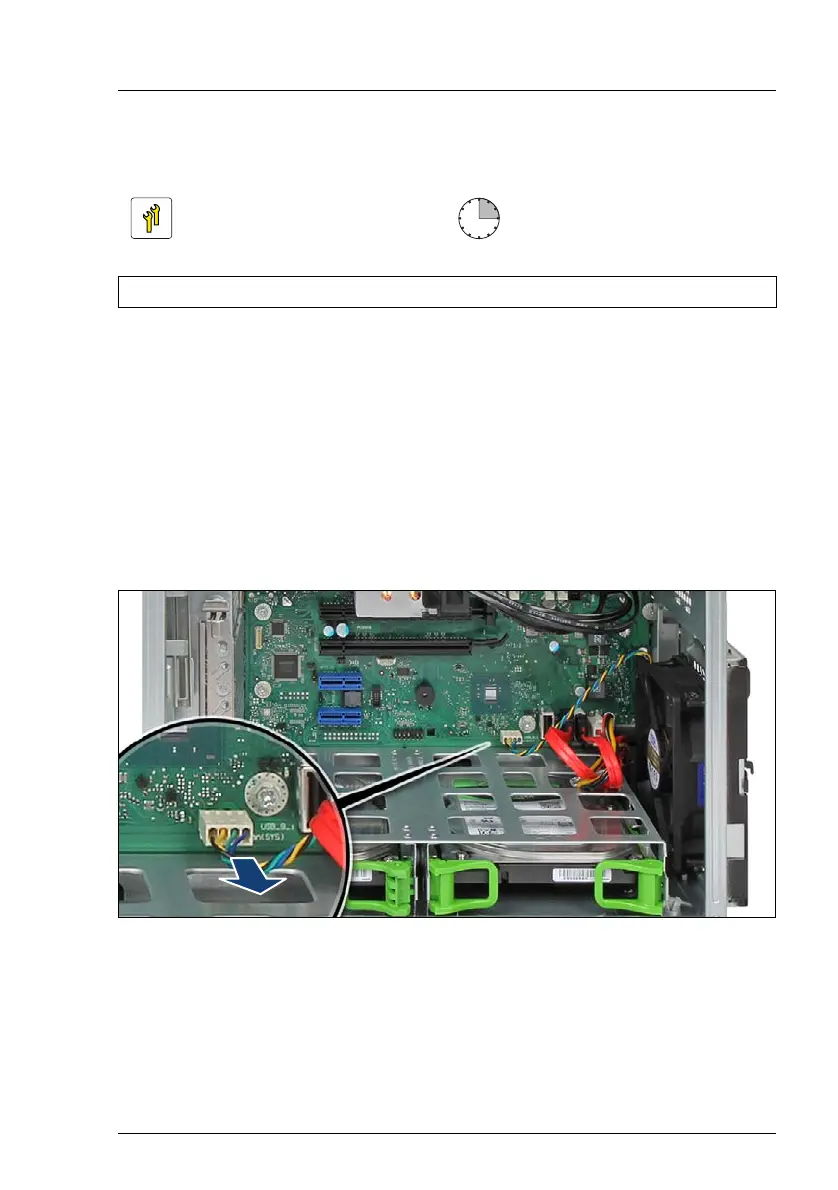
Figure 47: Disconnecting the rear fan cable
Ê Disconnect the front fan cable from system board connector "Fan (SYS)".
Upgrade and Repair Unit
(URU)
Hardware: 15 minutes
Tools: tool-less



 To Next Page
 Loading...