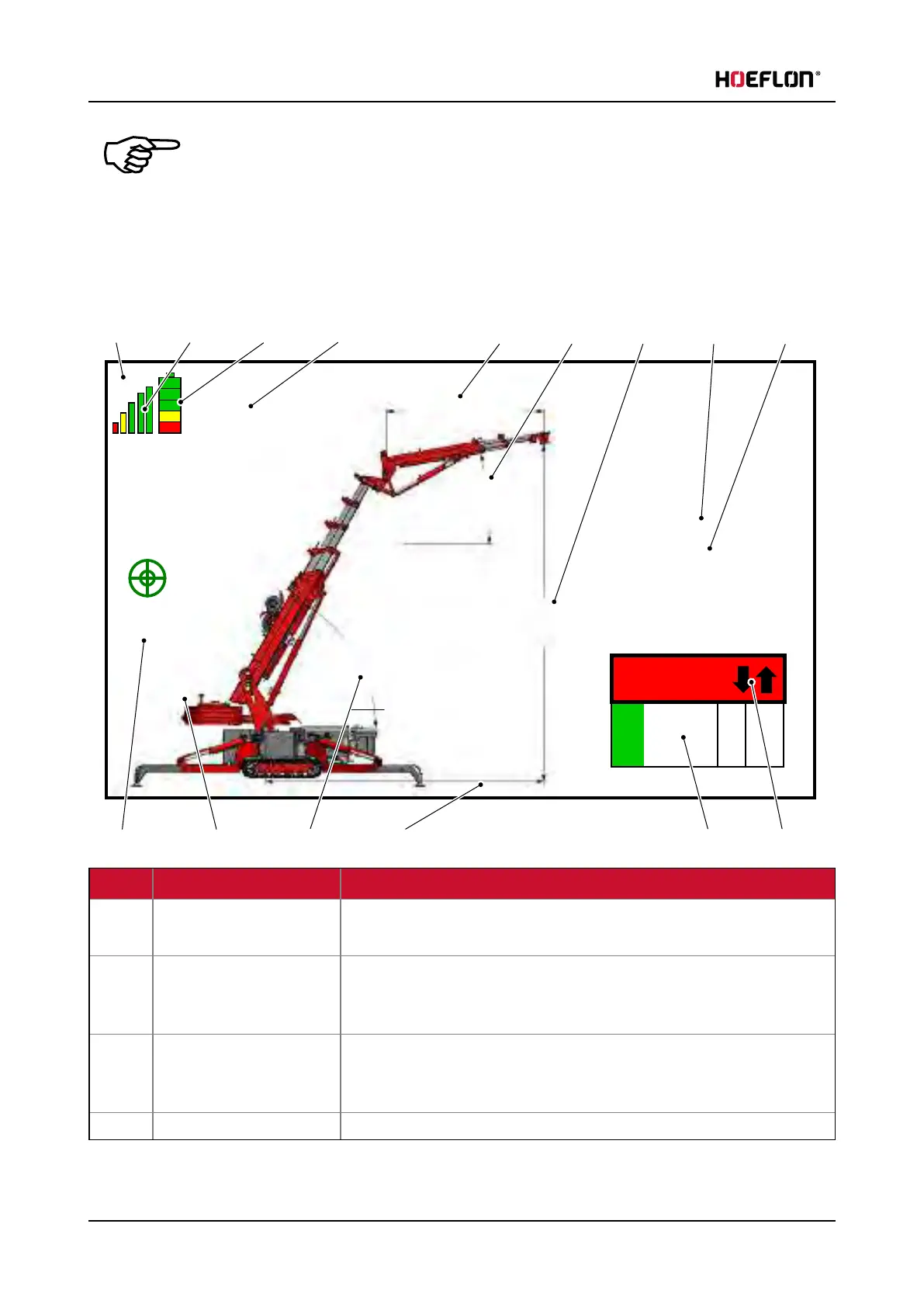
5. Remote control
Note
You will see a different screen when you use a different crane configuration.
l
if you have not installed a jib then: the jib, the jib extension and the jib angle are
not displayed.
l
If the counterweight is not installed then: the counterweight and the
counterweight position are not displayed
710 kg
180 kg
25 %
E250
792
2503
4415
10 °
60 °
5348
0.2°
6.5 V
21
5 6 7
1112
131415
8 9
10
1 2
3
4
No. Function Explanation
1 Channel The communication channel that is used.
This may change when you start the remote control again.
2 Signal strength More bars > Better signal
Stop and start the remote control to select a different channel if the
signal is too weak.
3 State of charge of remote
control battery
More bars > More charge.
Replace the battery when only the red bar shows (see 5.6 Replacing and
charging the remote control battery)
4 Voltage The battery voltage of the remote control.
54 U.C30e.00.00.EN Version



 To Next Page