QDR
4500 Technical Manual
4-14
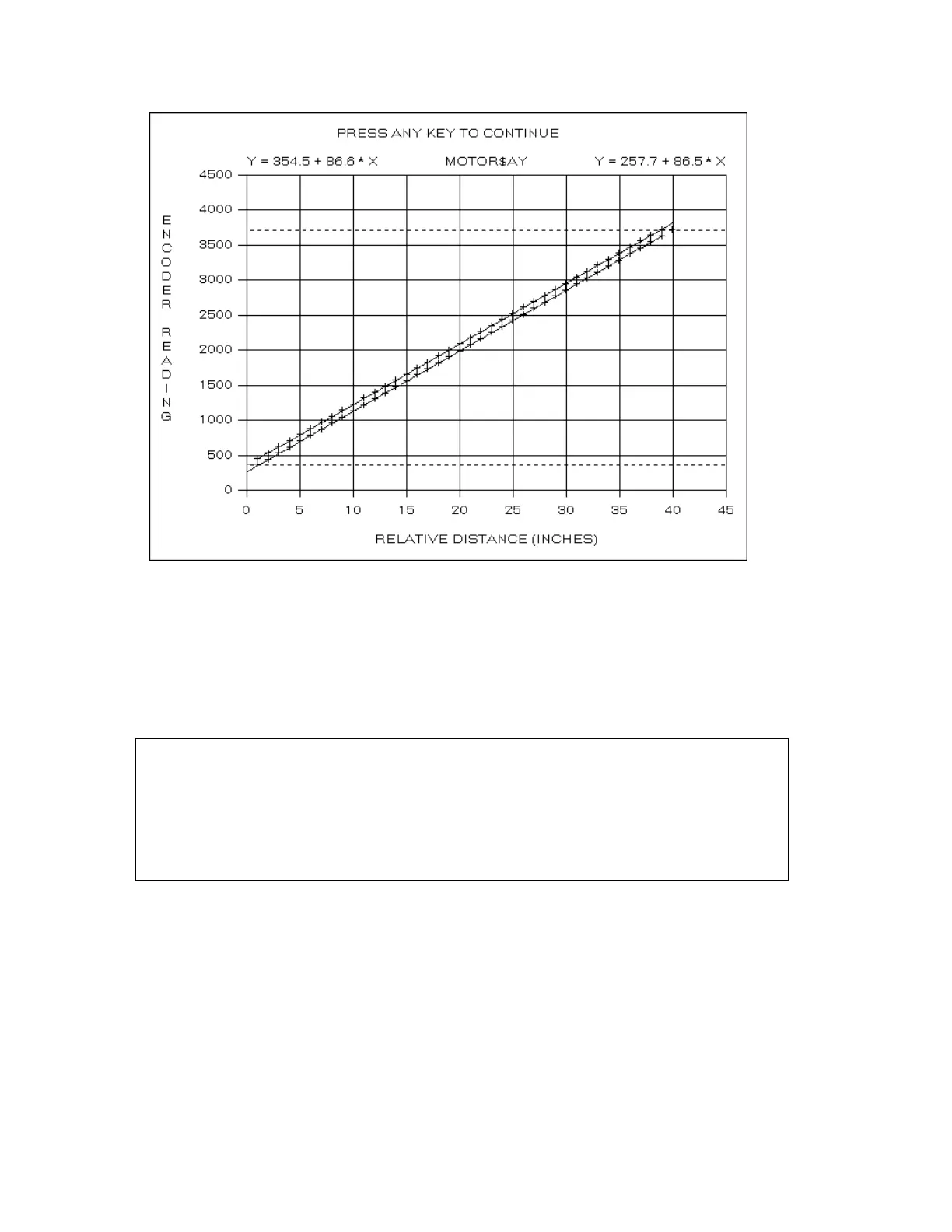
The program displays the positive and negative limits as horizontal dashed lines.
Note:
The
PosLimitOffset
and
NegLimitOffset
entries in the
[AyMotor]
section of the
hardware.ini
file determine the motion limits relative to the mechanical stops. If these
entries are not present, or are zero, the motion limits are set to the mechanical limits).
The program then changes the plot title to
PRESS ANY KEY TO CONTINUE
. Press the
<Enter>
key and the program prompts
motor_direction=1
calibrate_position=1,2288,41187,209,61339,363,363,3719
pos_limit_position=984946
neg_limit_position=0
Update Driver INI-File [Y/N] ?
The
motor_direction
field determines whether the positive step direction is the
reverse
of
the direction of increasing encoder values ('0' if the direction is
not
reversed, '1' if it is). This
value is set from the corresponding parameter in the MOTOR_AY.PRO file and is a constant
for each motor (i.e., the direction of increasing encoder values must agree with the system
coordinates and the positive step direction is set by the wiring harness for the stepper motor).
The eight
calibrate_position
fields are:












 To Next Page