9 Replacing components
HSD S.p.A. © - h0108k01a.fm120718
159
Op. Description Picture
1
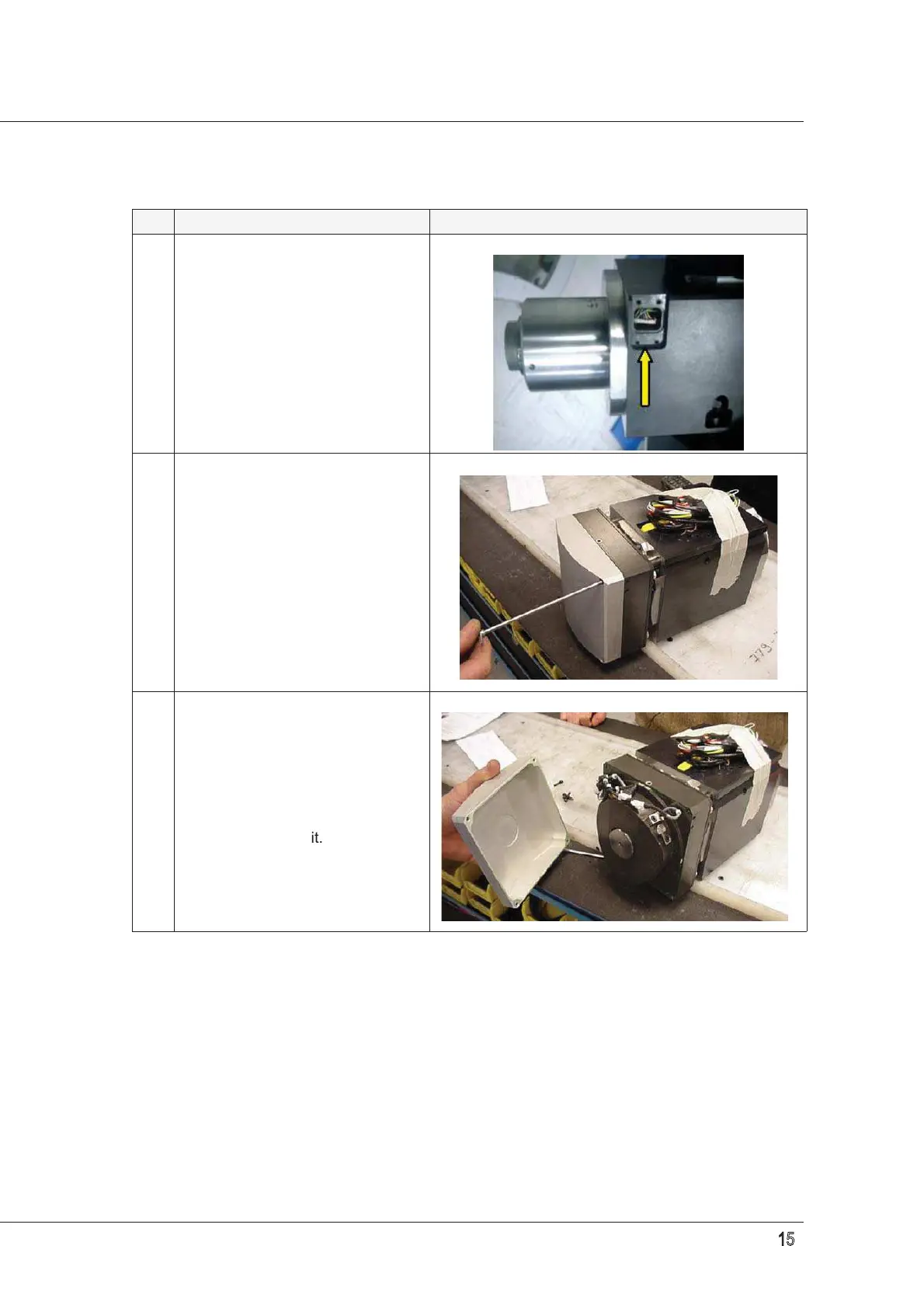
If the electrospindle is fitted with an
encoder, remove the small cover
shown in the figure. Make sure
OR2081 is fitted and in good
condition.
2
Remove the 4 fixing screws that
hold the electrospindle casing in
place.
3
There is also a thin layer of silicone
fixing the casing to the
electrospindle, but a slight force is
enough to remove it.


 To Next Page