5.5.1 Comparing previous scans using iTero TimeLapse technology
Patients who are scanned on a regular basis can have their scans analyzed using iTero TimeLapse technology.
iTero TimeLapse technology compares 2 of the patient’s previously captured 3D scans to allow visualization of
the changes of the patient’s teeth, tooth structure, and oral soft tissues over the period between the scans. For
example, iTero TimeLapse technology can display tooth wear, gingival recession, and tooth movement over
the relevant period.
Note: iTero TimeLapse technology is available for iRecord and orthodontic case types only.
To use iTero TimeLapse technology:
Select the patient for whom to create an iTero TimeLapse visualization.
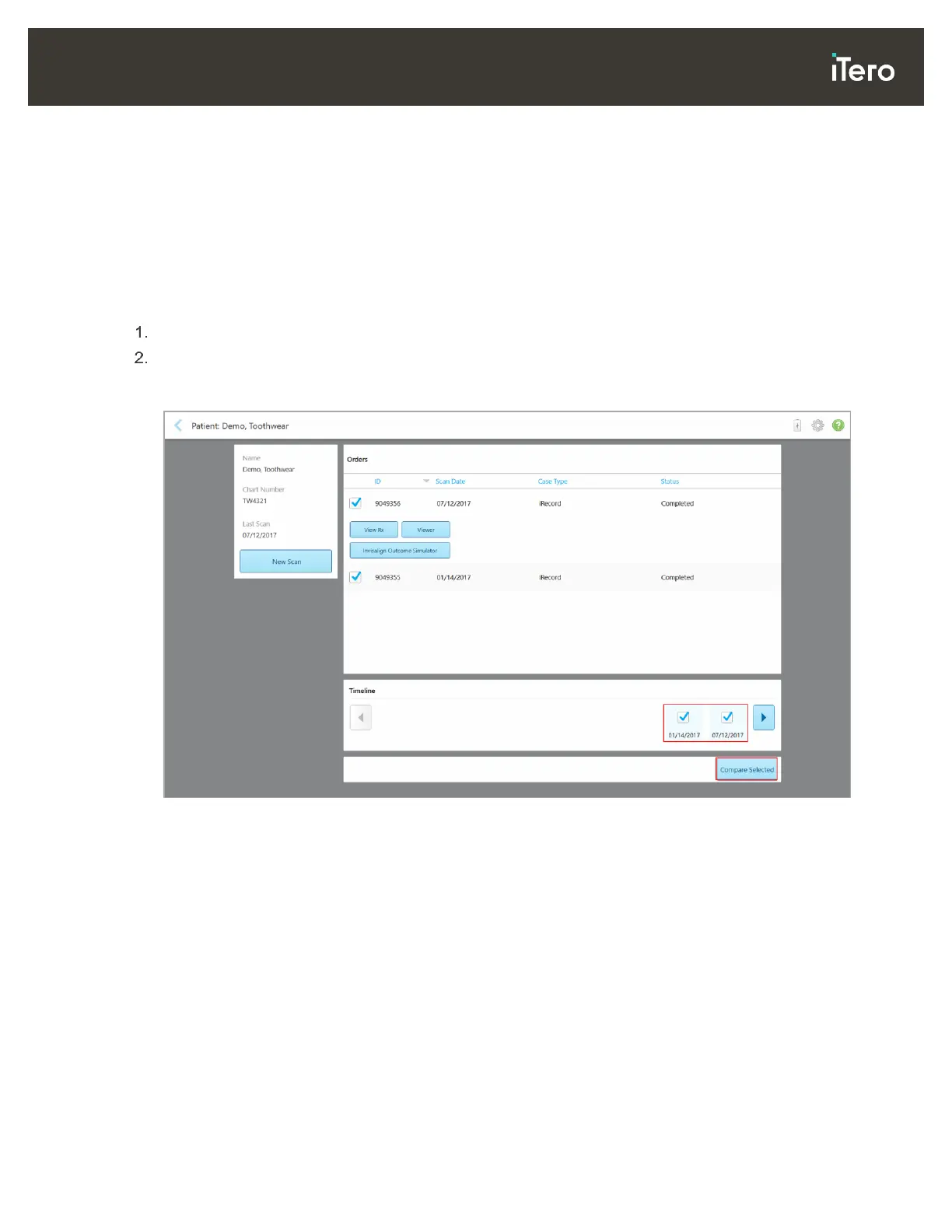
In the patient’s profile page, select two scans to compare. You can select the scans by selecting the check
boxes next to the relevant orders, or by selecting the check boxes in the Timeline area at the bottom of
the page.
Figure 112: iTero TimeLapse – selecting the scans to compare



 To Next Page