iTero Element 2 and iTero Element Flex User Manual
© 2019 Align Technology, Inc. All rights reserved.
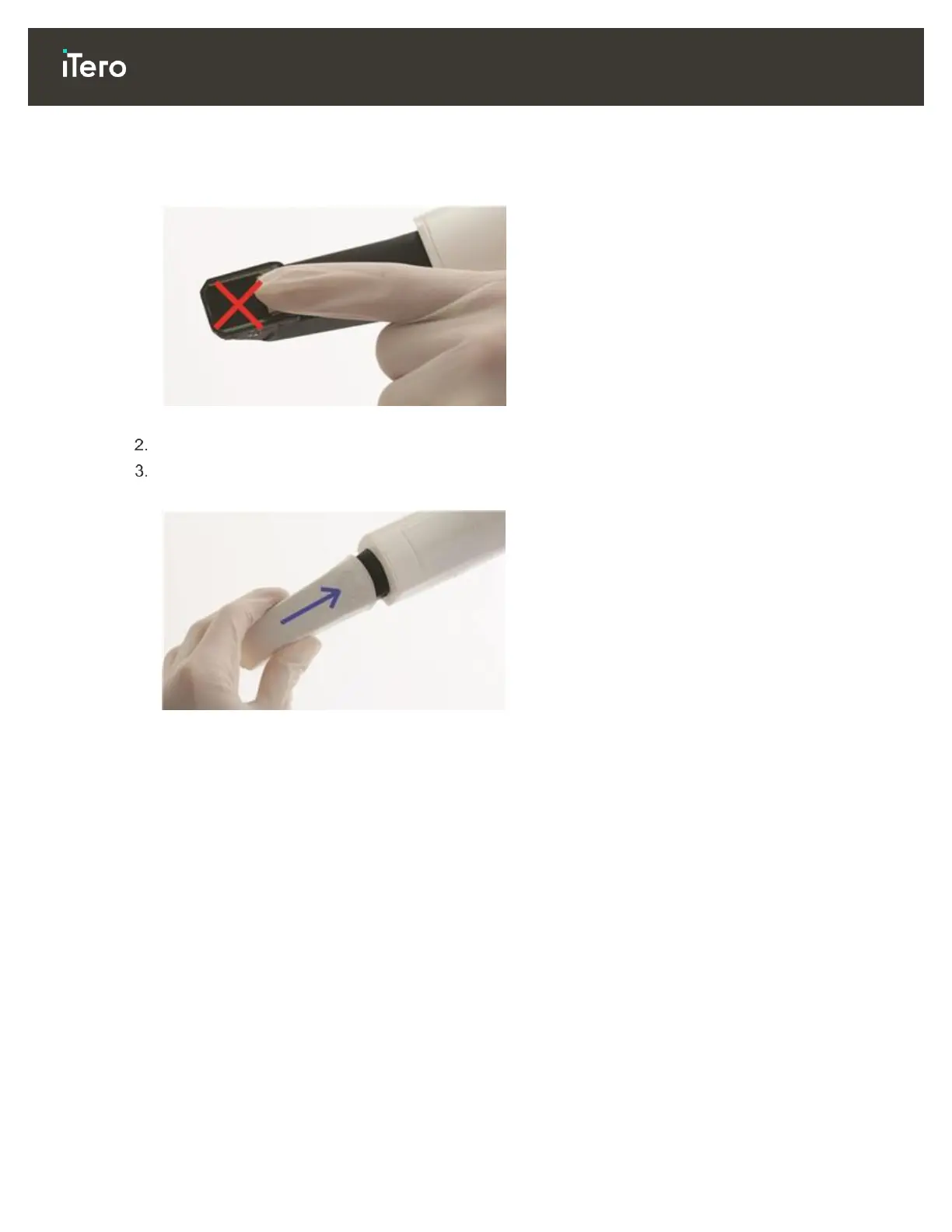
WARNING: OPTICAL SURFACE!
DO NOT touch the optical surface. Contact may cause damage. If cleaning is necessary, use the anti-static
cloth found inside the sleeve box. For more details, refer to the instructions in the sleeve box.
Figure 9: Optical surface of the wand
Clean and disinfect the wand, as described in section 10.2.
Gently slide a new sleeve onto the tip of the wand until it clicks into place.
Note: If the scanner will not be used immediately afterwards, attach the blue protective sleeve.
Figure 10: Gently slide the new sleeve into place
1.5 iTero software
New iTero Element 2 systems come with the software installed. The software needs to be installed on iTero
Element Flex systems, as described in section 2.2.



 To Next Page