EasyManua.ls Logo

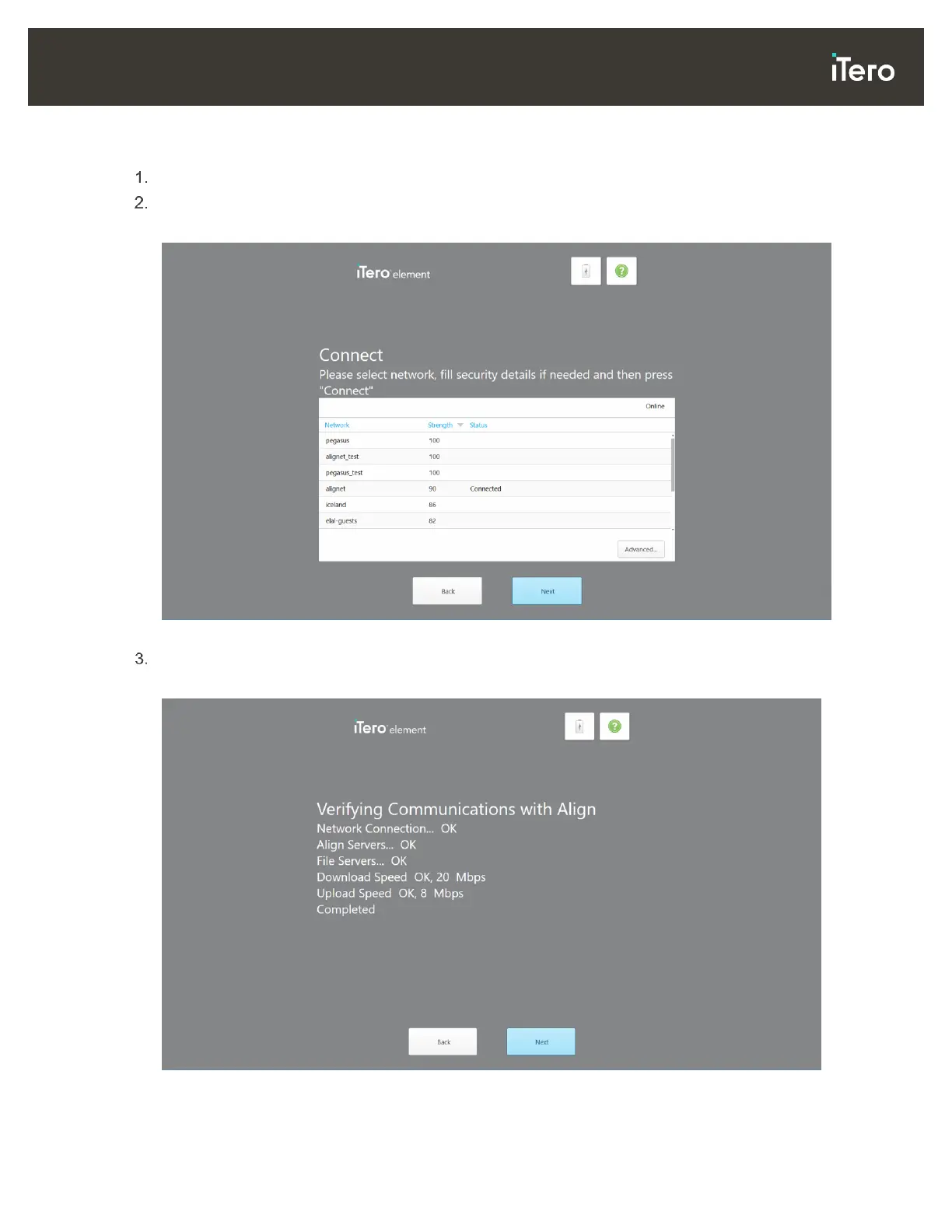
iTero Element 2 - Figure 20: Selecting the Network; Figure 21: Verifying the Communication with Align

iTero Element 2
134 pages
Print Icon
To Next Page IconTo Next Page
To Previous Page IconTo Previous Page
Loading...
© 2019 Align Technology, Inc. All rights reserved.
19
iTero Element 2 and iTero Element Flex User Manual
To register the scanner:
Select the required language.
Tap Make It Mine.
The Connect page is displayed.
Figure 20: Selecting the network
Select the required network connection and then tap Next.
The communication with Align is verified.
Figure 21: Verifying the communication with Align


Table of Contents

Related product manuals