4.1 Filling in the Rx
The first step in the scanning process is filling in the Rx (prescription). The New Scan window enables you to
enter the patient’s details as well as details about the case type. Fields marked with a red asterisk are
mandatory.
After you have filled in the Rx, you can click to move to Scan mode and scan the patient, as described in
section 4.2.
To fill in the Rx:
Enter the patient’s first name and last name in the fields provided.
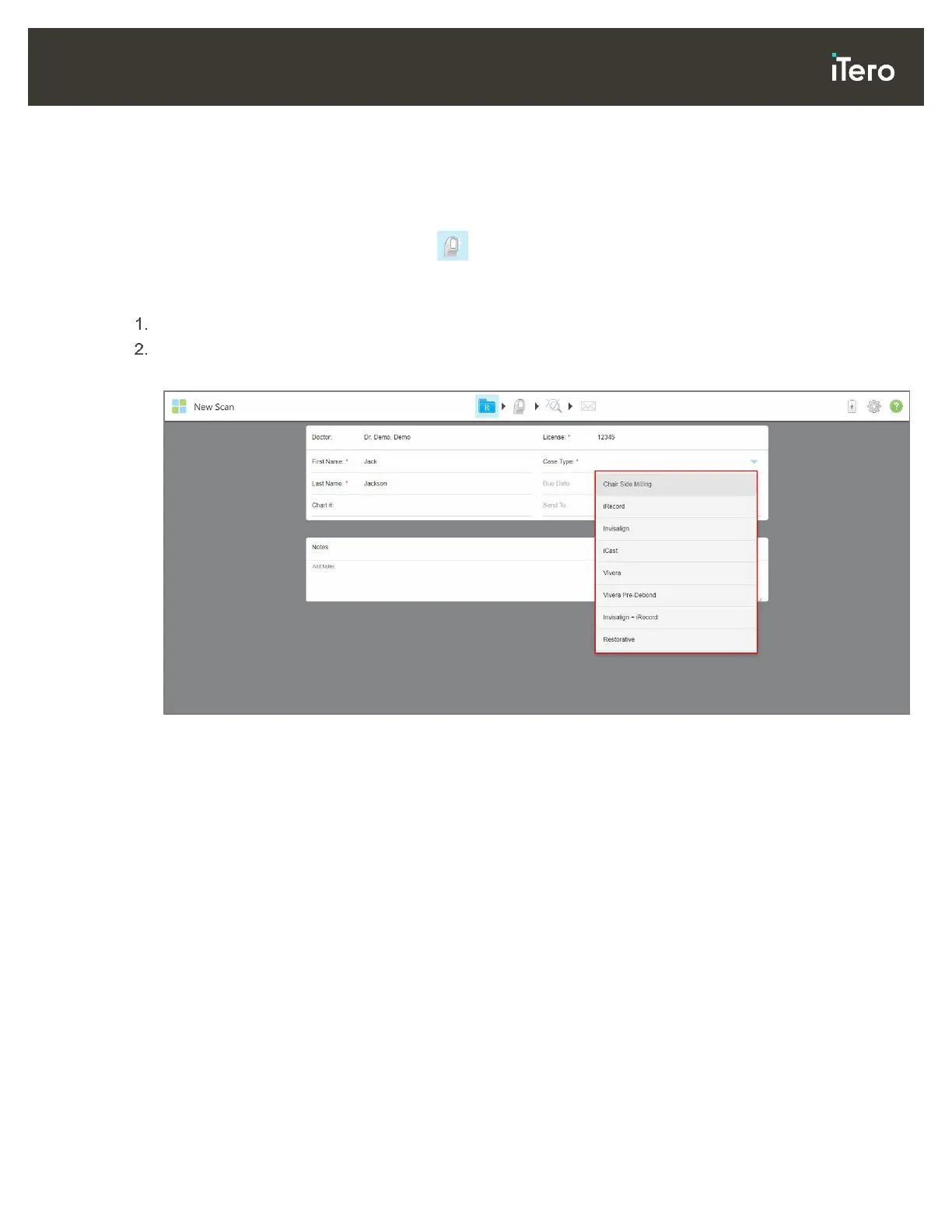
From the Case Type drop-down list, select the required case type.
Note: The list of case types displayed depends on your subscription package.
Figure 56: Selecting the required case type
The following case types are available by default, depending on whether you have a Restorative or
Orthodontic subscription package:
o Chair Side Milling: A restorative scan without the need to send the scan to a laboratory for modeling
and milling.
o iRecord: A simple scan with no additional modification, mainly used for referencing and instead of
storing the plaster model, as required by law. (This case type can later be changed to iCast or
Invisalign, if required.)
o iCast: The same as iRecord, but showing the ABO model and a modeling step that can remove unused
data and adjust the bite if needed. (This case type can later be changed to Invisalign, if required.)
o Invisalign: The basic scan for Invisalign treatment. The model must be scanned without any holes to
ensure that the aligners are a perfect fit with the patient’s teeth.
o Vivera: A simple scan with no additional modification, for the creation of a clear retainer that is similar
to a single Invisalign aligner, which maintains the position of the teeth after treatment.
o Vivera Pre-Debond: A scan used on patients while their brackets are still attached. The Vivera
retainers are then provided at the debonding appointment.
o Invisalign + iRecord: Records the file (iRecord) and uploads an Invisalign scan to the IDS portal.
Saves two different scans, as may be requested for insurance-refund purposes.



 To Next Page