iTero Element 2 and iTero Element Flex User Manual
© 2019 Align Technology, Inc. All rights reserved.
iTero Element 2 and iTero Element Flex User Manual
4 Starting a new scan
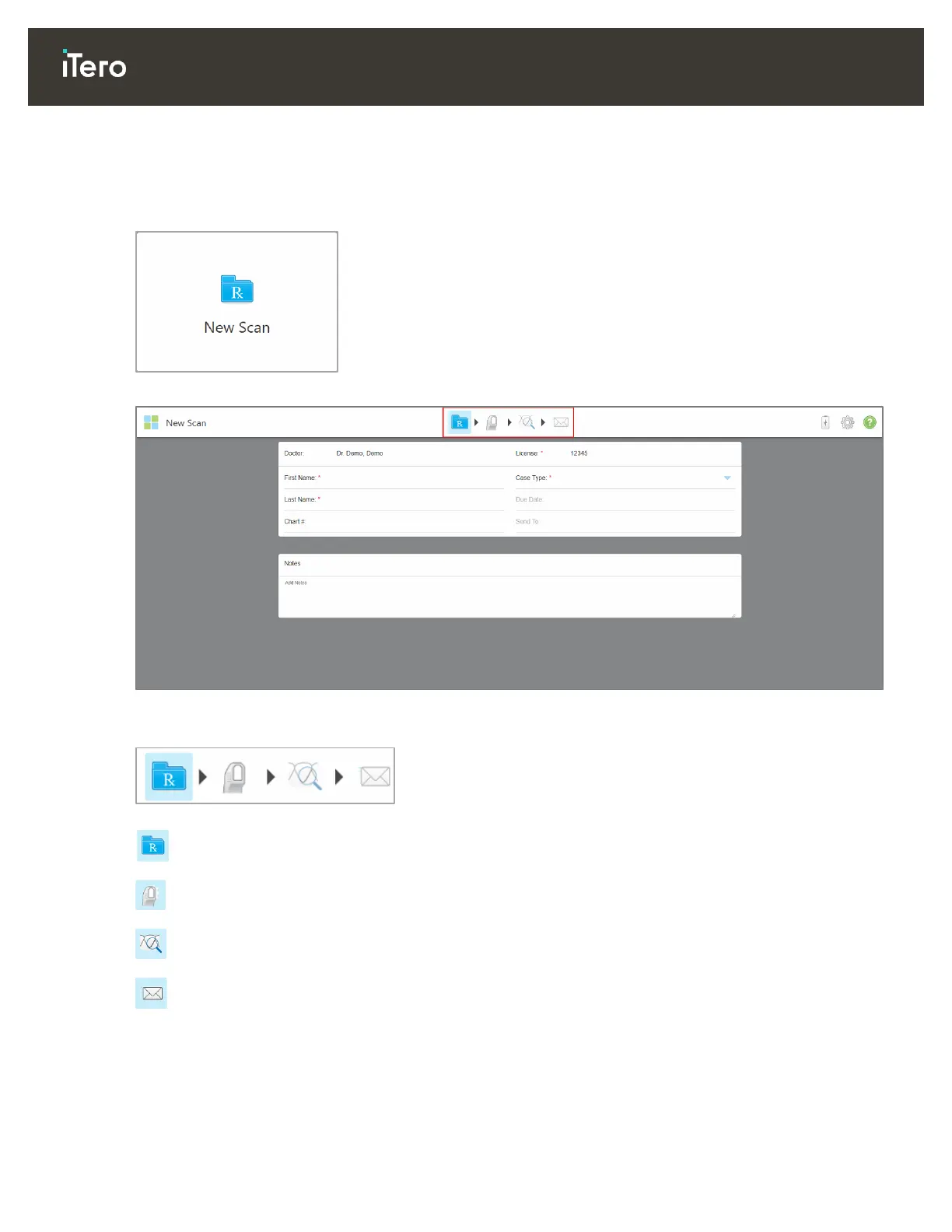
Tap the New Scan button to start the scanning process.
The New Scan window is displayed, as well as a toolbar that shows your progress process.
Figure 55: New Scan window showing an empty Rx and the progress toolbar at the top of the window
The scanning process requires the following steps, which are displayed on the toolbar:
Filling in the Rx, described in section 4.1
Scanning the patient, described in section 4.2
Viewing the scan, described in section 4.3
Sending the scan to the lab, described in section 0
Your current progress is highlighted on the toolbar.



 To Next Page