3.6.2 Defining the User settings
The User settings enable each user to define the settings that are displayed by default when the specific user
logs in to the scanner.
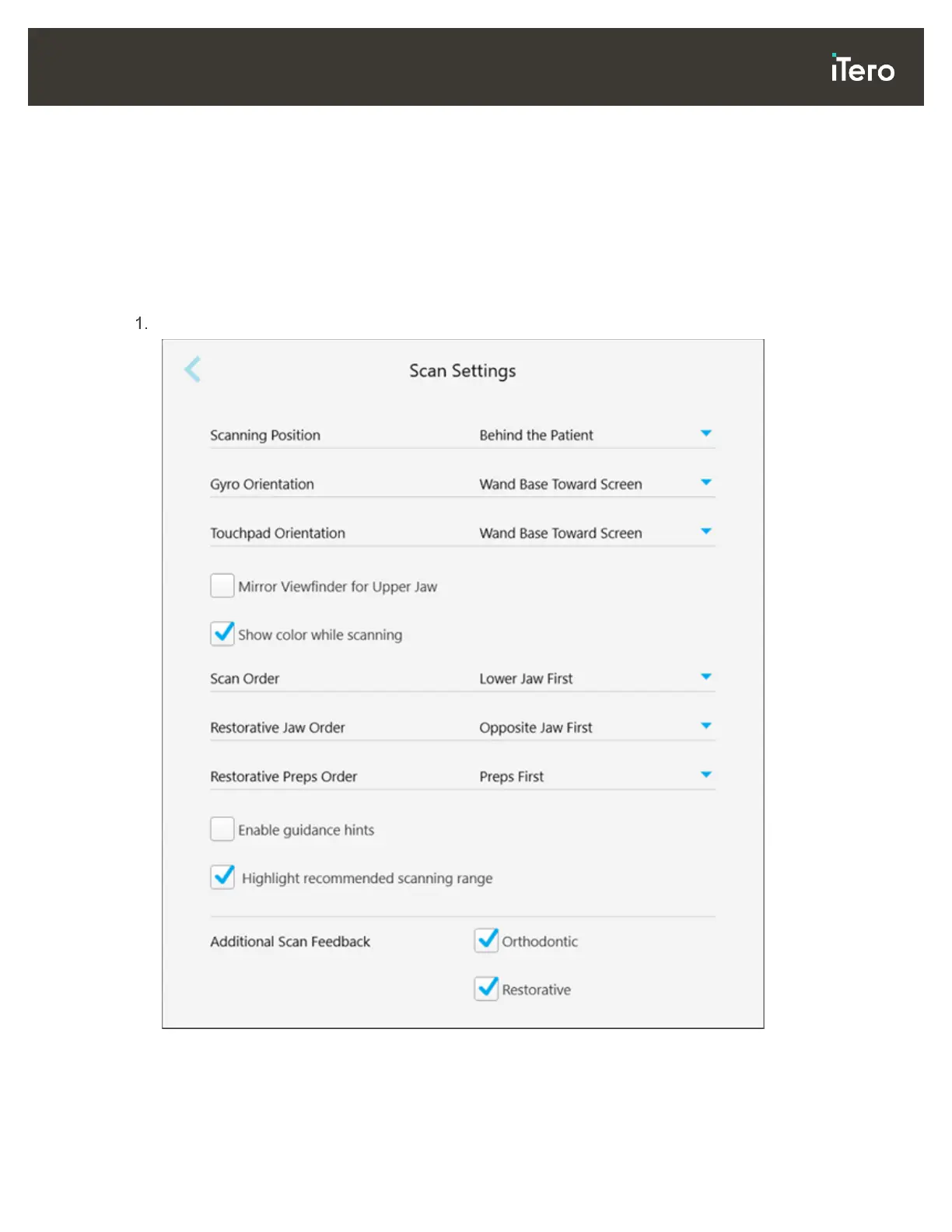
3.6.2.1 Defining the scan settings
You can define the default settings that are taken into account when scanning a patient
To define the scan settings:
Tap the Scan Settings button.
Figure 45: Scan Settings window



 To Next Page