iTero Element 2 and iTero Element Flex User Manual
© 2019 Align Technology, Inc. All rights reserved.
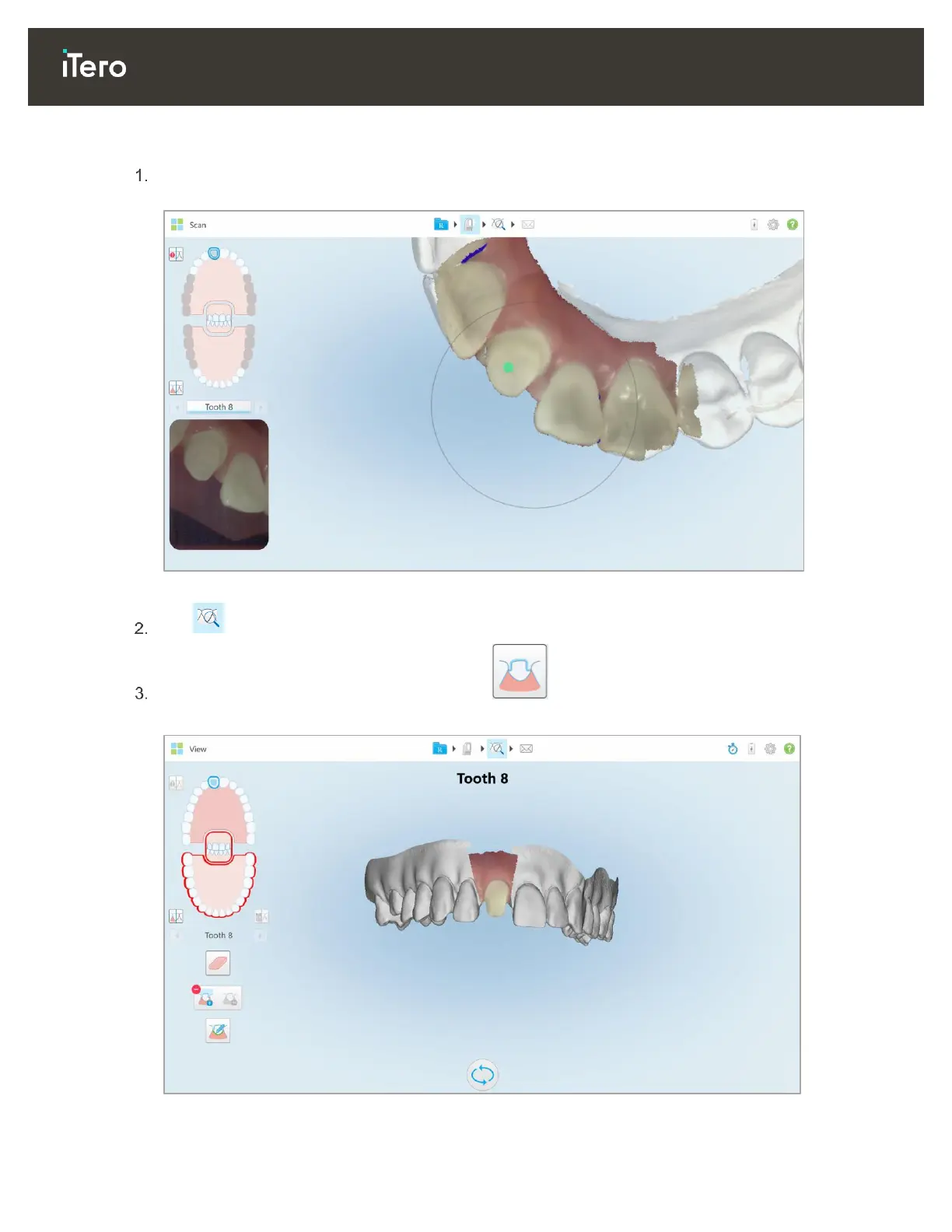
To display the die separation:
After scanning the prepped tooth, ensure that the green hint point is centered on the prepped tooth. Move
it manually, if required.
Figure 88: Green hint point centered on the prepped tooth
Tap on the toolbar to move to View mode.
In the View window, tap the Die Separation tool .
The die separation is displayed in high resolution.
Figure 89: Die separation is displayed in high resolution



 To Next Page