4.2.1 Scanning guidance
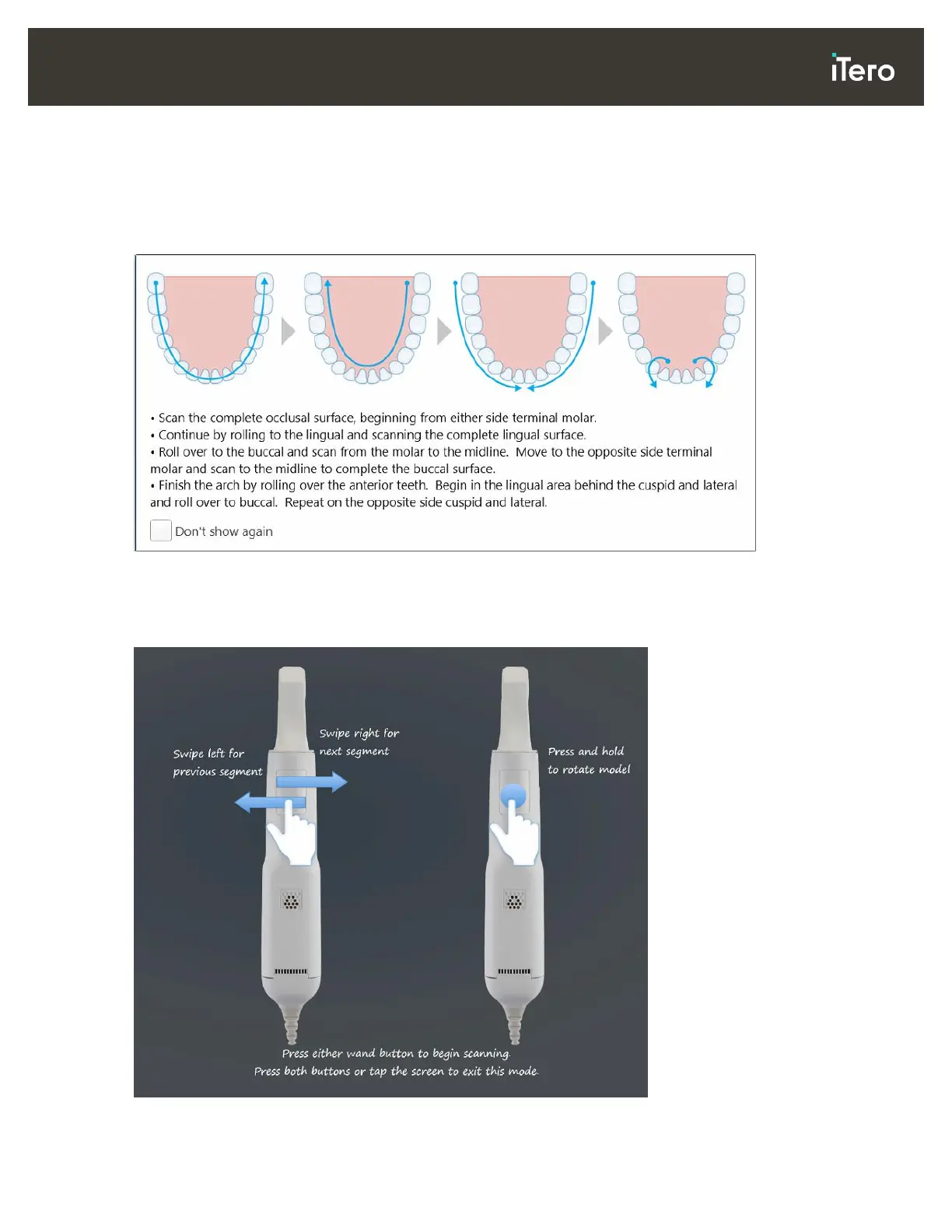
As soon as you move to Scan mode, the recommended scanning sequence for the selected scan segment is
displayed in the center of the scanner window. It will automatically disappear after a short while, or you can
tap anywhere on the screen to hide it.
iTero recommends you follow the scanning sequence for best results.
Figure 62: Recommended scanning sequence – lower jaw
Note: If you select the Don’t show again check box, this guidance will not be displayed in future scans. You
can return the guidance by enabling it in the Scan settings, as described in section 3.6.2.1.
In addition, if you click both wand buttons simultaneously, the following guidance is displayed:
Figure 63: Wand guidance



 To Next Page