iTero Element 2 and iTero Element Flex User Manual
© 2019 Align Technology, Inc. All rights reserved.
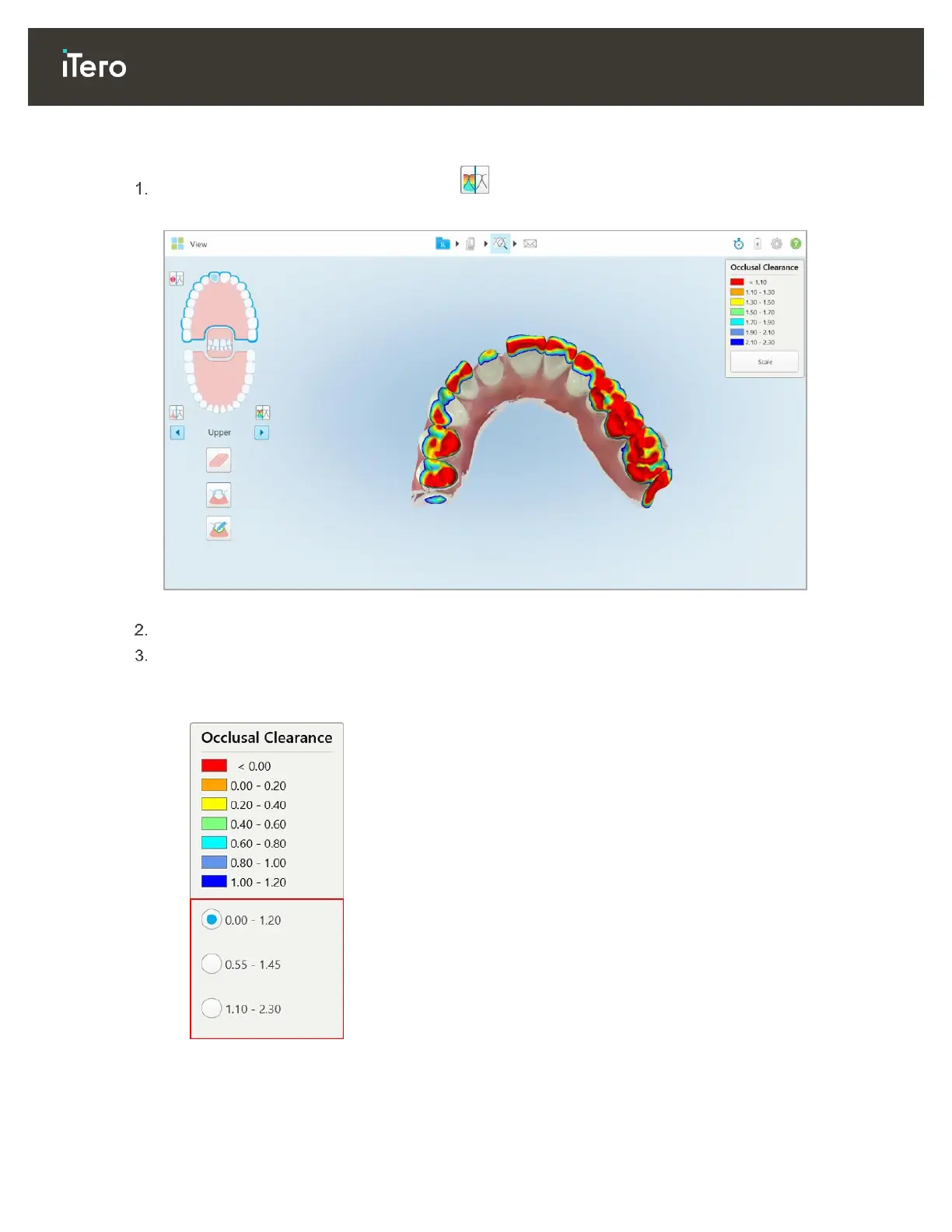
To display the occlusal clearance:
In the View window, tap the Clearance tool .
The occlusal clearance between the opposing teeth is displayed.
Figure 81: Occlusal clearance between the opposing teeth
If necessary, reduce the prepped tooth and rescan the area, as described in section 4.3.2, above.
If required, you can change the occlusal values displayed on the opposing teeth.
a. On the legend, click Scale.
The legend is expanded to display a list of range options, in millimeters.
Figure 82: Occlusal Clearance range options
b. Select the required scale.
The occlusal clearance is displayed according to the new scale.



 To Next Page