iTero Element 2 and iTero Element Flex User Manual
© 2019 Align Technology, Inc. All rights reserved.
Tap the Compare Selected button to compare and analyze the scans.
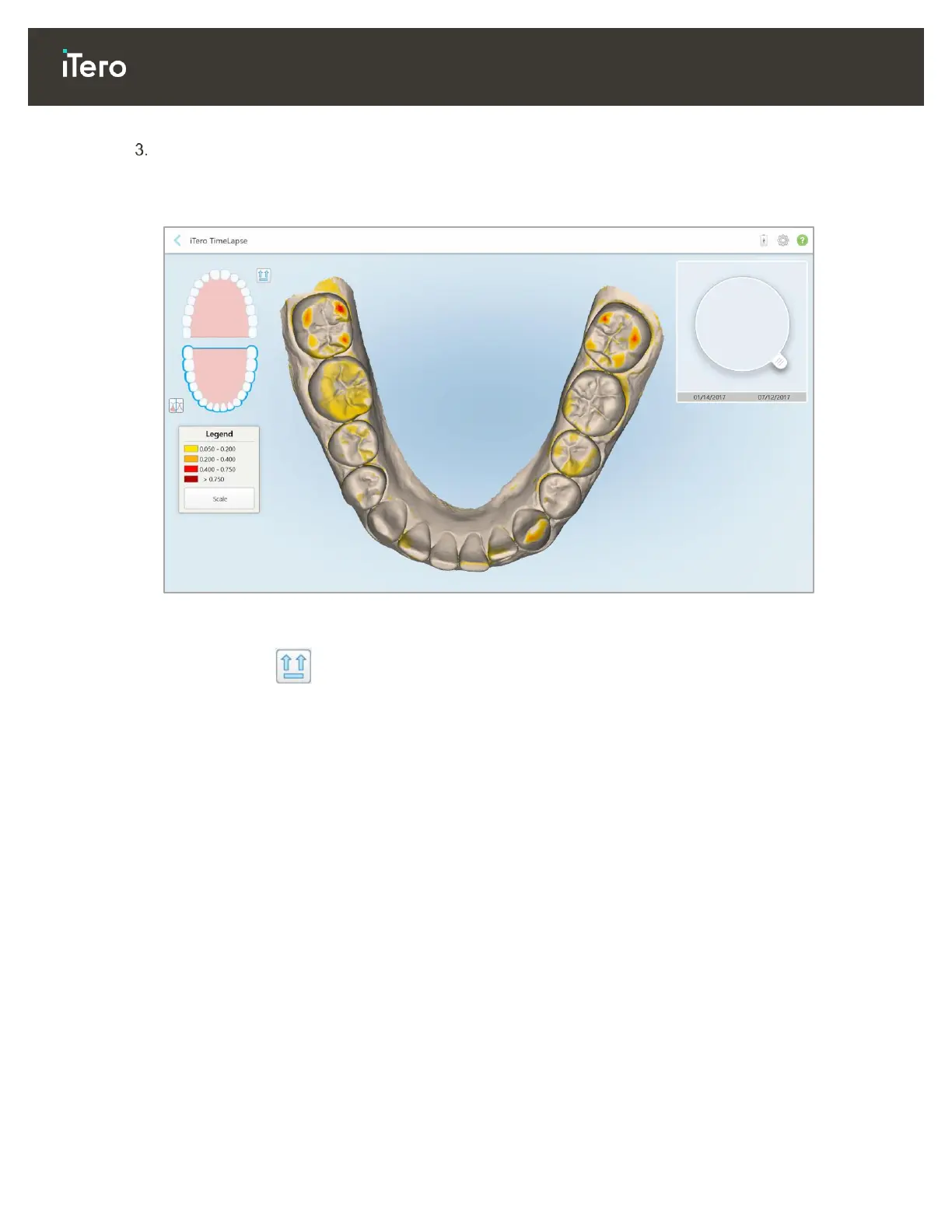
The iTero TimeLapse window is displayed, highlighting the areas with changes between the scans. The
darker the color, the bigger the change between the scans, as displayed in the legend (scale
measurements are in millimeters).
Figure 113: iTero TimeLapse window showing the highlighted changes between the scans
Note: Changes are highlighted only when the scans are displayed in monochrome mode.
If required, click to move the scan to the default occlusal view – lower arch with anterior teeth at the
bottom and upper arch with anterior teeth at the top and both arches in a frontal view like the iRecord
default view.



 To Next Page