iTero Element 2 and iTero Element Flex User Manual
© 2019 Align Technology, Inc. All rights reserved.
iTero Element 2 and iTero Element Flex User Manual
1.4.2.1 Transporting
iTero Element Flex
To ensure maximum system protection, it is recommended to follow the instructions below when transporting
the system:
Attach the blue protective sleeve onto the wand.
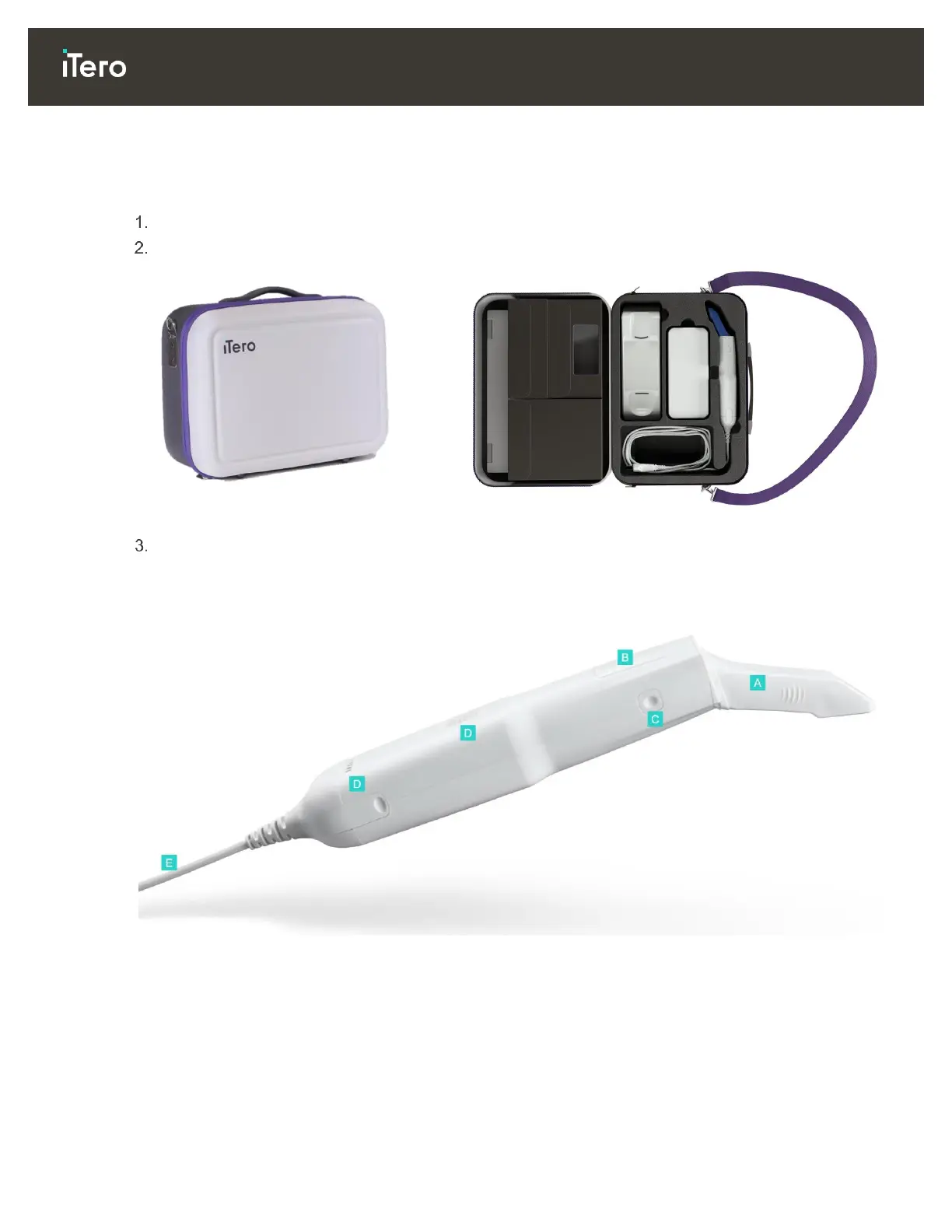
Place all items in the supplied carrying case to move the system between offices.
Figure 4: iTero Element Flex in the supplied carrying case
Make sure the case is kept dry to protect the system components from humidity.
1.4.3 iTero Element wand
A Disposable sleeve
B Touchpad
C Side buttons: Scan, on/off, touchpad activation
D Air vents
E Detachable wand cable with USB connector
Figure 5: iTero Element wand



 To Next Page