© 2019 Align Technology, Inc. All rights reserved.
iTero Element 2 and iTero Element Flex User Manual
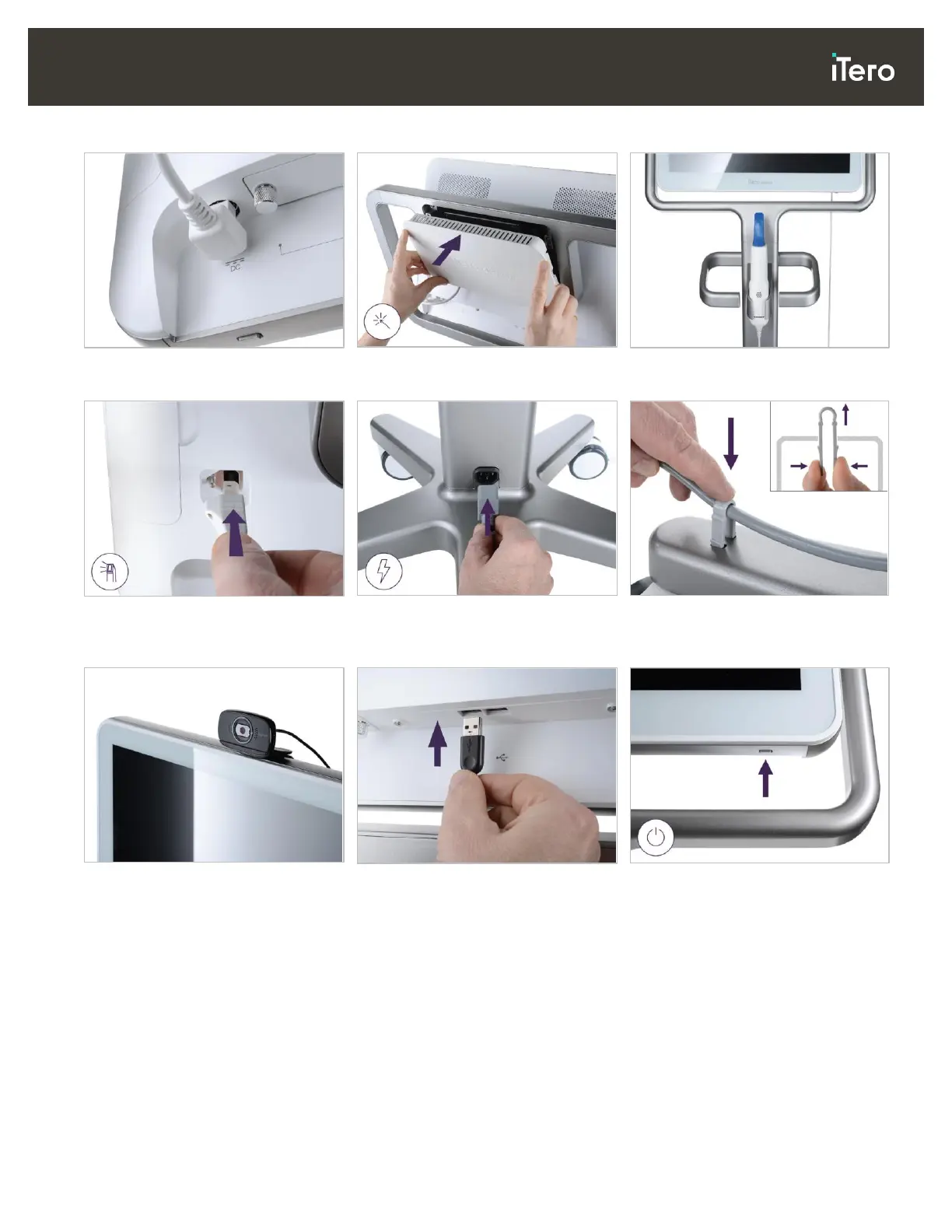
15. Attach the magnetic back cover.
16. Place the wand in the cradle.
17. Connect the wand cable to the
back of the touch screen.
18. Connect the power cable on the
bottom of the wheel stand.
19. Secure the cable to the bottom
of the wheel stand with the clip.
20. Position the webcam on the
touch screen for remote training
or support sessions.
21. Connect the webcam to the USB
port at the bottom of the touch
screen.
22. Plug the power cable into the AC
power outlet and then press the
Power button to switch on the
scanner.



 To Next Page