Page: 74
JFS-A1 INSTALLATION, OPERATION, AND INSTRUCTION MANUAL
Document #: DOC230
Issued: August 27, 2012
Revised: N/A
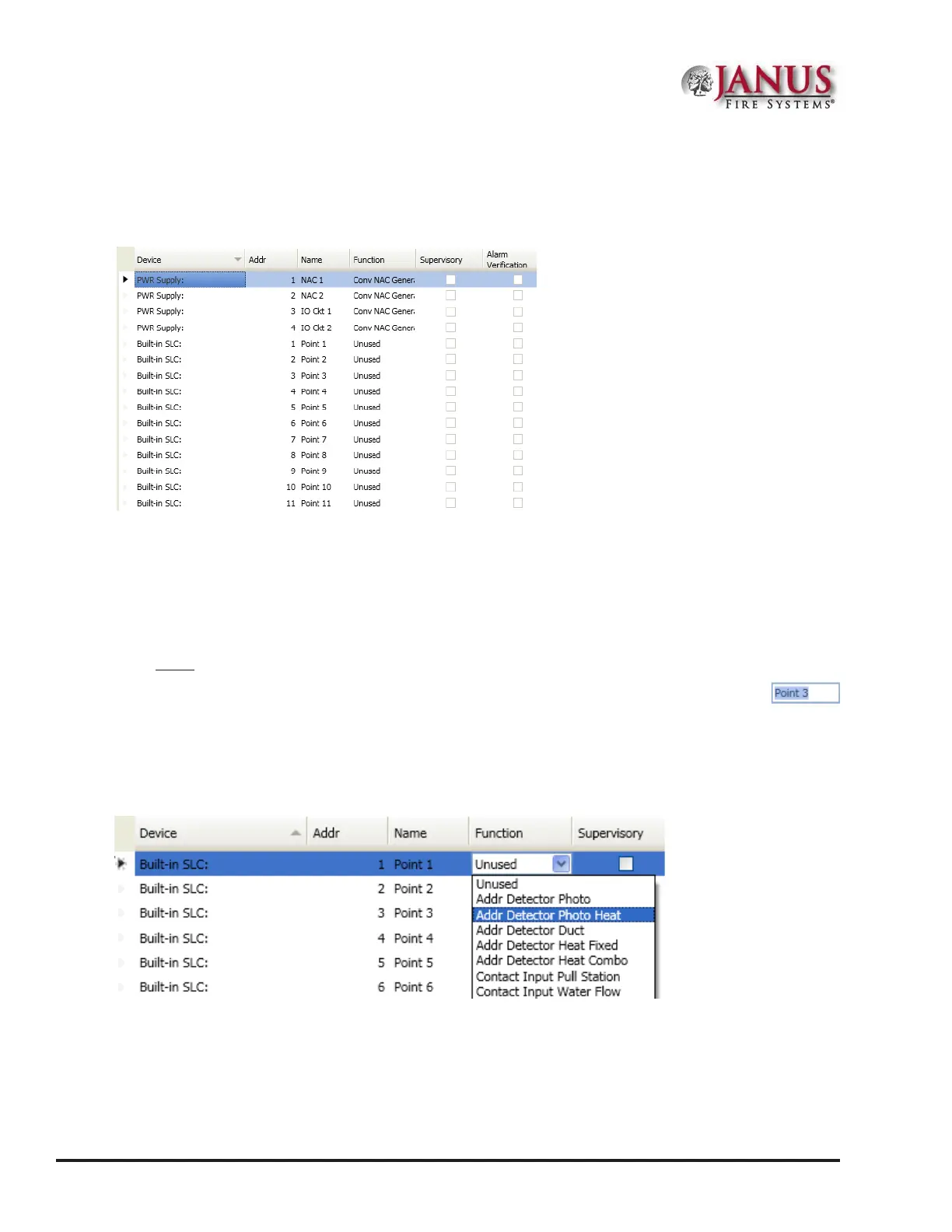
To congure points:
1. Click on the Points function to display the "Points Conguration" window.
Figure 87. Example of a Conguration Window
Note: Click the columns to sort devices.
2. Devices are listed by “Built-in SLC” device addresses, followed by the NACs and I/O circuits.
Note: Click on the “Device” eld to sort the list by PWR Supply followed by SLCs.
To congure a single point:
1. Double-click in “Name” eld to enter a descriptive name. e current name is highlighted as shown:
2. Enter a new name (up to 16 alphanumeric characters).
3. Click on drop-down arrow in the “Function” eld. Select a function type from the list.
Figure 88. Example of Conguring a “Single” Point
4. Continue conguring other points, as needed.



 To Next Page