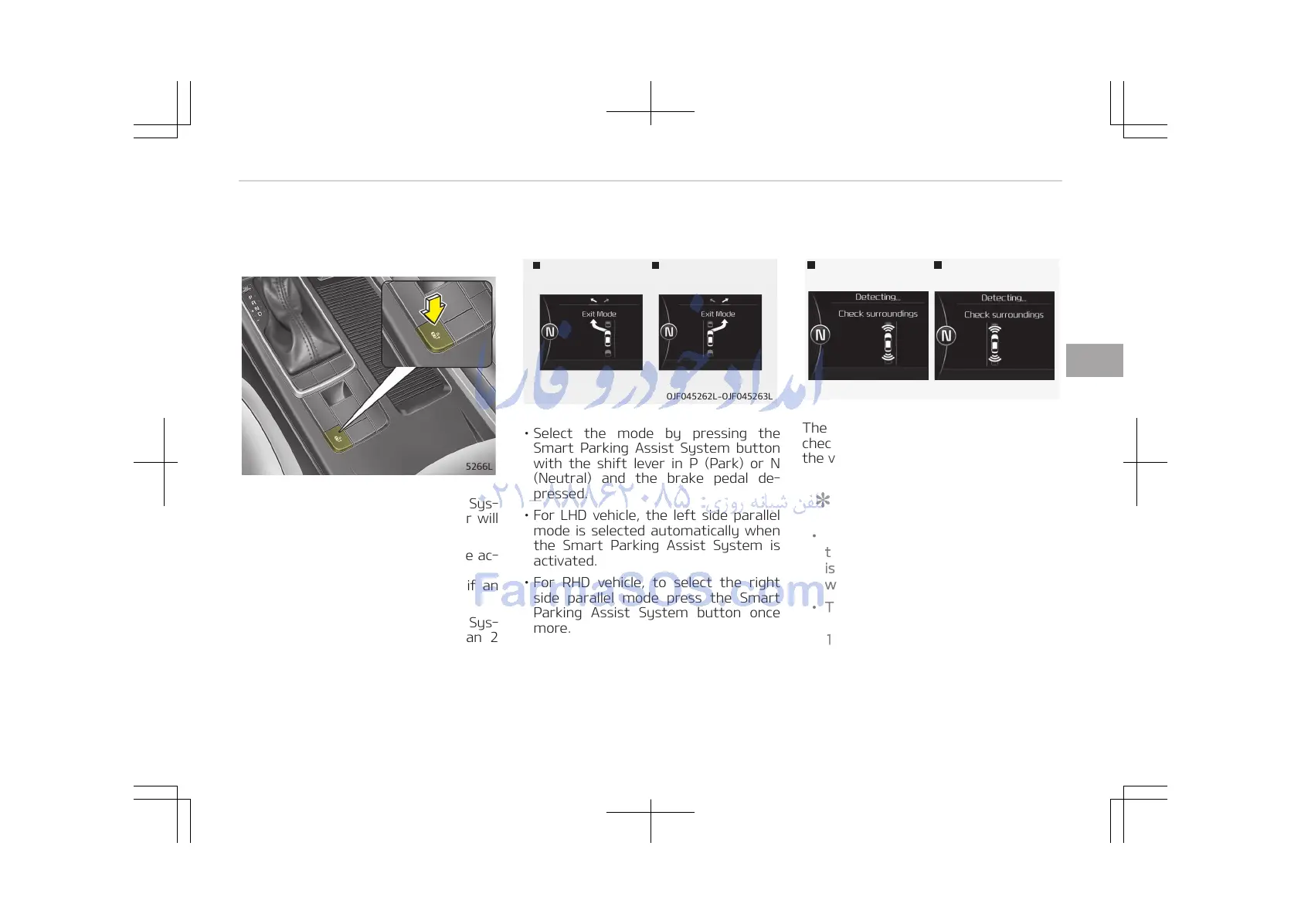
1. Activate Smart parking assist
system
• Press the Smart Parking Assist Sys‐
tem button (the button indicator will
illuminate).
• The Parking Assist System will be ac‐
tivated.
A warning sound will be heard if an
obstacle is detected.
• Press the Smart Parking Assist Sys‐
tem button again for more than 2
seconds to turn off the system.
• The Smart Parking Assist System de‐
faults to the OFF position whenever
the ignition switch is turned on.
2. Select exit mode
Left side
- Parallel exit
Right side
- Parallel exit
OJF045262L-OJF045263L
• Select the mode by pressing the
Smart Parking Assist System button
with the shift lever in P (Park) or N
(Neutral) and the brake pedal de‐
pressed.
• For LHD vehicle, the left side parallel
mode is selected automatically when
the Smart Parking Assist System is
activated.
• For RHD vehicle, to select the right
side parallel mode press the Smart
Parking Assist System button once
more.
• If the button is pressed again, the
system will turn off.
3. Check surroundings
Left side
- Parallel exit
Right side
- Parallel exit
OJF045264L-OJF045265L
The Smart Parking Assist System
checks the front and rear space to exit
the vehicle from the parking space.
NOTICE
• When checking surroundings, if
the front or rear vehicle (or object)
is too near, the system may not
work properly.
• The system may not operate nor‐
mally in the following conditions:
1. When the sensors are frozen
2. When the sensors are dirty
(Continued)
4-119
4
Features of your vehicle















 To Next Page