To keep items from shifting in the car‐
go area, you can use the four holders
located in the cargo area to attach the
luggage net.
If necessary, we recommend that you
contact your authorized Kia dealer to
obtain a luggage net.
NOTICE
Vehicles equipped with a luggage rail
system may use the shackles to
hook the luggage net.
CAUTION
To prevent damage to the goods or
the vehicle, care should be taken
when carrying fragile or bulky ob‐
jects in the luggage compartment.
WARNING
To avoid eye injury, DO NOT over‐
stretch the luggage net. ALWAYS
keep your face and body out of the
(Continued)
(Continued)
luggage net’s recoil path. DO NOT
use the luggage net when the strap
has visible signs of wear or damage.
Barrier net (wagon) (if
equipped)
When you load cargo on the rear seat
or rear cargo area, you must install the
barrier net behind the front seatback
or rear seatback.
It is designed to help protect the heads
of the occupants by preventing objects
from flying forward in frontal collisions.
There are two hook holders on both
side of the headliner over the headr‐
ests for upper side fixation.
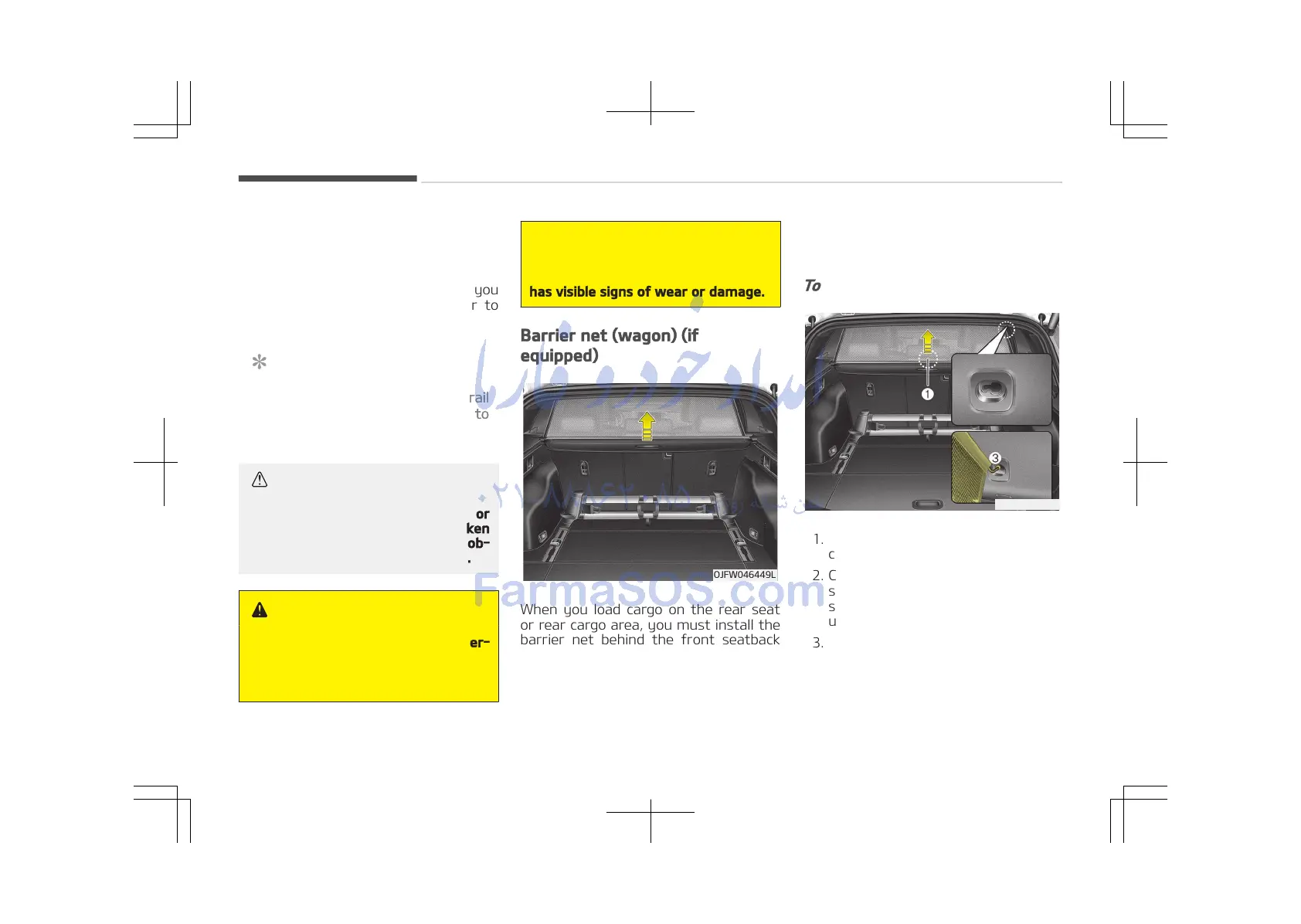
To use the barrier net
1. Pull up the net by the handle in the
center (1).
2. Compress the one side net upper
shaft to lengh direction before in‐
sert the hook into the large hole (2)
until it reaches the very top.
3. Then secure it by sliding it into the
small hole (3).
4. Hold the hooked side and then with
the other hand, hook the other side
of the net.
Features of your vehicle
4-184















 To Next Page