7. Info
Displays detailed information for
the current file.
The title, artist and album info are
displayed only when such informa‐
tion is recorded within the MP3 file
ID3 tag.
8. Random (Shuffle)
Turns the Random (Shuffle) feature
on/off.
9. Repeat
Turns the Repeat feature on/off.
10. Delete
Deletes the current file.
11. List
Moves to the list screen.
Turn the TUNE knob left/right to
search for the desired category.
Once you find the desired category,
press the TUNE knob to select
and play.
With the My Music Mode
Playing/Pausing My Music Files
While playing, press the [II] button to
pause and press [ ] button to play.
If there are no files saved within My
Music, the [My Music] button will be
disabled.
Changing Files
Press the
button before the
file has been playing for 1 second will
start the previous file.
• Type B-1
• Type B-2
Selecting from the List
Turn the TUNE knob left/right to
search for the desired file.
Once you find the desired file, press the
TUNE knob to start playing.
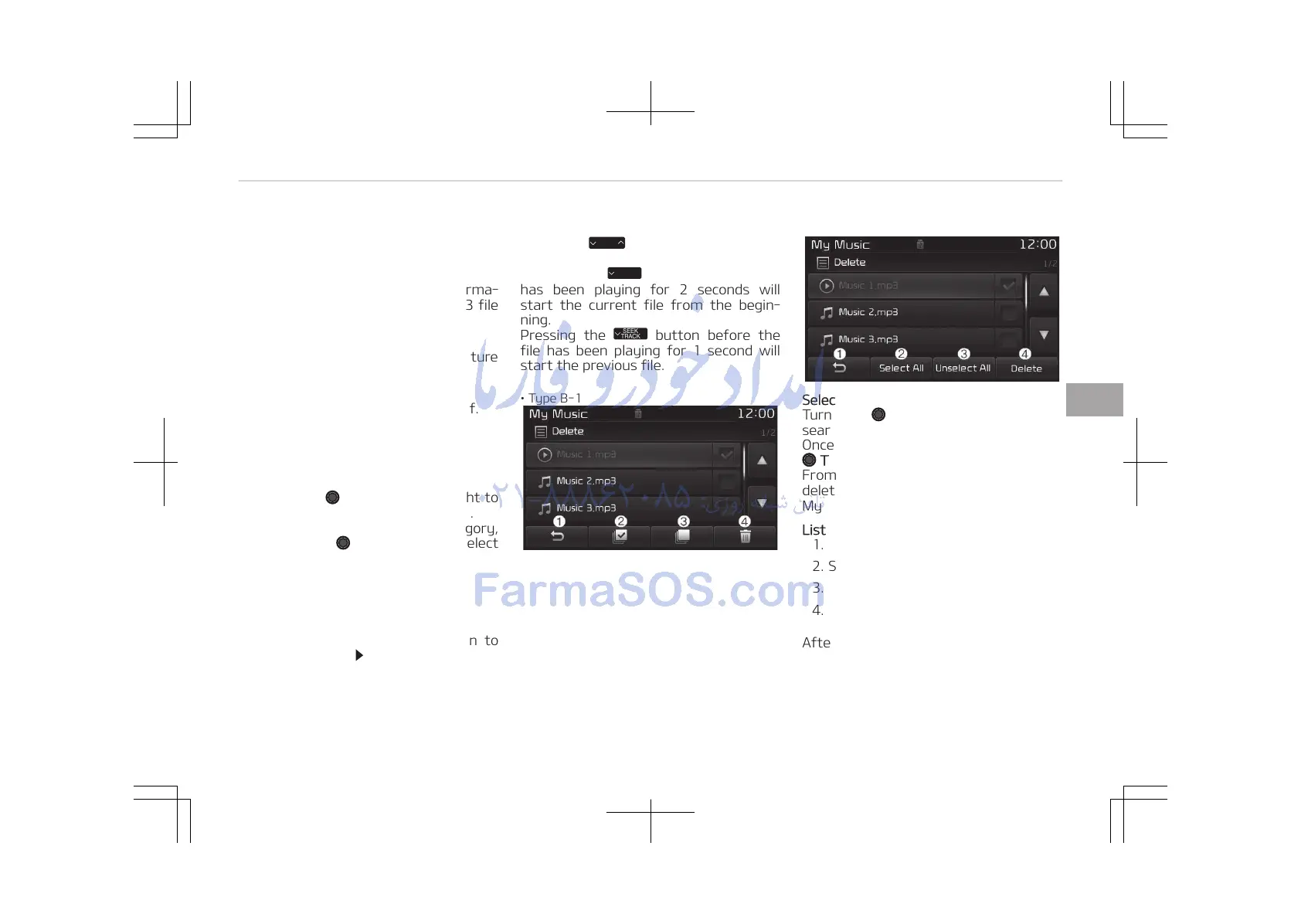
From the List screen, it is possible to
delete files you previously saved into
My Music.
List Menu
1. Moves to the previous screen.
2. Selects all files.
3. Deselects all selected files.
4. Deletes selected files.
After selecting the files you want to
delete, press the [Delete] button to de‐
lete the selected files.
5-81
5
Audio system















 To Next Page