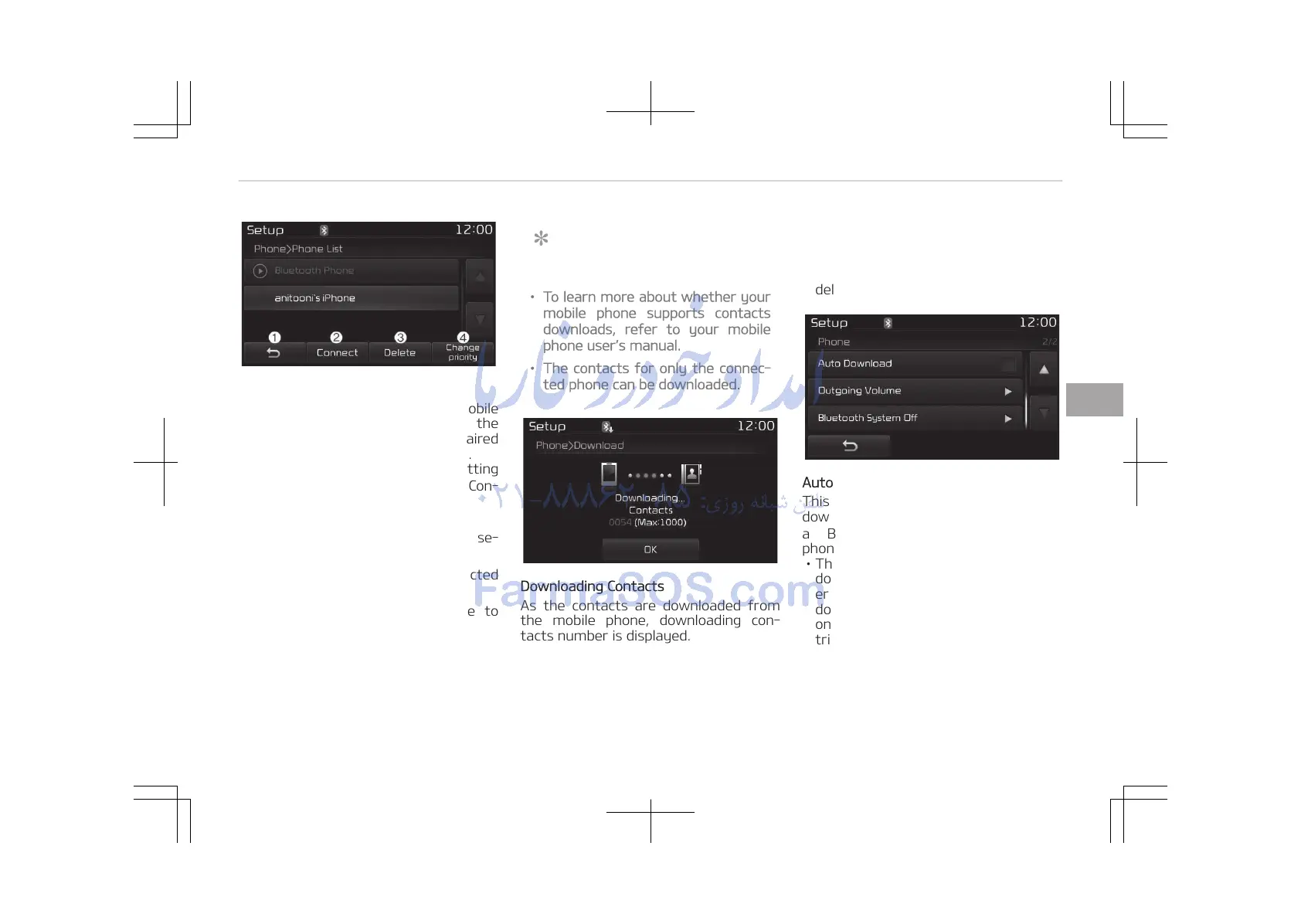
Viewing Paired Phone List
This feature is used to view mobile
phones that have been paired with the
audio system. Upon selecting a paired
phone, the setup menu is displayed.
For more information, refer to Setting
Bluetooth
®
Wireless Technology Con‐
nection on page 5-91.
1. Moves to the previous screen.
2. Connect/Disconnects currently se‐
lected phone.
3. Deletes the currently selected
phone.
4. Sets currently selected phone to
highest connection priority.
NOTICE
n
Before Downloading Contacts
• To learn more about whether your
mobile phone supports contacts
downloads, refer to your mobile
phone users manual.
• The contacts for only the connec‐
ted phone can be downloaded.
Downloading Contacts
As the contacts are downloaded from
the mobile phone, downloading con‐
tacts number is displayed.
• Up to 1,000 contacts entries can be
copied into car contacts.
• Up to 1,000 contacts entries can be
saved for each paired device.
• Upon downloading contacts data,
previously saved contacts data will be
deleted. However, contacts entries
saved to other paired phones are not
deleted.
Auto Download (Contacts)
This feature is used to automatically
download mobile contacts entries once
a Bluetooth
®
Wireless Technology
phone is connected.
• The Auto Download feature will
download mobile contacts entries ev‐
ery time the phone is connected. The
download time may differ depending
on the number of saved contacts en‐
tries and the communication state.
• When downloading contacts, first
check to see that your mobile phone
supports the contacts download fea‐
ture.
5-117
5
Audio system















 To Next Page