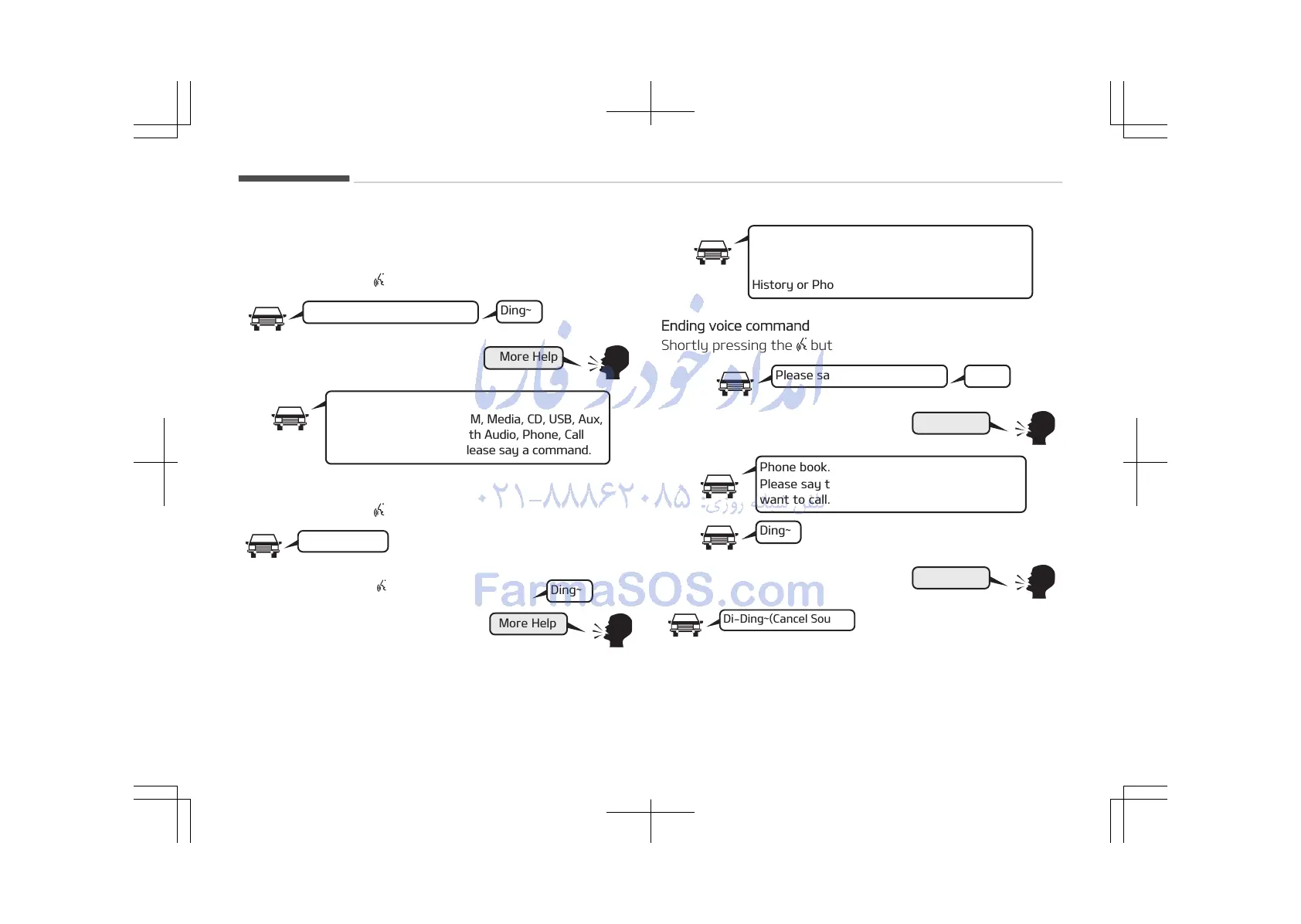
Illustration on Using Voice Commands
Starting voice command.
Shortly pressing the
button:
More Help
Please say a command.
Ding~
More Help.
You can say Radio, FM, AM, Media, CD, USB, Aux,
My Music, iPod
, Bluetooth Audio, Phone, Call
History or Phone book.Please say a command.
Skipping Voice Recognition
Shortly pressing the
button:
Shortly pressing the button
More Help.
You can say Radio, FM, AM, Media, CD, USB, Aux,
My Music, iPod
, Bluetooth Audio, Phone, Call
History or Phone book.Please say a command.
Ending voice command
Shortly pressing the
button:
Please say a command.Ding~
Phone book.
Please say the name of the phone book you
want to call.
Ding~















 To Next Page