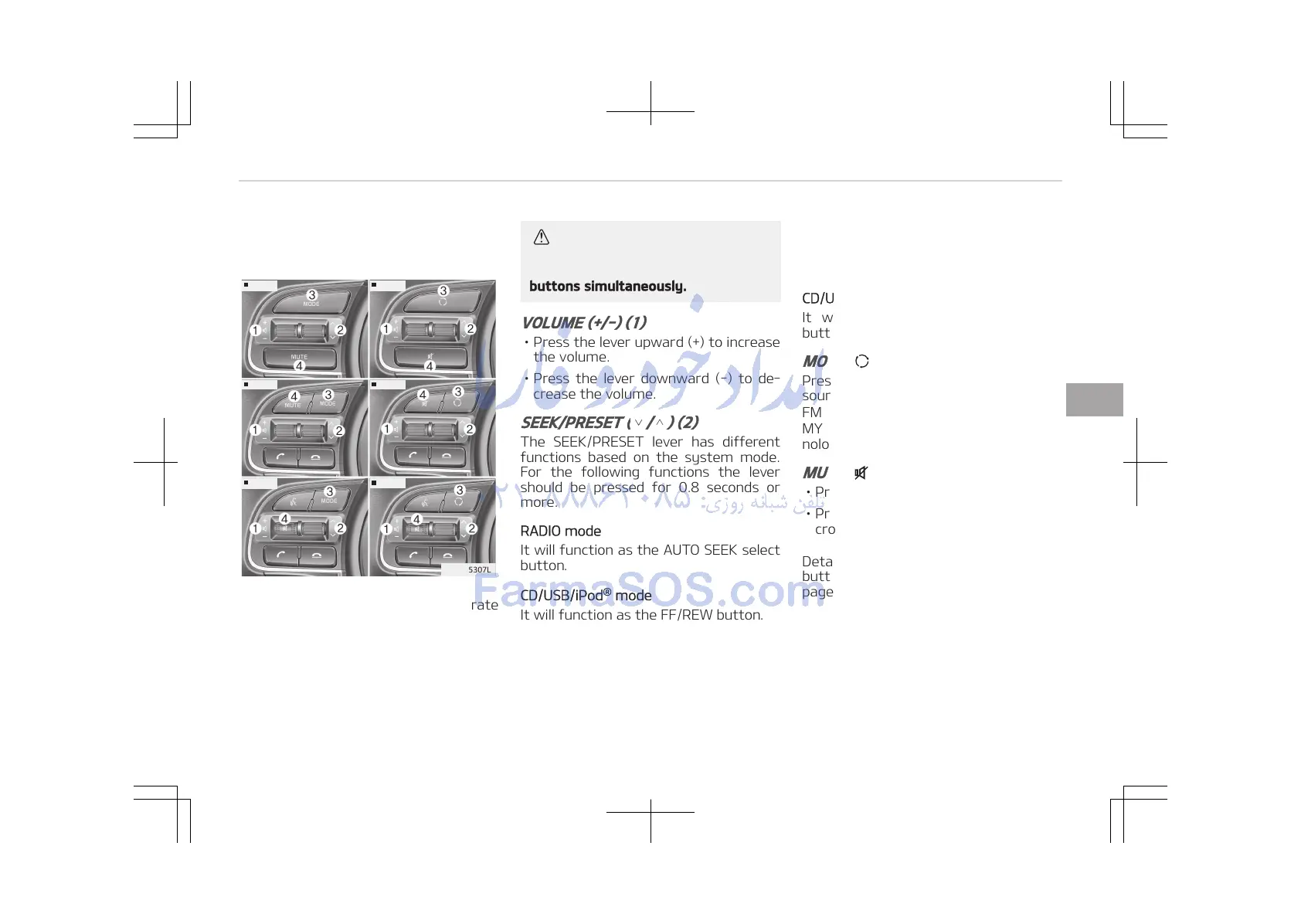
The steering wheel may incorporate
audio control buttons.
CAUTION
Do not operate audio remote control
buttons simultaneously.
VOLUME (+/-) (1)
• Press the lever upward (+) to increase
the volume.
• Press the lever downward (-) to de‐
crease the volume.
SEEK/PRESET ( / ) (2)
The SEEK/PRESET lever has different
functions based on the system mode.
For the following functions the lever
should be pressed for 0.8 seconds or
more.
RADIO mode
It will function as the AUTO SEEK select
button.
CD/USB/iPod
®
mode
It will function as the FF/REW button.
If the SEEK/PRESET button is pressed
for less than 0.8 seconds, it will work as
follows in each mode.
RADIO mode
It will function as the PRESET STATION
buttons.
CD/USB/iPod
®
mode
It will function as TRACK UP/DOWN
button.
MODE ( ) (3)
Press the button to change audio
source.
FM ➟ AM ➟ CD ➟ USB/iPod
®
➟ AUX ➟
MY MUSIC ➟ Bluetooth
®
Wireless Tech‐
nology audio
MUTE ( ) (4)
• Press the button to mute the sound.
• Press the button to turn off the mi‐
crophone during a telephone call.
Detailed information for audio control
buttons are described in the following
pages in this section.
5-03
5
Audio system















 To Next Page