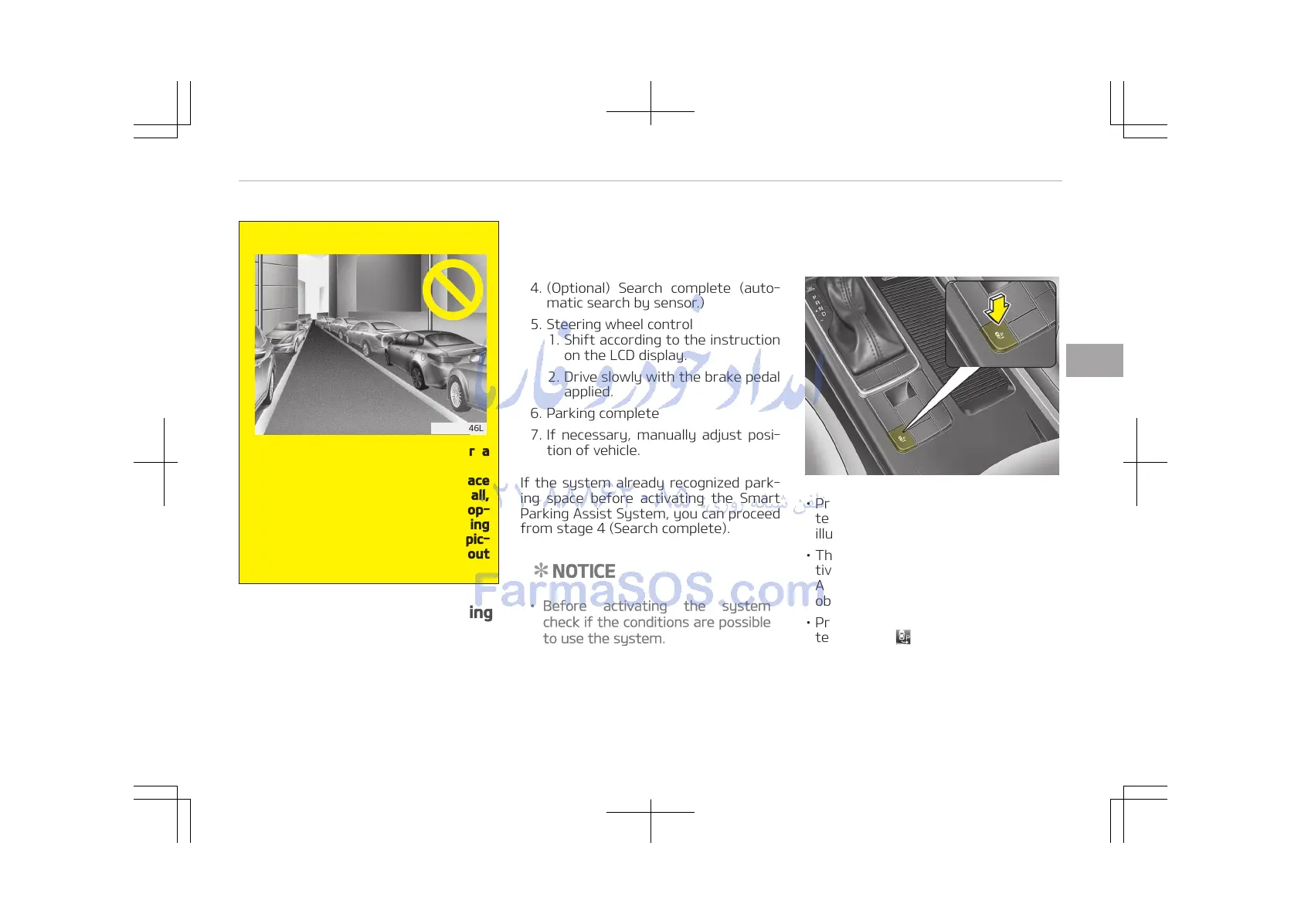
8. Leaving a parking space near a
wall
When leaving a parking space
that is narrow and near a wall,
the system may not work prop‐
erly. When leaving a parking
space similar to the above pic‐
ture, the driver must watch out
for obstacles while leaving.
How the system works (Parking
mode)
1. Activate the Smart Parking Assist
System
The shift lever should be placed in
D (Drive) or N (Neutral, above
5 km/h).
2. Select parking mode
3. (Optional) Search for parking space
(slowly move forward.)
4. (Optional) Search complete (auto‐
matic search by sensor.)
5. Steering wheel control
1. Shift according to the instruction
on the LCD display.
2. Drive slowly with the brake pedal
applied.
6. Parking complete
7. If necessary, manually adjust posi‐
tion of vehicle.
If the system already recognized park‐
ing space before activating the Smart
Parking Assist System, you can proceed
from stage 4 (Search complete).
NOTICE
• Before activating the system
check if the conditions are possible
to use the system.
• For your safety, always apply the
brake pedal except for when driv‐
ing.
1. Activate Smart parking assist
system
• Press the Smart Parking Assist Sys‐
tem button (the button indicator will
illuminate).
• The Parking Assist System will be ac‐
tivated.
A warning sound will be heard if an
obstacle is detected.
• Press the Smart Parking Assist Sys‐
tem button again for more than 2
seconds to turn off the system.
• The Smart Parking Assist System de‐
faults to the OFF position whenever
the ignition switch is turned on.
4-111
4
Features of your vehicle















 To Next Page