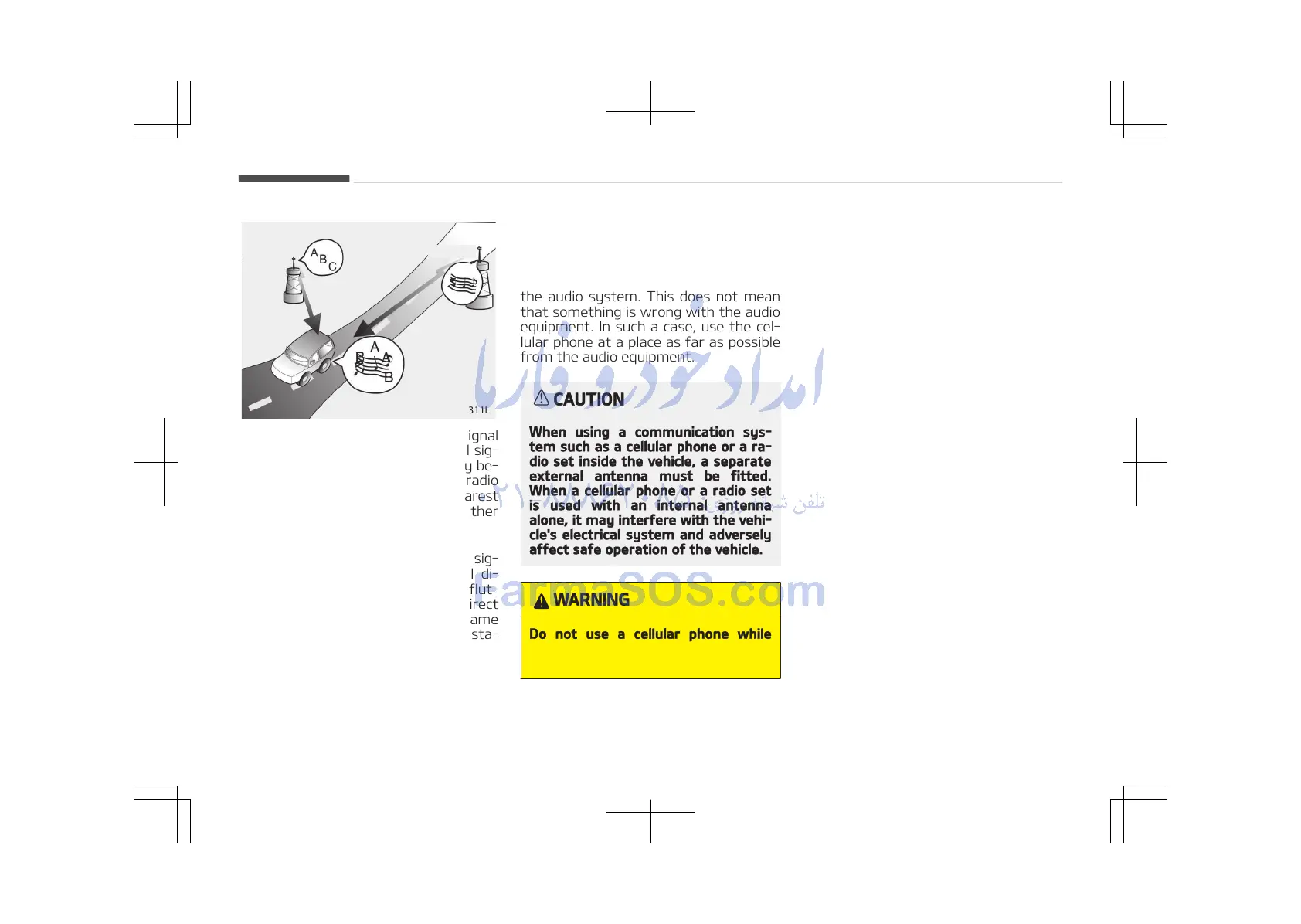
• Station Swapping - As a FM signal
weakens, another more powerful sig‐
nal near the same frequency may be‐
gin to play. This is because your radio
is designed to lock onto the clearest
signal. If this occurs, select another
station with a stronger signal.
• Multi-Path Cancellation - Radio sig‐
nals being received from several di‐
rections can cause distortion or flut‐
tering. This can be caused by a direct
and reflected signal from the same
station, or by signals from two sta‐
tions with close frequencies. If this
occurs, select another station until
the condition has passed.
Using a cellular phone or a two-
way radio
When a cellular phone is used inside the
vehicle, noise may be produced from
the audio system. This does not mean
that something is wrong with the audio
equipment. In such a case, use the cel‐
lular phone at a place as far as possible
from the audio equipment.
CAUTION
When using a communication sys‐
tem such as a cellular phone or a ra‐
dio set inside the vehicle, a separate
external antenna must be fitted.
When a cellular phone or a radio set
is used with an internal antenna
alone, it may interfere with the vehi‐
cle's electrical system and adversely
affect safe operation of the vehicle.
WARNING
Do not use a cellular phone while
driving. Stop at a safe location to use
a cellular phone.
Audio system
5-06















 To Next Page