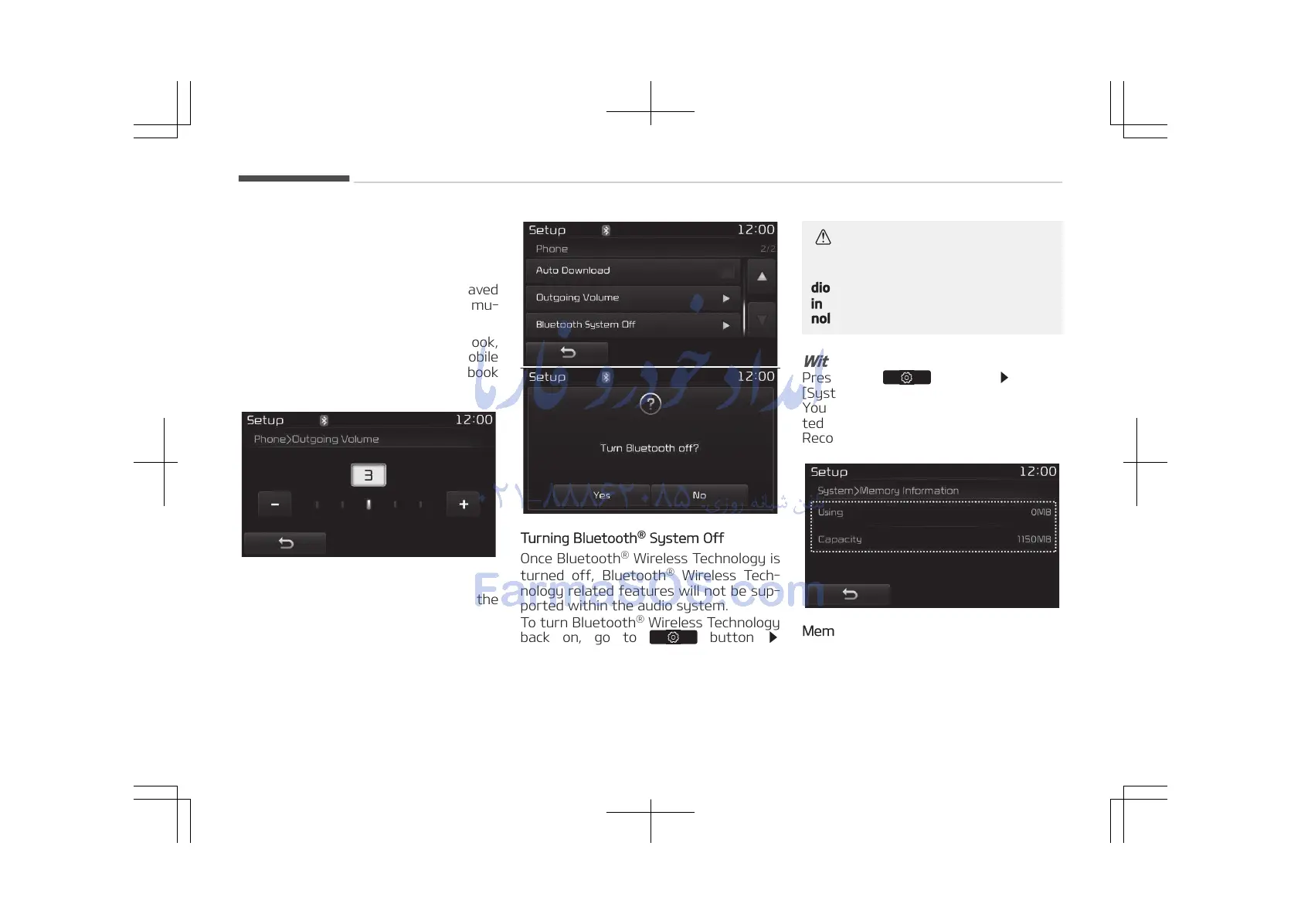
• The Auto Download feature will
download mobile phone book entries
every time the phone is connected.
The download time may differ de‐
pending on the number of saved
phone book entries and the commu‐
nication state.
• When downloading a phone book,
first check to see that your mobile
phone supports the phone book
download feature.
Outgoing Volume
Use the [-], [+] buttons to adjust the
outgoing volume level.
Turning Bluetooth
®
System Off
Once Bluetooth
®
Wireless Technology is
turned off, Bluetooth
®
Wireless Tech‐
nology related features will not be sup‐
ported within the audio system.
To turn Bluetooth
®
Wireless Technology
back on, go to
button
[Phone] and press Yes.
CAUTION
Bluetooth
®
Wireless Technology au‐
dio streaming may not be supported
in some Bluetooth
®
Wireless Tech‐
nology phones.
With the System Button
Press the button Select
[System]
You can select and control options rela‐
ted to [Memory Information], [Voice
Recognition System] and [Language].
Memory Information
This feature displays information rela‐
ted to system memory.
• Using: Displays capacity currently in
use
• Capacity: Displays total capacity
Audio system
5-112















 To Next Page